
Matthewlawson3
Inspiring
May 31, 2017
Question

Trying to understand Blu-Ray and DVD Bitrate Calcualations

  • May 31, 2017
  • 1 reply
  • 3192 views

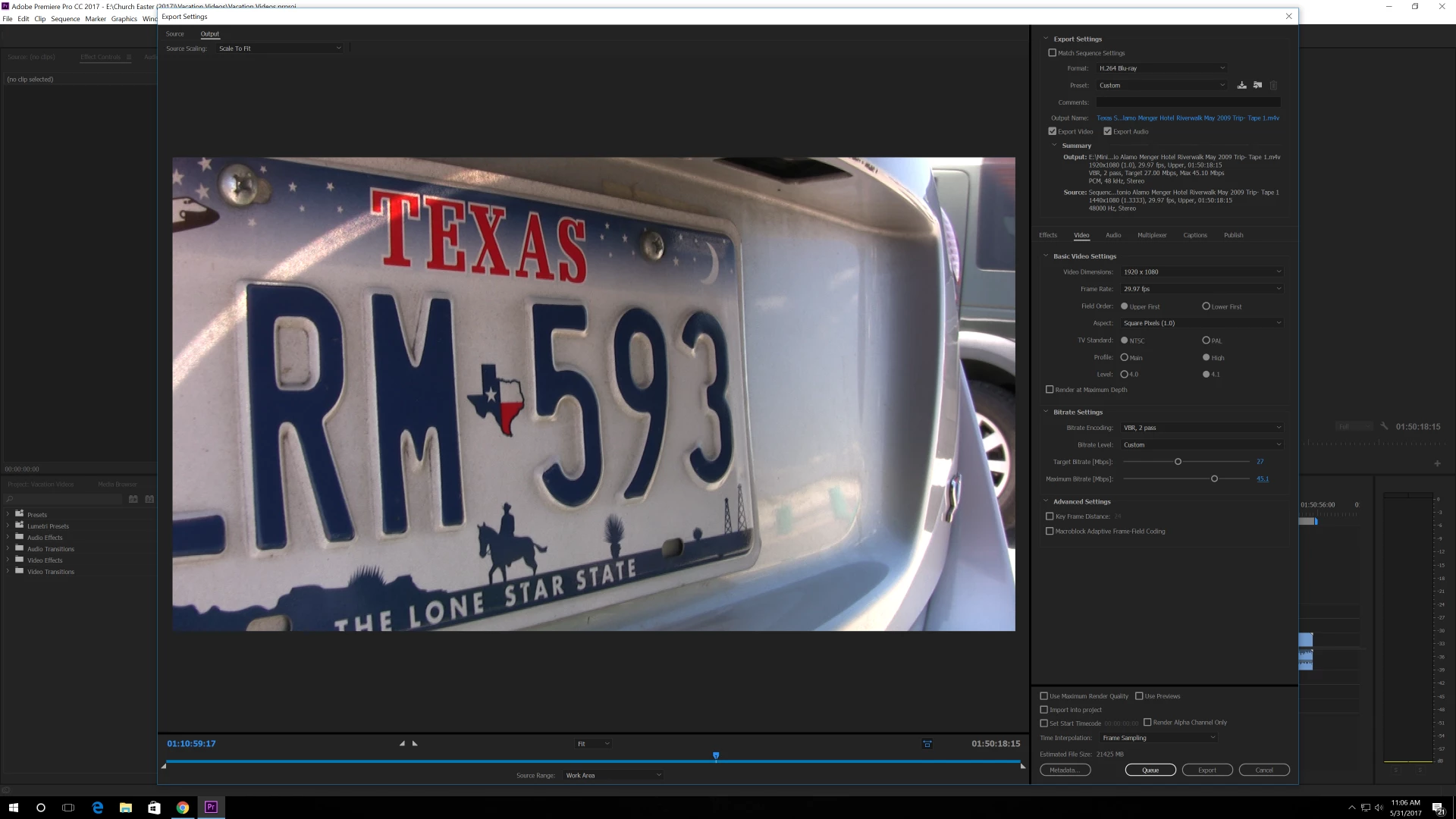
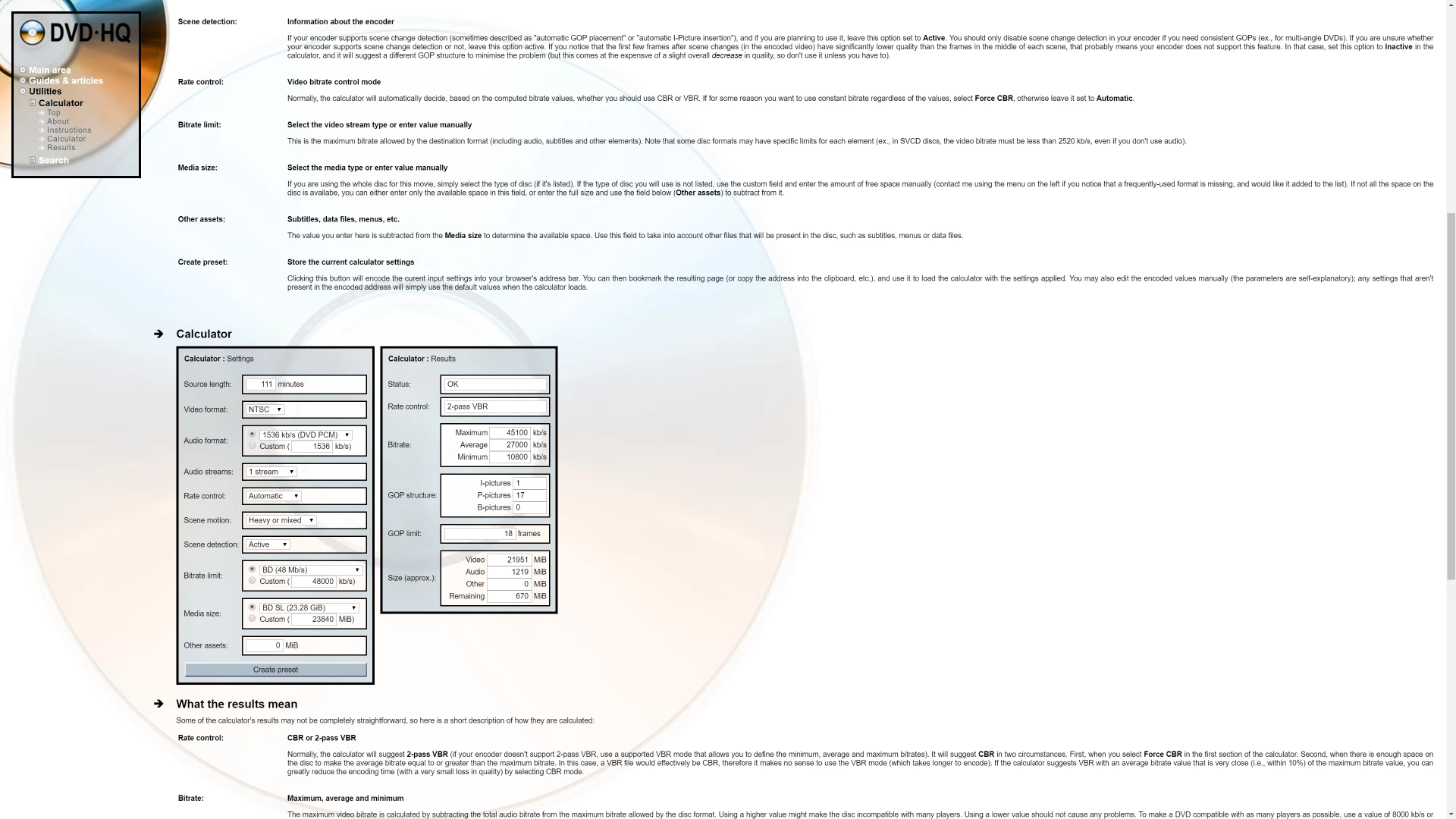
Hello everyone, I am trying to figure out bitrate calculations for BluRay 25gb discs. Below are my current Premiere export settings based on what DVD-HQ : Bitrate & GOP calculator  gave me. Below the first screenshot is a screenshot of my input into the calculator and the results. Are these bitrate settings right?
This topic has been closed for replies.

1 reply

Inspiring
May 31, 2017

What you have selected should fit on a Blu-ray disc as the total size at the bottom of the export settings window is just over 21GB.

However it looks like this originated on HDV. Have you considered using MPEG2 Blu-ray ?

In your export you have a peak bit rate around 45 Mbps. HDV is 25Mbps MPEG2 codec. If your original media was in the range of 50Mbps or more then 45 Mbps would make sense. But your video is limited to 25Mbps - no point in trying to extract more - its not there. Also why (possibly) add artefacts by converting from MPEG2 to MPEG4 ?  Blu-ray can handle MPEG2. Try a MPEG2 Blu-ray export setting, CBR at around 25 Mbps and see if that will fit. I put a 2h 15min video (shot on HDV) on Blu-ray, MPEG2 at 22.5 Mbps CBR with Dolby audio at 384kbps. It was fine. (Using Dolby audio rather than PCM audio, will save you about 1Mbps which you can use for better pictures.)

Also use a re-writable Blu-ray for experimenting with.

Matthewlawson3
Inspiring
May 31, 2017

I will try this and the source footage is from a HDV Mini DV tape (Old Vacation Videos). Thank you, Andrew! Isn't it accepted now that generally speaking H.264 BluRay looks generally better then MPEG 2 out of the box, just using the presets as are? I have heard that. I don't know. I'm just asking. Thanks, again!

Ann Bens
Community Expert
Community Expert
May 31, 2017

H.264 is better codec then mpeg2. (mpeg2 is far less efficient)

Imo Your settings are not correct, 1920x1080 should never go over 40.

Just select a preset, they often perform just fine.