
Answered
Turn Off Audio Monitoring During Recording Voice Over
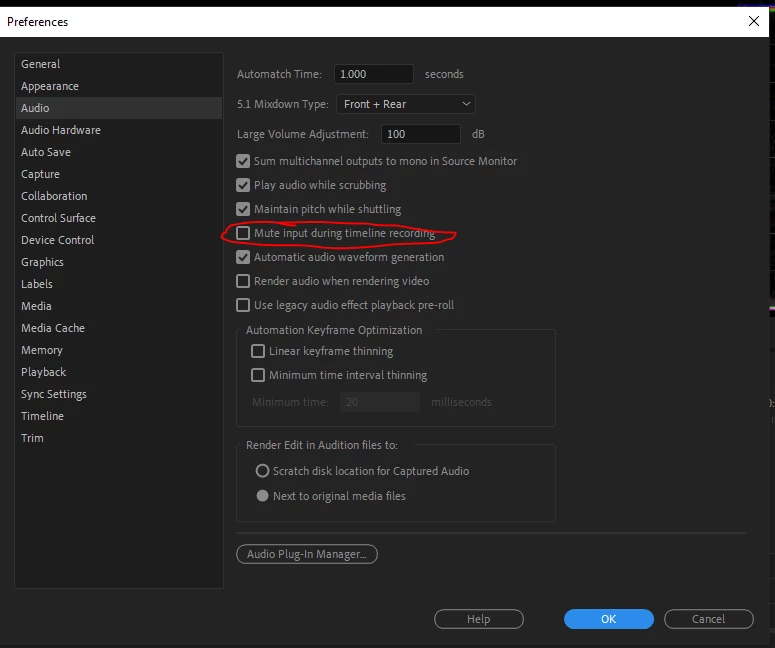
Forgive me if this is a feature already, but if it is I haven't found it. Whenever I'm recording something using the voice over feature, I have to physically turn down my speakers because there's no way to turn off audio monitoring. I know I could use headphones, but even then there's a 1 second-ish delay in the monitor audio, so I have to turn the volume down anyway because I can't talk with that kind of delay lol.
I'm on Windows 10 using the latest version of Premiere.
 AdChoices