Irene Au
Participant
May 25, 2021
Answered

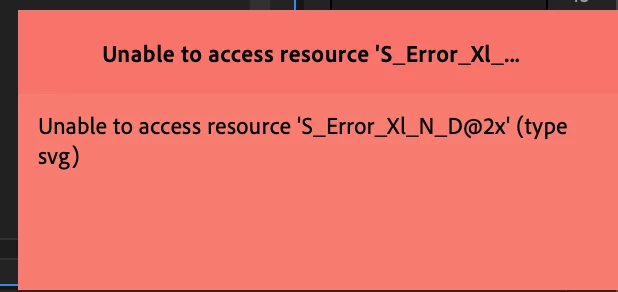
Unable to access resource 'S_Error_XI_N_D@2x' (type svg)

  • May 25, 2021
  • 20 replies
  • 21535 views

Hi everyone,


I'm using iMac Pro. When I using Premiere Pro, sometimes it will show that error, I don't know what is it, anyone can help!



This topic has been closed for replies.
Correct answer darktale

Update - In addition to downgrading Premiere, I also had to downgrade Media Encoder as well. Version 15.2 Media Encoder had failed encodes when working with 15.1 Premiere.  I am hoping this is only a temporary downgrade until the next software update.


I'm working on an iMac Pro running OS Mojave.


Finally, I also downgrade Premiere Pro and Media Encoder to 15.1 as well. It's seem back to normal and no error.

Thank you for your suggestion.

20 replies

Participating Frequently
October 27, 2021

I've got the same problem in my fancy Mac Pro. Ver 22 caused it. Had to go back to 15.0. I've got Varicam footage so 15.1 and up is not an option. These new versions do not like mxf files for some reason. 

Participating Frequently
November 18, 2021

I've still been dealing with this issue as well with c300 mkii footage and have resorted to using 15.1


Are there any adobe techs still monitoring this thread? If so I'd be happy to let them peek under the hood on my machine. I've got a 24 core mac pro running big sur 11.6.1

Known Participant
December 27, 2021

This issue is still not resolved in latest Premiere update, 22.1.2 (Build 1). It's been weeks, possibly longer honestly. Is the only solution transcoding the MXF files? Just want to clarify before making decisions on editing software needs.

Participant
October 19, 2021

Same error here on Mac Pro 2019 - Catalina 10.15.7 - 12-core - 96GB - dual X5700

Premiere version 15.4 mostly MXF material from Sony FX6/7/9

Downgrading to 15.1 until proper fix

Kevin-Monahan
Community Manager
Community Manager
September 14, 2021

Irene,

Sorry. You never returned to the post. What kind of footage are you working with? Let us know more along with your computer specs.


Thanks,

Kevin

Kevin Monahan - Sr. Community and Engagement Strategist – Adobe Pro Video and Audio
Participating Frequently
September 24, 2021

Hey Kevin.


So At this point I give up. I have followed all steps you suggested, and still it literally bring my computer to its knees. CPU maxs out, everything slows to treacle.


I have no choice but to stay in 15.1 where it remains the most stable. I know you said you cant replicate this, but clearly this is something that was changed in the programme post 15.1? I will say, that when I was editing this ptoject on the lates version on my laptop, 2017 Macbook pro, I had non of these issues, so its somthing to do with the Mac Pro 2019 and Video card?

Participating Frequently
September 29, 2021

Bump

Known Participant
September 14, 2021

Can anyone explain this error?


"Unable to access resource 'S_Error_XI_N_D@2x' (type svg)


This is in a project with nothing but C300 Mark II 4K footage, no graphics, text, just rough cut timeline. I do have Lumetri applied to some of the clips.


Syestem info: iMac Pro 18 core, Vega 64 16GB, 128 GB RAM, Big Sur 11.5.1


Symptoms include being unable to save the project file, either as Save or Save As for an iteration. Sometimes if I leave the system idle for a moment the error will clear and I'll be able to save files again. All other Adobe and other applications function as expected. This is a recent issue with the latest version of Premiere, 15.4.1.


Is there any actual engineer at Adobe who can translate this error and perhaps provide a solution besides "Use a previous version"?

Peru Bob
Community Expert
Community Expert
September 14, 2021

Please post that here where the Adobe engineers read all threads:
https://adobe-video.uservoice.com/forums/911233-premiere-pro

Known Participant
September 14, 2021

Not to ressurect and old thread but I am also seeing this issue:

"Unable to access resource 'S_Error_XI_N_D@2x' (type svg)

This is in a project with nothing but C300 Mark II 4K footage, no graphics, text, just rough cut timeline. I do have Lumetri applied to some of the clips.


Syestem info: iMac Pro 18 core, Vega 64 16GB, 128 GB RAM, Big Sur 11.5.1


Symptoms include being unable to save the project file, either as Save or Save As for an iteration. Sometimes if I leave the system idle for a moment the error will clear and I'll be able to save files again. All other Adobe and other applications function as expected. This is a recent issue with the latest version of Premiere, 15.4.1.


The common thread appears to be iMac Pro so far. Is there any actual engineer at Adobe who can translate this error and perhaps provide a solution besides "Use a previous version"?

vegassammie
Participating Frequently
September 8, 2021

As a professional editor this is a complete nightmare.  What the hell Adobe???!!! Not being able to import from a pro  Sony camera shooting 4K MXF files without issues is just ridicuous! Adobe: Please don't issue updates that "break" your software without backwards compatability.  Super frustrating and time waster.  Why does the error indicate svg when there are no svg files anywhere near my footage files. 

I don't think, as a user, I need to DISCOVER this issue and be "FORCED" to rollback to an earlier version to use it - especially halfway through an edit - for goodness sakes. Really Stupid.  So stupid that I've purchased a copy of FCP and relearning to switch back to FCP.  Get it together Adobe or this pro is OUT!

AmesP
Participant
September 8, 2021

Stellar comment! 

If helpful, I've been able to resolve this lately by deleting my cashe whenever playback issues begin to pop-up. No need to roll back any longer - phew - but wouldn't it be amazing if the software we paid for didn't need to be micromanaged! 

AmesP
Participant
July 26, 2021

Same problem here. Until now, I've been working around it by saving my project with a new version name, or changing file path names and relinking footage, but it just crashed so hard my computer auto-rebooted. 


Is there a way to roll back project file versions? I'm mid-edit on a version 15.4 project file, and I need to finish without losing progress. 


Known Participant
July 26, 2021

I'm on a imac pro running Mojave. I recently upgraded to 15.4 and had an issue where it had trouble rendering previews.  The error said something about trying to duplicate a frame or couldn't re-create a frame. I wasn't sure if it was a problem with my project or the new version so I dropped back to 15.1 and the problem did not occur in the older version.

I think you should be able to open your project in 15.1 since it is only a .X version and not a version created in say version 14.

AmesP
Participant
July 27, 2021

Thanks for the reply. You're right about .X versions, rollback worked like a charm.

Worth noting, I only had problems with one project that contains BlackMagic MOV footage (crashing, save errors, effect errors, playback only working on audio). All my RED edits ran fine on 15.4. 

Participating Frequently
July 21, 2021

2019 Mac pro (16 core) user running Big Sur here with similar issues.

All builds since 15.2 have been so unstable they are unusable, especially in projects with a large variety of media types (MXF, .R3D, and prores for example). 


Please fix this :). 


ryanj7741482
Participant
June 8, 2021

I am experiencing this issue as well. do we know if Adobe plans to fix? Do we know the root cause of this? 

This has never happened to me before until today and I havent done anything differently to my knowledge.

Kevin-Monahan
Community Manager
Community Manager
September 14, 2021

Hi Ryan,

We have a bug filed, but in current versions, the bug remains unfixed as we cannot reproduce it. Any other clues you can give are welcome.


Thank You,
Kevin

Kevin Monahan - Sr. Community and Engagement Strategist – Adobe Pro Video and Audio
Participant
December 12, 2021

Fix this problem instead of making NFT 's adobe. 

I had this problem six month a

Fix this problem instead of making NFT 's adobe. 

I had this problem six month ago now after six moonths it is still the freaking same issue, why do I have to pay and suffer and use older version to have my edit go smooth, now even if i downgrade it can not open same project  since the  project was created on a newer version.  I need to re freking edit the project in an older version and I cant believe it. Your software freaking sucks since you have made some good money. I will tell you instead of asking me what machine, processr, OS  I am using, let me tell you the problem your news version can not handle .mxf files 

I am using an  I mac pro that costed 50k, so please dont ask what I am using instead tell your engineer the problem and ask them if adobe is capable of solving it else me and all of office braches will move to Davinci ( relable software). I promise you this will be a big big loss for adobe even if they dont care about the losses.    

go now after six moonths it is still the freaking same issue, why do I have to pay and suffer and use older version to have my edit go smooth, now even if i downgrade it can not open same project  since the  project was created on a newer version.  I need to re freking edit the project in an older version and I cant believe it. Your software freaking sucks since you have made some good money. I will tell you instead of asking me what machine, processr, OS  I am using, let me tell you the problem your news version can not handle .mxf files 

I am using an  I mac pro that costed 50k, so please dont ask what I am using instead tell your engineer the problem and ask them if adobe is capable of solving it else me and all of office braches will move to Davinci ( relable software). I promise you this will be a big big loss for adobe even if they dont care about the losses.    

Known Participant
May 25, 2021

I'm having the same issue as well. Could use some help too. 

I tried clearing media cache, resetting plugin and preferences with no luck.

If I restart Premiere it goes away for a short time.


Participating Frequently
May 25, 2021

I am also having this issue. I have a 2019 Mac pro 24 Core with the 5700x card and 28 gigs ram, running latets PP and latest Big Sur. Premiere is bringing my computer to its knee's. Everything locks up, or runs so slowly as to be unusable.

I have cleared cache, reset pref's multiple times. It works for a short while, and then it will lock up. 


Its driving me nuts.

Participating Frequently
May 25, 2021

latest