
bens80141669
Participant
July 7, 2017
Answered

Unable to drag and drop effects into timeline

  • July 7, 2017
  • 2 replies
  • 14880 views

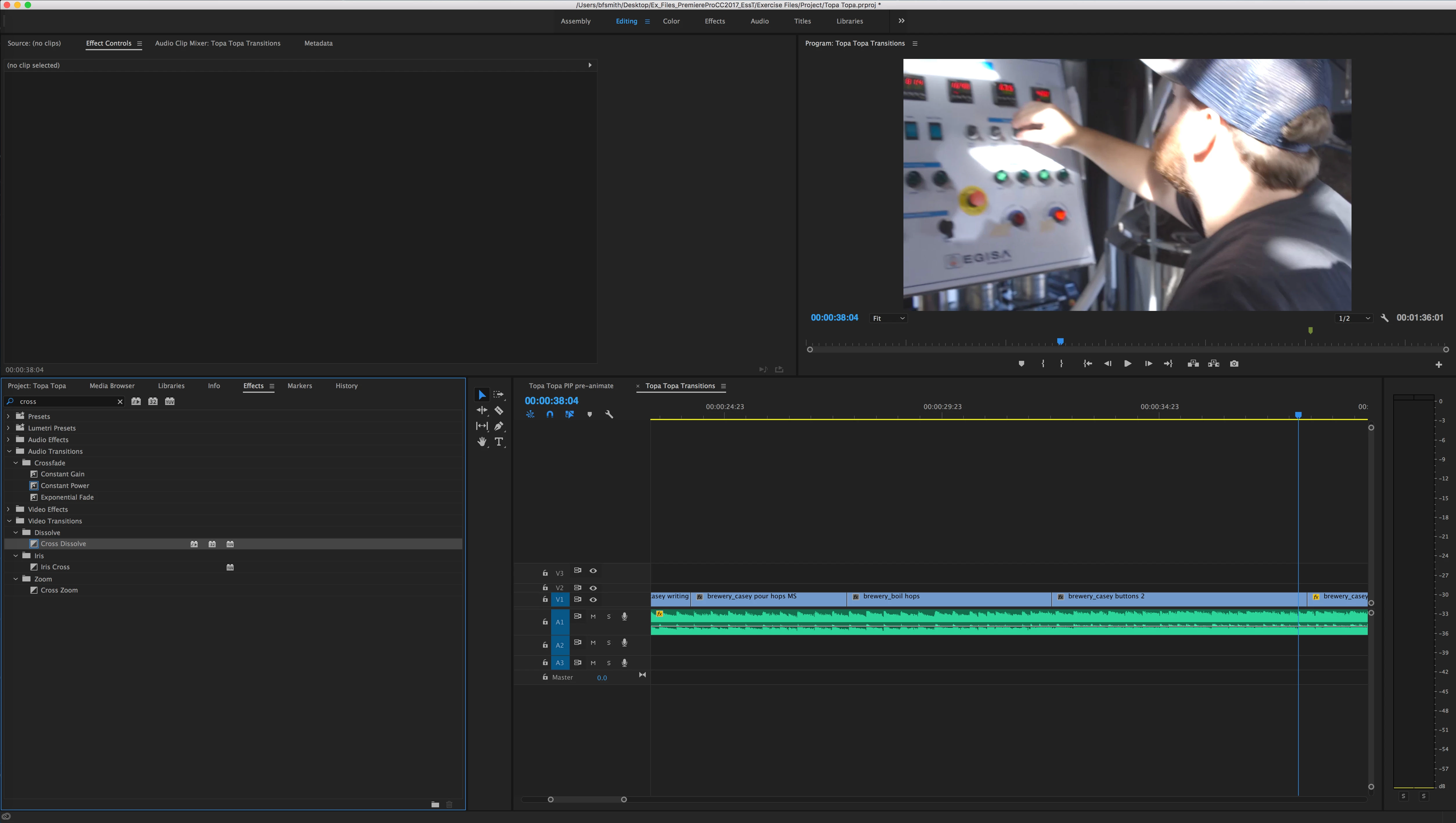
Hello! I have recently updated to the latest version of Premiere Pro CC, and I am unable to drag and drop anything from the effects menu into my timeline. Below is a screen shot. Any effect I attempt to drag onto the timeline results in the hand icon with the no symbol. Specifically with the cross filters, if I use the key command, they work, but not if I attempt to drag and drop. I am new to the software so any suggestions are appreciated. Thanks!

Ben
This topic has been closed for replies.
Correct answer Meg The Dog

Cross Dissolves need to be dragged to the cut point between clips, if you drag them to the center of a clip it will show the NO cursor.

MtD

2 replies

bens80141669
Participant
July 7, 2017

Hi Meg! I tried and it doesn't work even if I am between clips. The second I drag any effect, whether a cross dissolve or any thing else, the hand with the no symbol instantly pops up.

Ann Bens
Community Expert
Community Expert
July 7, 2017

That is correct as soon as you drag the no-no hand appears. But you need to drag it all the way to the cut or clip.

Meg The DogCorrect answer
Inspiring
July 7, 2017

Cross Dissolves need to be dragged to the cut point between clips, if you drag them to the center of a clip it will show the NO cursor.

MtD

Participant
July 28, 2021

Thanks, this worked for me..