

Unable to drag effects into premier timeline
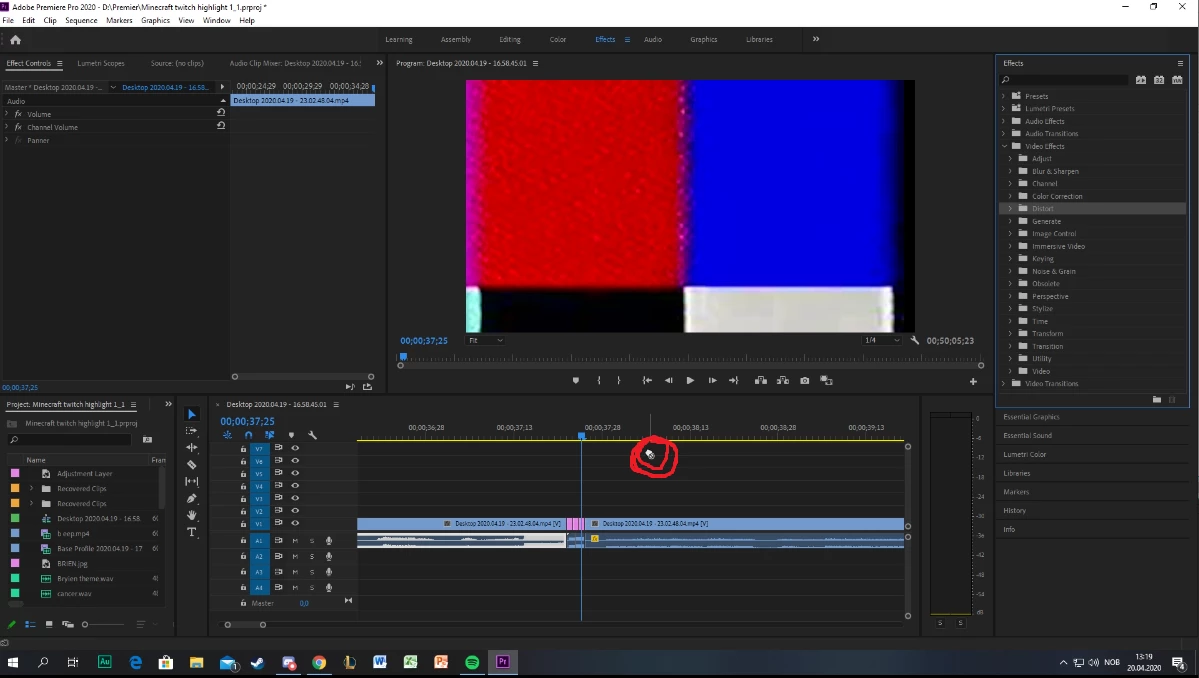
To keep this very simple: Premier is constantly refusing to allow me to drag any form of effects into my timeline, new projects and new sequences. I have reinstalled premier to the newest version, i have done the adobe cc cleaner, i have checked that no video or audio file is "locked." I have even swapped out my old mouse "because people say it can be linked to that for some reason" i have also refreshed the cache, by holding in shift + alt, and yet. the problem persists, i can not drag any form of effects into my timeline, both video and audio, but i can still add in "clips" and such, but its only the effects tab. that is refusing to work, now this is ofc great considering two days ago the editing software was working just fine, but yesterday it started to act up. my school deadline is just 28 hours away, and im afraid i wont be able to finish up my film in time due to this incredibly annoying issue.
 AdChoices