
Participant
January 20, 2020
Answered

Unable to Export in Premiere 2020...

  • January 20, 2020
  • 7 replies
  • 9620 views

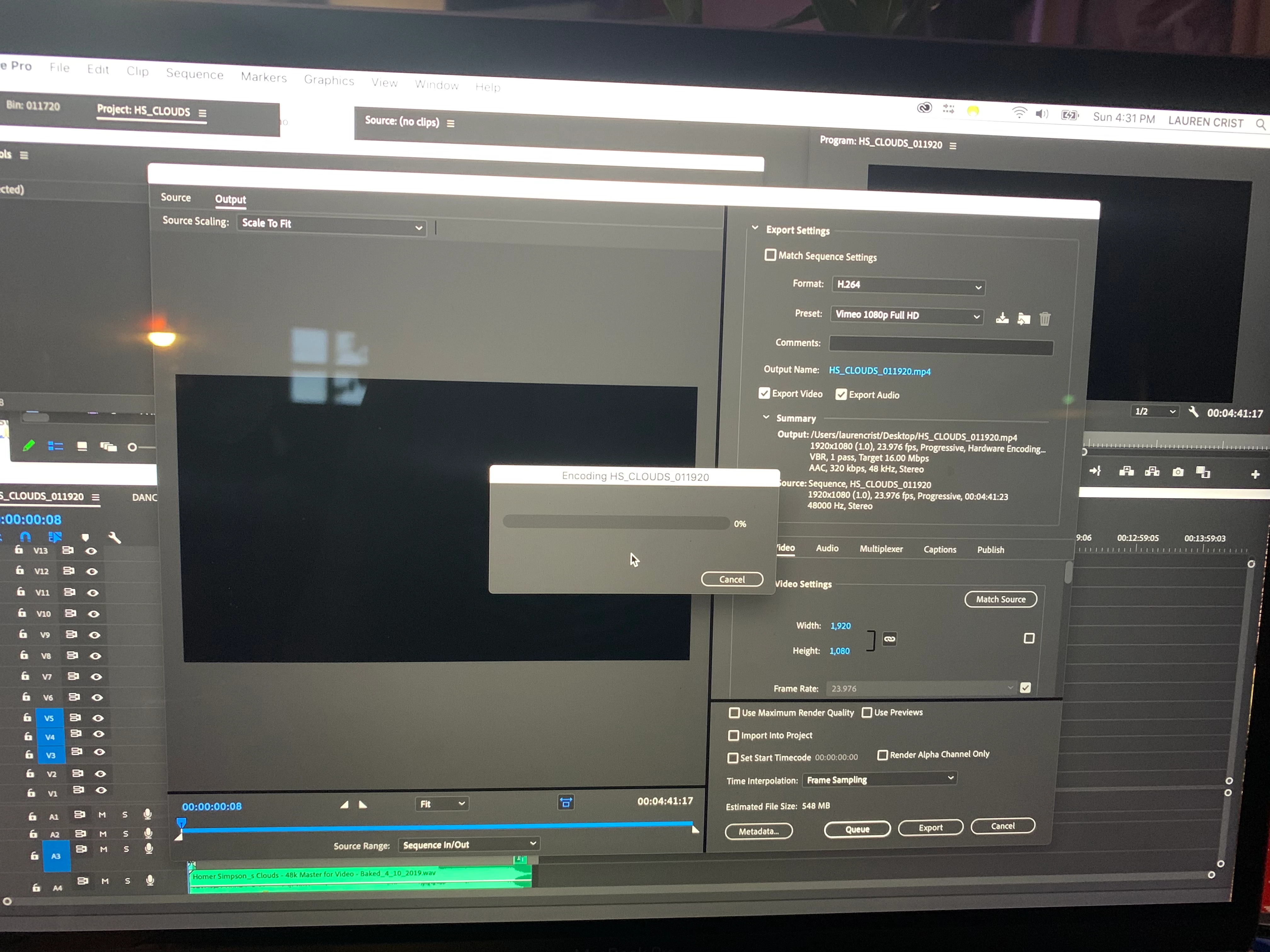
The four and a half minute project I have been working on for the past month has been able to export fine up until yesterday. I've cleared out my cache, render files and deleted audio/ video previews to no avail. Please help! I'm using a 2017 MacBook Pro. When i hit export in the export media window, the smaller encoding window pops up but nothing happens. I am, however, able to export smaller chunks from my sequence without issue. But why???
This topic has been closed for replies.
Correct answer christopherl89108337

I happened across this post when I was having the same issue.  Tried clearing the cache to no avail, and tried several other solutions that I found on other forums that did nothing.  Then I stumbled across something pretty randomly that fixed the issue for me: I deleted all markers from my sequence and music track (the only media that had markers), and tried exporting again, and it worked perfectly!  Not sure if this will be of help to anyone else, but figured I'd throw it out there in case.

7 replies

Participant
August 23, 2021

As a global company, we've found a viable and efficient solution. We are phasing out Adobe and are now using DaVinci and CyberLink for video editing. 

Participant
December 11, 2020

I am having a similar problem but it is finishing. it sits at 87-99% and if I click anything it then shows it is not responding. I have tried different OS, tried different settings for export, tried media encoder, and proxies. I am using a Macbook Pro 2018 late; RTX 2080, Ryzen 9 3900XT, 64GB RAM, most updated OS and program. is there any fix or anywhere to start?

Participant
October 9, 2020

You are my hero! I cleared one marker and it worked. Thank you 

Inspiring
August 22, 2020

I am having this issue now. I click File-> Export -> Media, and nothing happens at all. Nothing new appears on the screen. Sometimes if I shut down PP and open it again a few times, then I can export. Sometimes the "Media" option is greyed out and I can't even click on it. I am new to Adobe PP, but it seems to have a few bugs...

christopherl89108337
christopherl89108337Correct answer
Participant
January 31, 2020

I happened across this post when I was having the same issue.  Tried clearing the cache to no avail, and tried several other solutions that I found on other forums that did nothing.  Then I stumbled across something pretty randomly that fixed the issue for me: I deleted all markers from my sequence and music track (the only media that had markers), and tried exporting again, and it worked perfectly!  Not sure if this will be of help to anyone else, but figured I'd throw it out there in case.

Participant
February 1, 2020

THIS WORKED!!! Holy crap, that was such an odd fix. THANK YOU SO MUCH!!!!! 🙂

Participant
February 23, 2020

This worked for me to! I agree -strange solution but it worked!


Thank you for sharing!

Legend
January 20, 2020

Same issue here. Running 14.0.1, Encoding is stuck at 0% for both Premiere and Media Encoder exports for one of my projects. This is a huge issue if it's as widespread as I think it may be.


I also deleted cache/renders. I want to dive into why this is happening and have some theories, but it's incredibly late since I've been staying up enough as it is editing.


I do wonder however if it has something to do with source footage that is a different resolution than the sequence. The reason why I say this is because it was an issue with Warp Stabilizer as of late in 14.0. A good chunk of my footage is UHD but my sequence/deliverable is going to be FHD. Using Warp Stabilizer on a UHD clip made the resulting frame offset and incorrectly positioned.


Oddly enough, setting the Preview Resolution to something other than Full resolved this preview. However on export, looking at my export window it seems like the offset clips are an issue again. So maybe it's warp stabilizer, maybe it's mixed source media, but both of these are common editing processes and this is a major issue if videos can't be exported.


I'm going to have some time tomorrow to try to troubleshoot this more thoroughly to Adobe. A quick export I did earlier in the night worked, but didn't have warp stabilizer and the footage matched the sequence and matched the output....


Yeah...this is frustrating, hopefully someone can find what is causing this, because once we know maybe at least we can do a workaround.

Justin16
Participating Frequently
January 22, 2020

I am also having the same problem, where I have different resolution UHD clips in a 1080p sequence. I am not using any video effects at all. Just using the essential sound on the audio

Justin16
Participating Frequently
January 22, 2020

Also Running 14.0.1 --   So I was able to resolve the issue this time around by going into my users/Library/Application Support/Adobe/Common and deleted every file/folder within the Cache folders (Media Cache, Media Cache Files, Peak Files, & PTX).


I'm wondering if this will work for others.

Participant
January 20, 2020

Also worth noting is that I transferred the project to my husbands iMac and was able to export it in its entirely with NO ISSUE.