Inspiring
June 21, 2021
Answered

Unable to export using Hardware Encoding on MacBook Pro 16" 2019 with AMD Radeon Pro 5600M

  • June 21, 2021
  • 1 reply
  • 530 views

When I start a project it shows that (Metal) is available.


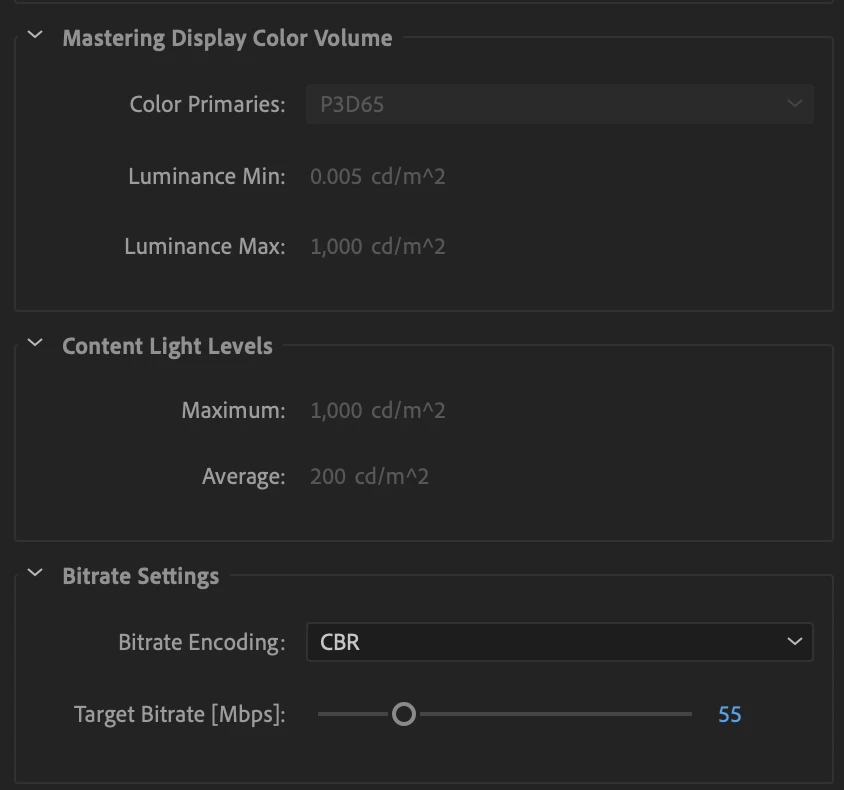
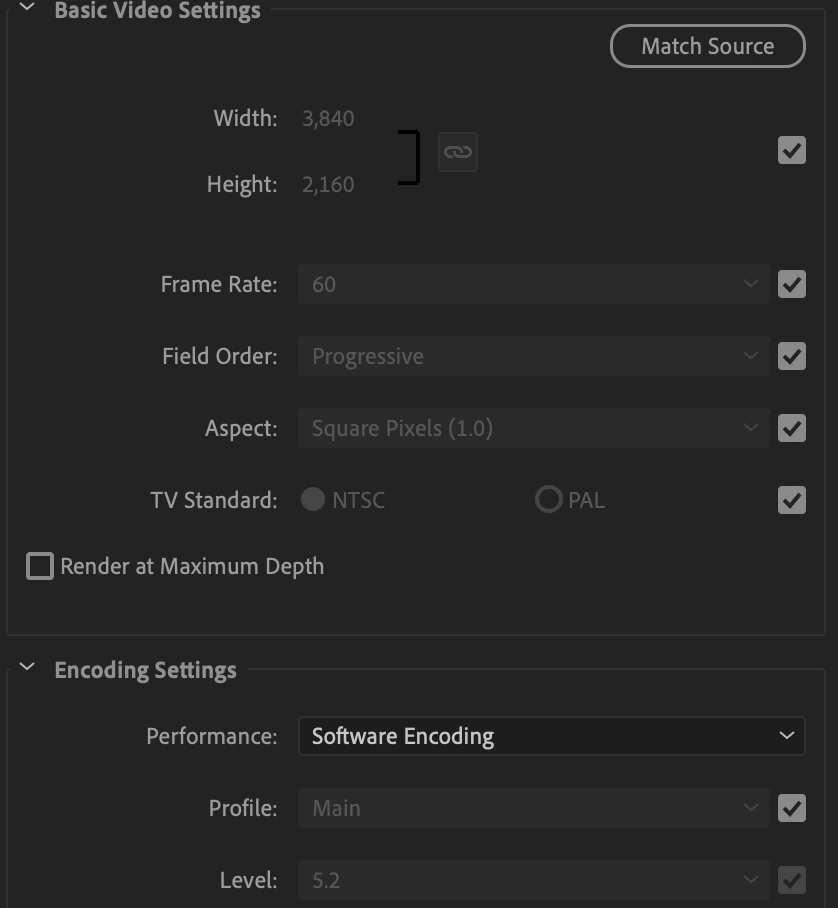
Below at the settings I'm trying to export at. For what it's worth, the source video file was exported with no audio and I saw in other loosely relative posts that it could cause issue? OS and Adobe software is up-to-date.


This topic has been closed for replies.
Correct answer R Neil Haugen

That 'software encoding' is not the same thing at all as the general use of the GPU in the Project settings dialog.


The GPU options set whether, for what Premiere uses a GPU for, it will work with your GPU (if it's a usable one). But it only uses the GPU for certain things ... color, warp, some things like that.


The hardware/software encoding in the box you show is ONLY about H.264 encoding, which is a very different thing. Some CPUs have extra hardware included so they can use it for H.264 encodes. Some GPUs have bits that work for H.264 encodes. For some CPUs, they're faster at internally handling H.264 encodes than most GPUs. For those, or for the ones that can work with a GPU that can handle H.264 encodes, you'll see 'hardware encoding' as an option here.


For the CPUs without the extra bit, and aren't set to use a GPU's capabilities if it has them, you'll see software only.


And ... on all two-pass encodes, you'll see software only, as no 'hardware encoding' is possible for 2-pass encodes in any program on any machine.


Neil

1 reply

R Neil Haugen
R Neil HaugenCorrect answer
Legend
June 22, 2021

That 'software encoding' is not the same thing at all as the general use of the GPU in the Project settings dialog.


The GPU options set whether, for what Premiere uses a GPU for, it will work with your GPU (if it's a usable one). But it only uses the GPU for certain things ... color, warp, some things like that.


The hardware/software encoding in the box you show is ONLY about H.264 encoding, which is a very different thing. Some CPUs have extra hardware included so they can use it for H.264 encodes. Some GPUs have bits that work for H.264 encodes. For some CPUs, they're faster at internally handling H.264 encodes than most GPUs. For those, or for the ones that can work with a GPU that can handle H.264 encodes, you'll see 'hardware encoding' as an option here.


For the CPUs without the extra bit, and aren't set to use a GPU's capabilities if it has them, you'll see software only.


And ... on all two-pass encodes, you'll see software only, as no 'hardware encoding' is possible for 2-pass encodes in any program on any machine.


Neil
Everyone's mileage always varies ...
ScaltiAuthor
Inspiring
June 22, 2021

Interesting. Thank you for the information. 
I've been under the impression this whole time that the 2019 MBP would have hardware encoding capability. Unfortunate.

R Neil Haugen
Legend
June 22, 2021

Which sort of hardware encoding were you expecting?  😉


That's the bugaboo about this ... there are two completely different things talked of as hardware/software encoding, and it's confusing as heck.


And again, for anyone perusing this, when you see "Software encoding" in the Summary section of the Export dialog, it refers to H.264 encoding, NOT color work such as Lumetri. The very speicalized encoding for long-GOP formats H.264 and H.265 can have their own hardware in some computers.


Neil

Everyone's mileage always varies ...