
Participant
April 25, 2018
Question

Unable to install Fram.io extension

  • April 25, 2018
  • 4 replies
  • 1662 views

I had the Frame.io extension installed just last week, but now it seems to have disappeared.

I double checked that it was installed through Adobe Exchange and that the Creative Cloud Desktop App is installed with file syncing turned on. All of this was good yet still no extension.

I then tried to install the extension manually using the instructions from here: Install Instructions

I downloaded the .zxp file, downloaded and installed Anastasiy’s Extension Manager, and then tried to install the extension that way, but got an odd error that said, "The extension is damaged or cannot be accessed, please re-download it. You may need to use a different browser or download manager. Please also try repairing your disk permissions using Disk Utility or Windows Explorer"
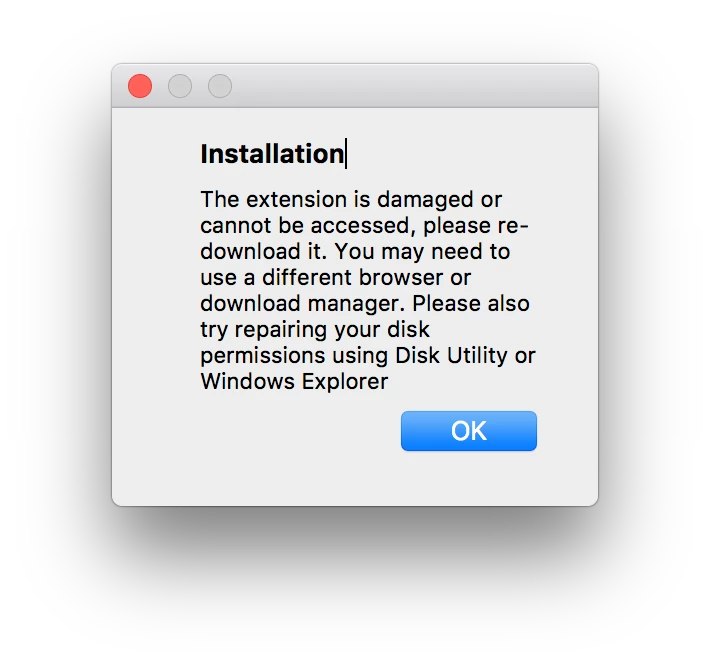
I then tired re-downloading the .zxp file with no luck.

Anyone have a solution?

This topic has been closed for replies.

4 replies

Participant
October 8, 2018

I am also not able to install the frame.io extension regardless of anything I have tried. Were you able to find a solution?

Participating Frequently
July 2, 2018

Please, the same issue....

Furthermore, I have to deploy extensions remotely on 100 computers.

How can I do this. I try with ExManCMD but it asks for Adobe ID and I can't give Adobe ID Enterprise to users and we can't enter the Adobe ID on each computer...

Help !!

Thanks

Thomas_Szabo
Inspiring
July 2, 2018

@prismamedia Please reach out to us at support ad frame.io

We'll find a solution. Thomas

[email address edited by mod]

Participating Frequently
July 4, 2018

@Thomas_Szabo

it is done. For the Adobe ID issue, the support told me to see with Adobe....

I'm waiting an answer for the error when I try to install with Anastasiy’s Extension Manager

it's very annoying not to be able to deploy remotely the extension properly.......

Participant
July 1, 2018

Same problem here.

Participant
May 24, 2018

Hey,

Did you ever find a solution to this issue?

Thanks.