
yoyf50075118
Participant
June 22, 2025
Répondu

Unable to show all audio in a single row with a single waveform on a timeline

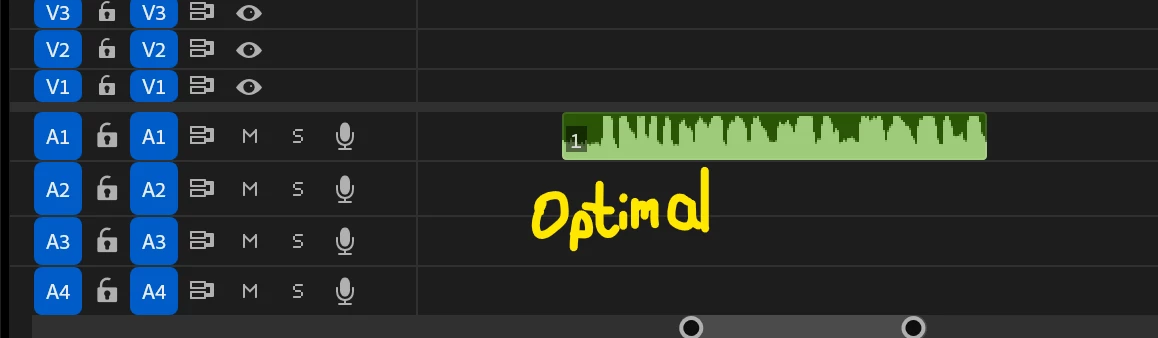
Hi Experts, do you konw how to chagne my default settings, so that whatever audio I dragged onto my timeline will be displayed in a single track with a single waveform?


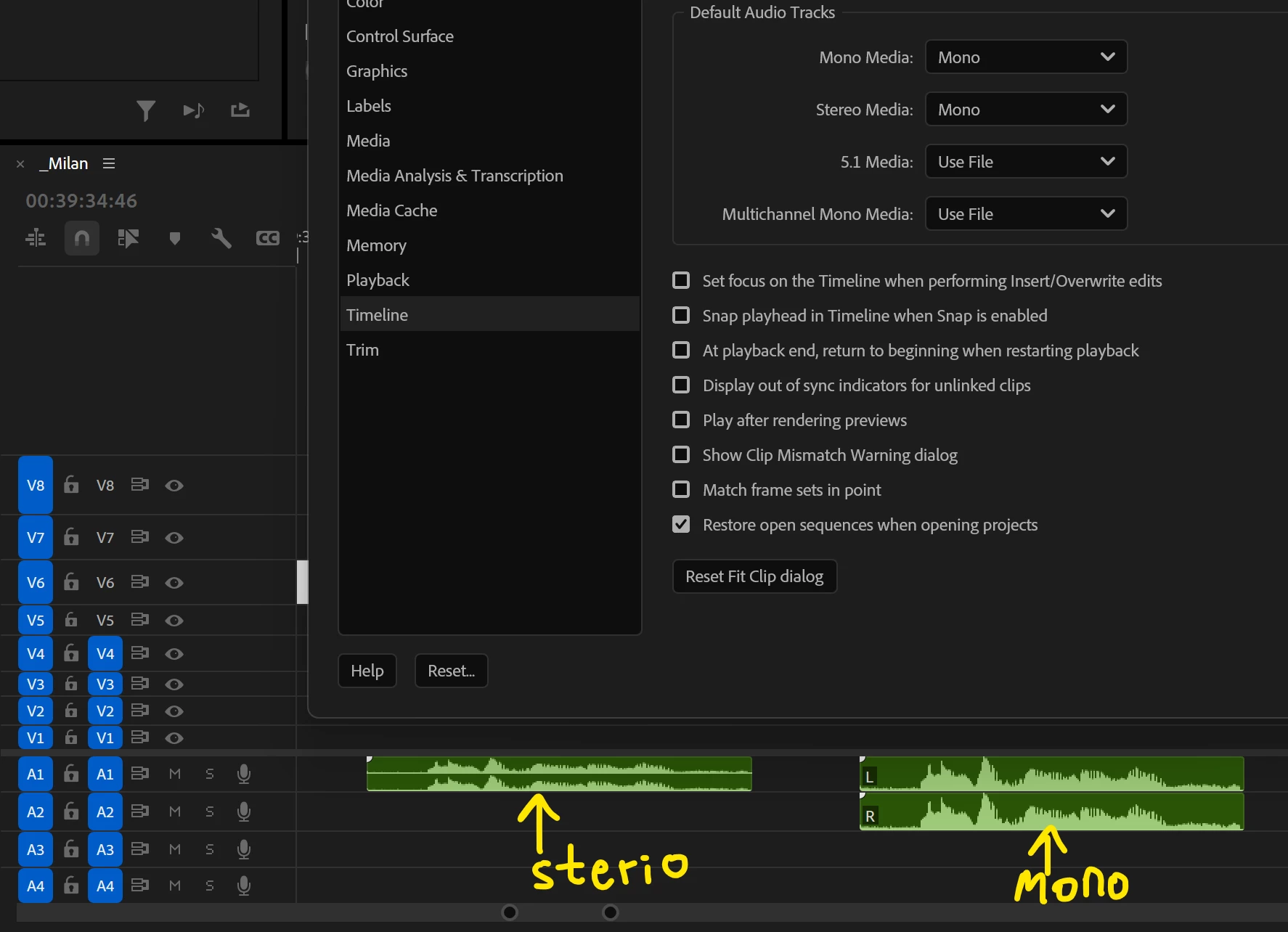
I tried Preference > Timeline > Default Audio Tracks, set it to "Sterio" , gives me two waveform in a single track ;

I also tried Preference > Timeline > Default Audio Tracks, set it to "Mono" , gives me one waveform in two tracks ;


but none of these are optimal. Anyway to default all audio as one waveform in one track in my project?

Thankssss!


Meilleure réponse par Sumeet Kumar Choubey

Hi yoyf50075118,

Welcome to the community! For this, you may set Default Audio Tracks preferences to Mono & then create a New sequence preset with the Track Type set to Mono instead of Standard (File > New > Sequence > Tracks). Please note that this will only affect new sequences which are created based on this new preset. For existing sequences, you can remove existing tracks & add new Mono tracks if required. Hope this helps.


Thanks,

Sumeet

1 commentaire

Community Manager
June 23, 2025

Hi yoyf50075118,

Welcome to the community! For this, you may set Default Audio Tracks preferences to Mono & then create a New sequence preset with the Track Type set to Mono instead of Standard (File > New > Sequence > Tracks). Please note that this will only affect new sequences which are created based on this new preset. For existing sequences, you can remove existing tracks & add new Mono tracks if required. Hope this helps.


Thanks,

Sumeet