
Participant
April 11, 2025
Question

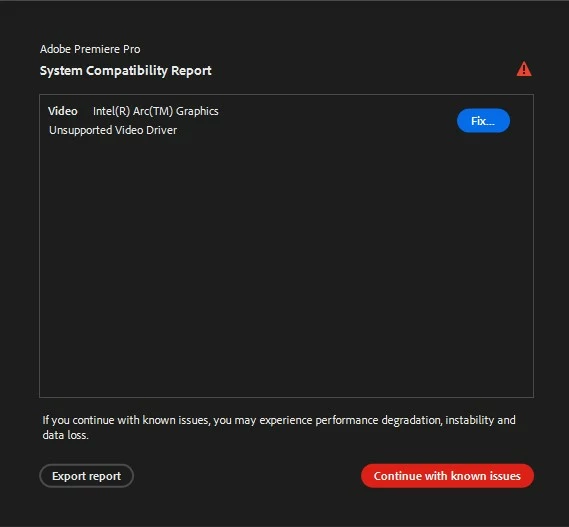
Unsupported Video Driver error message in Premiere Pro

  • April 11, 2025
  • 1 reply
  • 1896 views

This error mesage pops up whenever I open Premiere Pro. One of our IT people installed the latest Intel and NVIDIA drivers but the error does not go away. Is there a recommended driver version that I should install? I am using Premiere Pro version 25.2.1
 

1 reply

Peru Bob
Community Expert
Community Expert
April 11, 2025

Moved from the CC Desktop forum to the Premiere Pro forum.

Inspiring
April 13, 2025

Same issue here. My Intel and nVidia drivers are both up to date and also on Premiere 25.2.1.

Inspiring
April 14, 2025

My Intel Arc driver is 101.6078, but I had installed a newer version (101.6734) after receiving the Premiere message. Apperently that didn't get installed, but the Intel control panel is show "Up to date" for the older driver.


It appears others have seen the issue of the Arc driver not getting updated, so I will investigate that issue and post back here if there is a solution.


I was able to successfully install the latest ARC driver by right-clicking the installer and choosing "Run as Administrator." I also chose the standard installation option instead of the clean installation. Premiere is no longer showing the message for me, so I'm hoping the driver installation sticks.