FlyingFourFun
Inspiring
November 11, 2021
Question

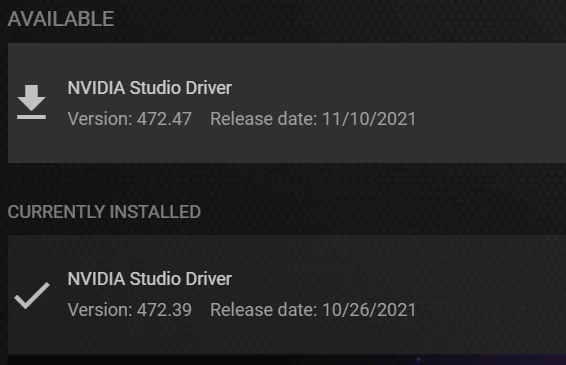
Update: NVIDIA Studio 472.47 Released

  • November 11, 2021
  • 1 reply
  • 575 views

For those that like to update fast to new drivers..... 


This topic has been closed for replies.

1 reply

Kevin J. Monahan Jr.
Community Manager
Community Manager
November 11, 2021

Thanks a lot for the heads up! How is the performance and stability going so far?


Best Wishes,
Kevin

Kevin Monahan - Sr. Community and Engagement Strategist – Adobe Pro Video and Audio
Participant
November 19, 2021

Hello Kevin, and everyone else


I'm just going to state here what i'm trying to do in hopes others can assist me.

I'm just trying to add an effect and render just that clip so the changes that were made within after effects reflects within adobe premier pro, but are also finding out that i've been CPU bound when exporting/rendering and are making an attempt to speed things up. my task manager shows CPU utilization 100%  GPU is like 6-8% 


I have downloaded this latest Studio driver you can see my system information bellow


My main project in within adobe premier pro, I right click on a clip within the time line and chose replace with after effects compensation, then within after effects i apply the remove grain effect and save, then still within adobe after effects i click composition then add to adobe media encoder queue, Mercury Playback Engine (GPU Accelerated) is selected 


The media type is H.264 1920x1080p 60FPS only 3 minutes of video cut from a much larger 1 hour source clip


It says it will take over an hour which is like two hours for adobe.


OS Name Microsoft Windows 10 Home

GPU Nivida RTX 360 Amp addition 
Version 10.0.19043 Build 19043
System Manufacturer ASUS
System Type x64-based PC
Processor AMD Ryzen 7 2700X Eight-Core Processor, 3700 Mhz, 8 Core(s), 16 Logical Processor(s)
BaseBoard Product ROG CROSSHAIR VII HERO
Installed Physical Memory (RAM) 32.0 GB
