
Using a sequence as a source audio issue
I have a rather straight forward question to a workflow issue that I am experiencing.
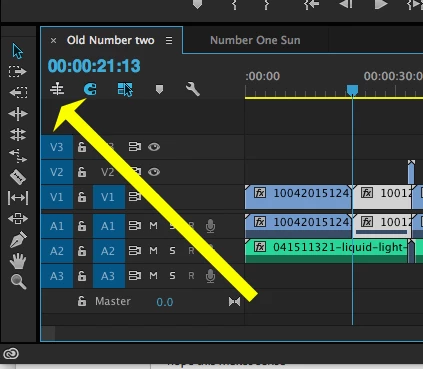
I'm editing several interviews into one project - I like to make a sequence that contains interview segments, then use that sequence as a source to pull bites into my master sequence (makes it easy to bang bites together to find a content flow). What I am running into on this project that has a couple of tracks of source audio, when I edit them into the first sequence (original clip dropped onto the timeline) I have my discrete channels of audio. When I use that sequence as a source to pull into my master sequence, I loose the discrete channels of audio. Premiere mux's the audio tracks into a single audio track. I notice when I have my sequence selected in the source window and look at my timeline - It only shows 1 track of audio to be patched to the master sequences, although the source sequence has 4 tracks of audio.
Any suggestions?
thanks,
sam
 AdChoices