
mikaelb20929650
Participant
December 11, 2018
Frage

Variable fps in Prores 4444

  • December 11, 2018
  • 2 Antworten
  • 1393 Ansichten

Hi,

I have an issue when exporting in Prores 4444 with files being of variable fps all over the place: 18.19, 24,84, 23,74.
The goal is to have a file of 25 fps.
These are the export settings:
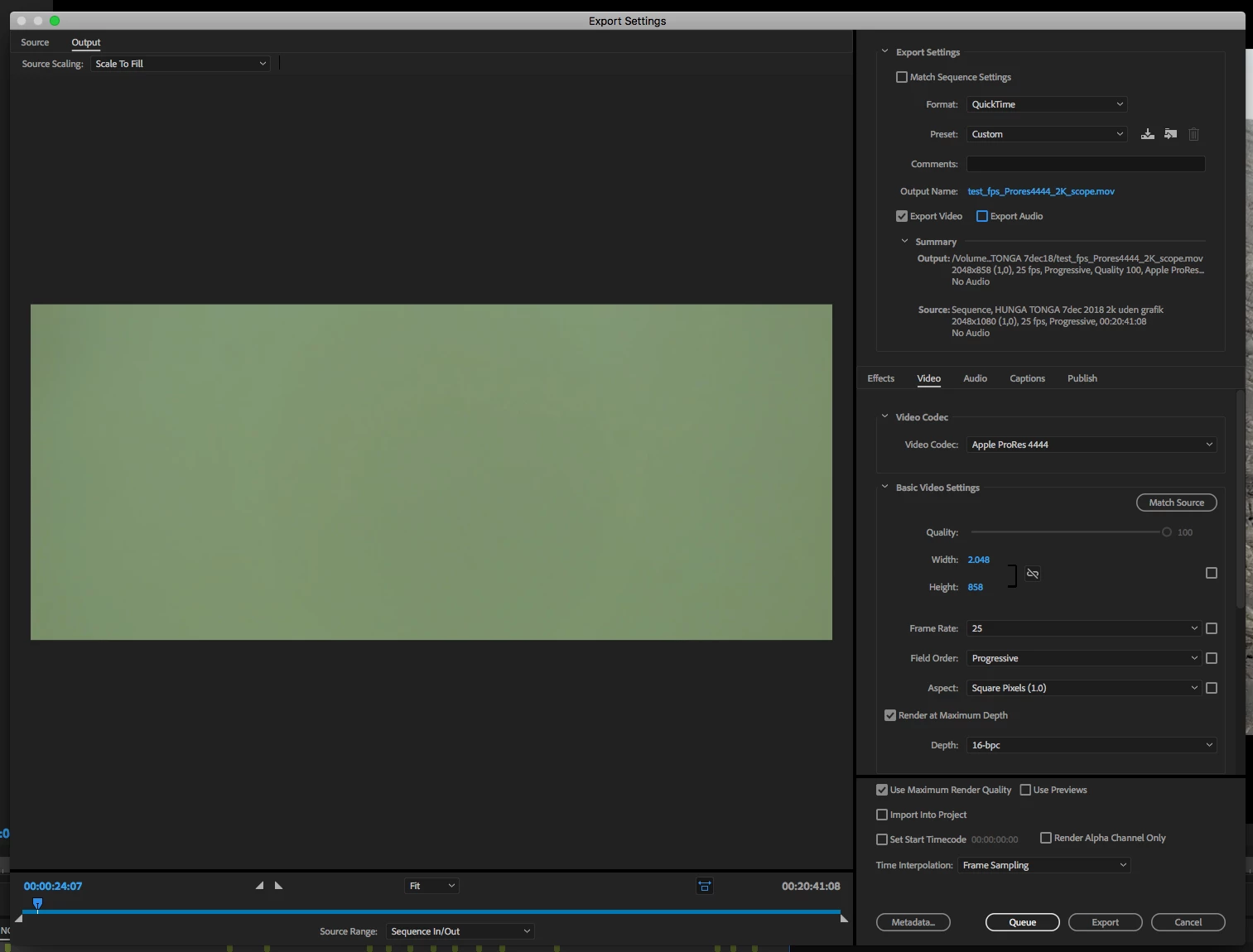
The project contains material of different codecs, some of variable frame rate but I have never experienced Premiere exporting files with what seems random frame rates?
How do i solve this issue?


I am using Premiere Pro CC Version 12.12

Thanks.

    Dieses Thema wurde für Antworten geschlossen.

    2 Antworten

    Vidya Sagar
    Adobe Employee
    Adobe Employee
    December 11, 2018

    Hi mikaelb20929650,

    Sorry for the trouble. It seems like a strange issue.

    Please share the exact workflow you are following to identify the frame rate of the files.

    Also, elaborate on the issue with an example.

    Have you tested the same in the latest version of Premiere Pro?

    Thanks,

    Vidya

    mikaelb20929650
    Participant
    December 11, 2018

    Hi Vidya,

    I have used Quicktime (both current and 7), VLC as well as a software called Mediainfo to see fps.
    One particular export turns out with a fps of 24.621212 despite export settings being 25 fps.

    Thanks,

    Mikael

    Kevin J. Monahan Jr.
    Community Manager
    Community Manager
    January 17, 2019

    Hmm, so apparently this is still an issue, also without Warp Stabilizer, etc.
    Vidya, I have a sample file. How should I share this?


    mikaelb,

    Have you uploaded the file yet? Let us know.

    Thanks,
    Kevin

    Kevin Monahan - Sr. Community and Engagement Strategist – Adobe Pro Video and Audio
    Ann Bens
    Community Expert
    Community Expert
    December 11, 2018

    Premiere does not always handle vfr very well.

    Best is to convert to cfr with Handbrake before bringing it into Pr.