Participant
September 9, 2021
Question

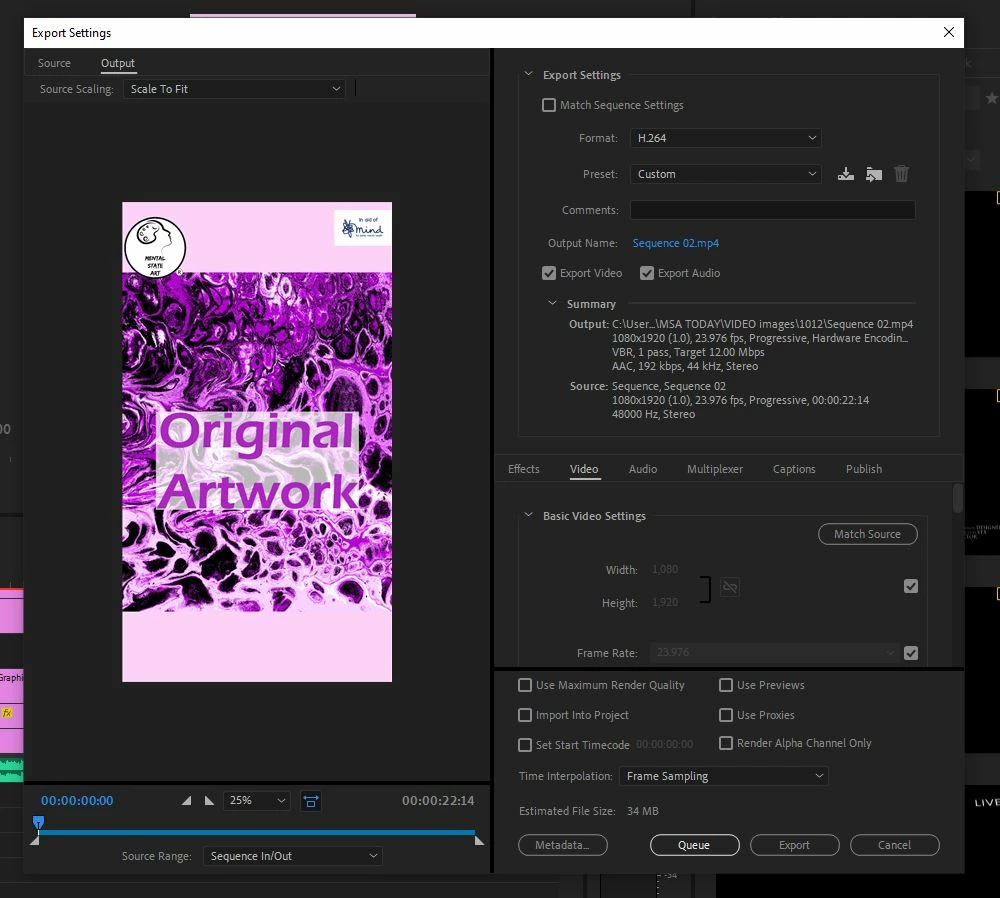
Vertical exported video has side black bars, but none in source or or output

  • September 9, 2021
  • 1 reply
  • 3770 views

Vertical exported video has side black bars, but none in source or or output

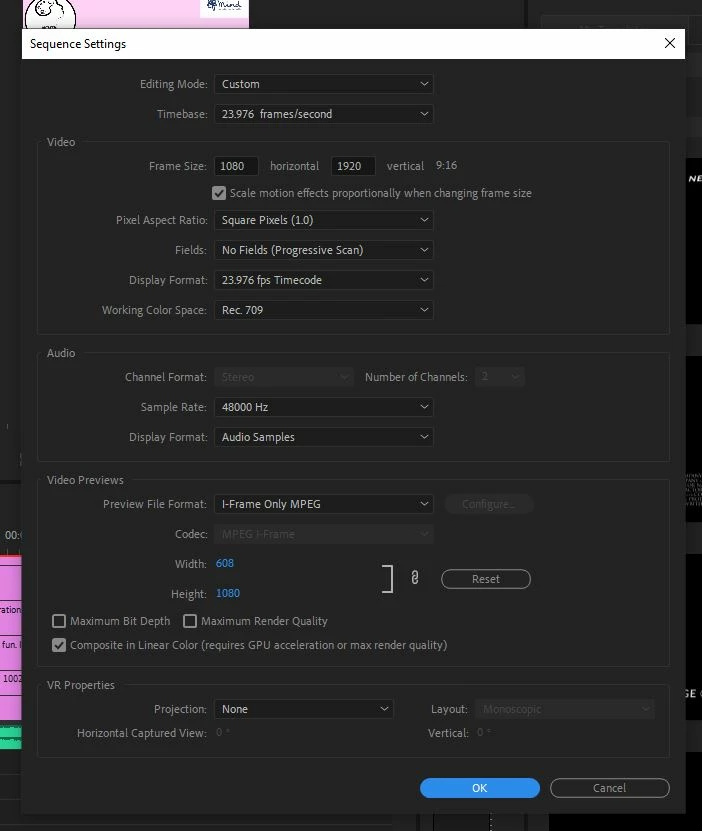
I made my video 1080x1920 pixels for Facebook vertical videos

On the Export window neither the source or ourput have black bars

When I export they appear at the side, and so in Facebook post


Ive seen other answers about cropping, but my video is already the correct dimensions?

Im sure its a quick fix - but Im just going round in circles and not producing the results I want

Help really appreciated

Thanks

This topic has been closed for replies.

1 reply

Ann Bens
Community Expert
Community Expert
September 9, 2021

Your video does not have black bars, your video player is set wider then the video: hence the so called black bars. But in fact there is nothing, a void, but showing as black.

Gavin5C18Author
Participant
September 10, 2021

Thanks so much. I looked at the details of the clips and your correct, my export is the correct dimensions - see image

But thne I guess the problem is posting the video onto facebook. The dimensions of my video are correct for Facebook vertical - 1080 x 1920

So I guess Premier Pro is not guilty

Facebook mu t be the problem

I realise this is for PremPro, but any ideas why Facebook wont post my video correctly?

Ive been online searching and not found the correct solution


Thanks so much

Ann Bens
Community Expert
Community Expert
September 10, 2021

Ah now I see. Image is distored not black bars.

I am guessing the height it too high.

FB is max 1080p.

Regular video is 1920 wide and 1080 high. Yours is 1920 high.