
juang98277388
Participant
February 17, 2019
Answered

Vertical lines across rendered footage

  • February 17, 2019
  • 1 reply
  • 6614 views

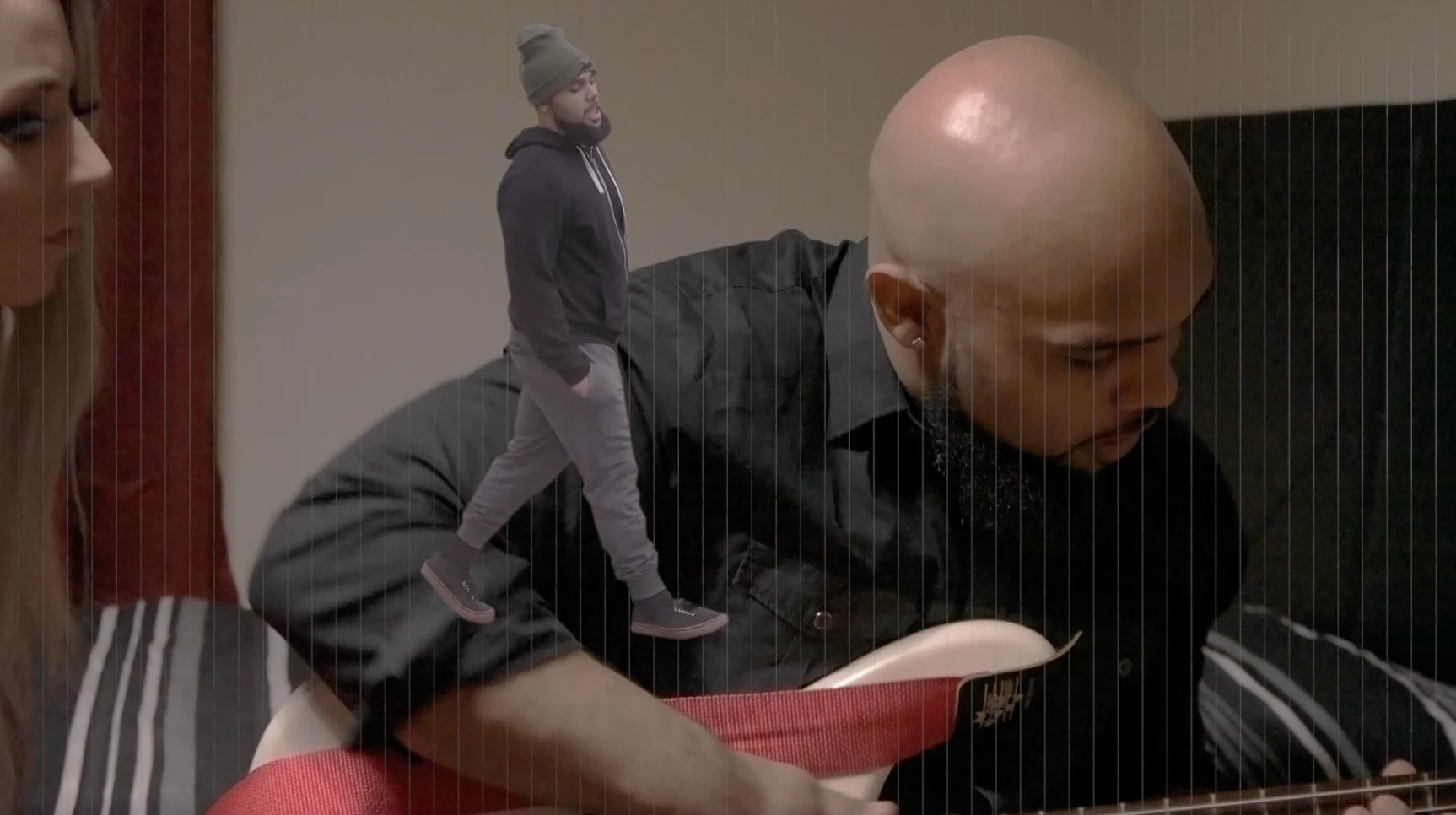
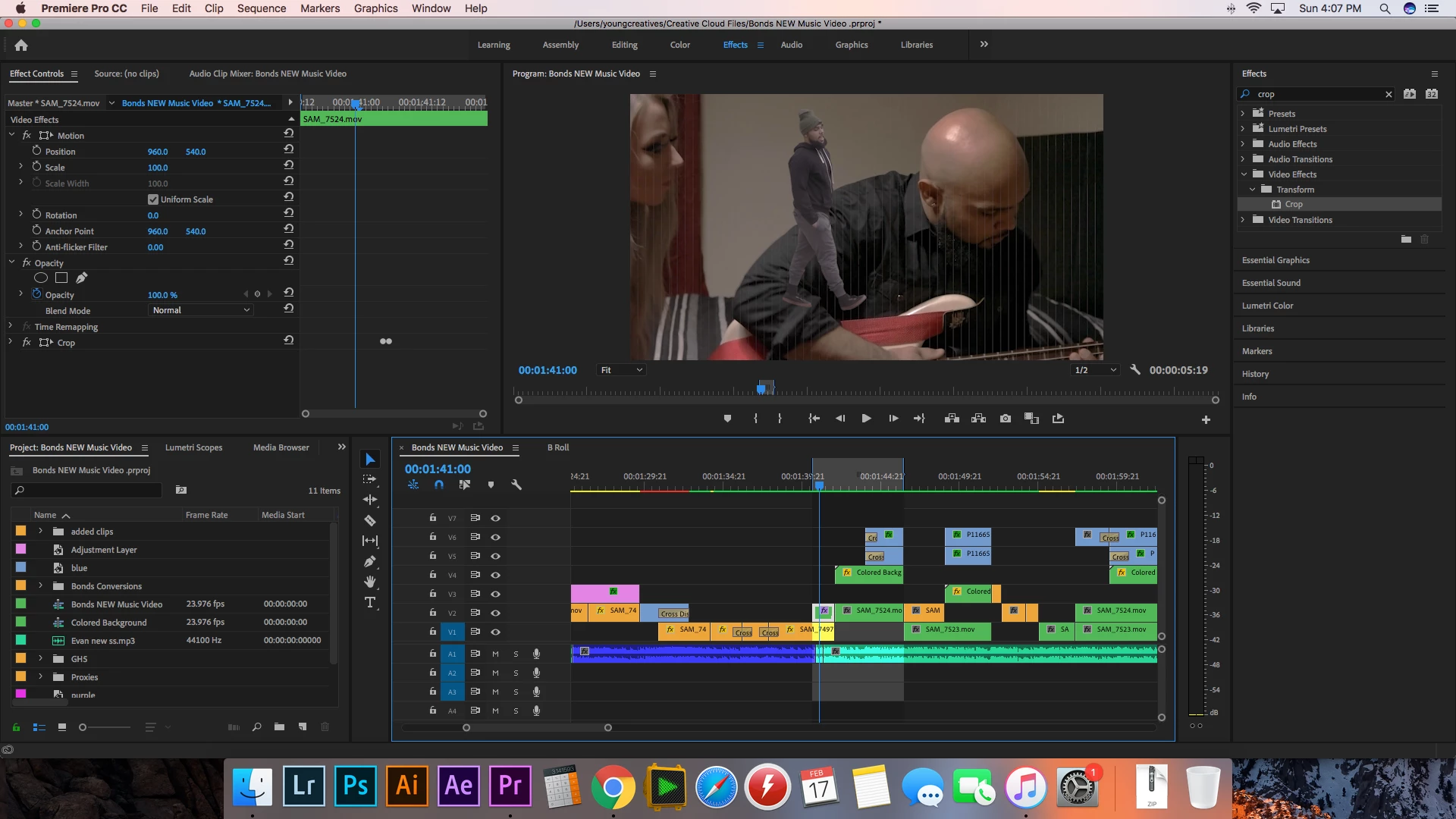
I layered two video clips on top of each other. I added a crop effect to the top clip so that anything not masked out will show the underneath clip. However, once I hit render, vertical lines appear across the footage. These lines stay on the footage even after I export it. I don't know if this is a problem with my sequence or the version of premiere I am using. I use premiere pro CC 2019.
    This topic has been closed for replies.
    Correct answer R Neil Haugen

    GPU driver issue, clearly. Go to the manufacturer's site and make sure you are on the latest driver. If you are, roll back one.

    And/or try Projects Settings of Mercury Acceleration/Software Only.

    Neil

    1 reply

    R Neil Haugen
    R Neil HaugenCorrect answer
    Legend
    February 17, 2019

    GPU driver issue, clearly. Go to the manufacturer's site and make sure you are on the latest driver. If you are, roll back one.

    And/or try Projects Settings of Mercury Acceleration/Software Only.

    Neil

    Everyone's mileage always varies ...
    juang98277388
    Participant
    February 17, 2019

    Thanks Neil. I switched my video render settings to Software only and it fixed the problem!