Participating Frequently
December 23, 2023
Answered

very poor performance in a SUPER COMPUTER

  • December 23, 2023
  • 3 replies
  • 1833 views

Despite my high-performance PC, I'm experiencing significant performance issues within Premiere Pro. Unfortunately, the software doesn't seem to be fully utilizing my system resources, leading to extreme lag, particularly in the timeline.


CPU: Ryzen 9 7950x3D.

GPU: RTX 4090.

RAM: Corsair Dominator Titanium 2x24GB @ 7200MHz.

M.2 SSD 1: Team Group T-Force Cardea Zero (premier pro is installed on this SSD)

M.2 SSD 2: Kingstone KC3000 (Videos are on this SSD)

Mother Board: ASUS ROG STRIX B650-A GAMING WIFI 6E

P.S: Corsair HX1500i


premiere pro TimeLine Shows Yellow Line.


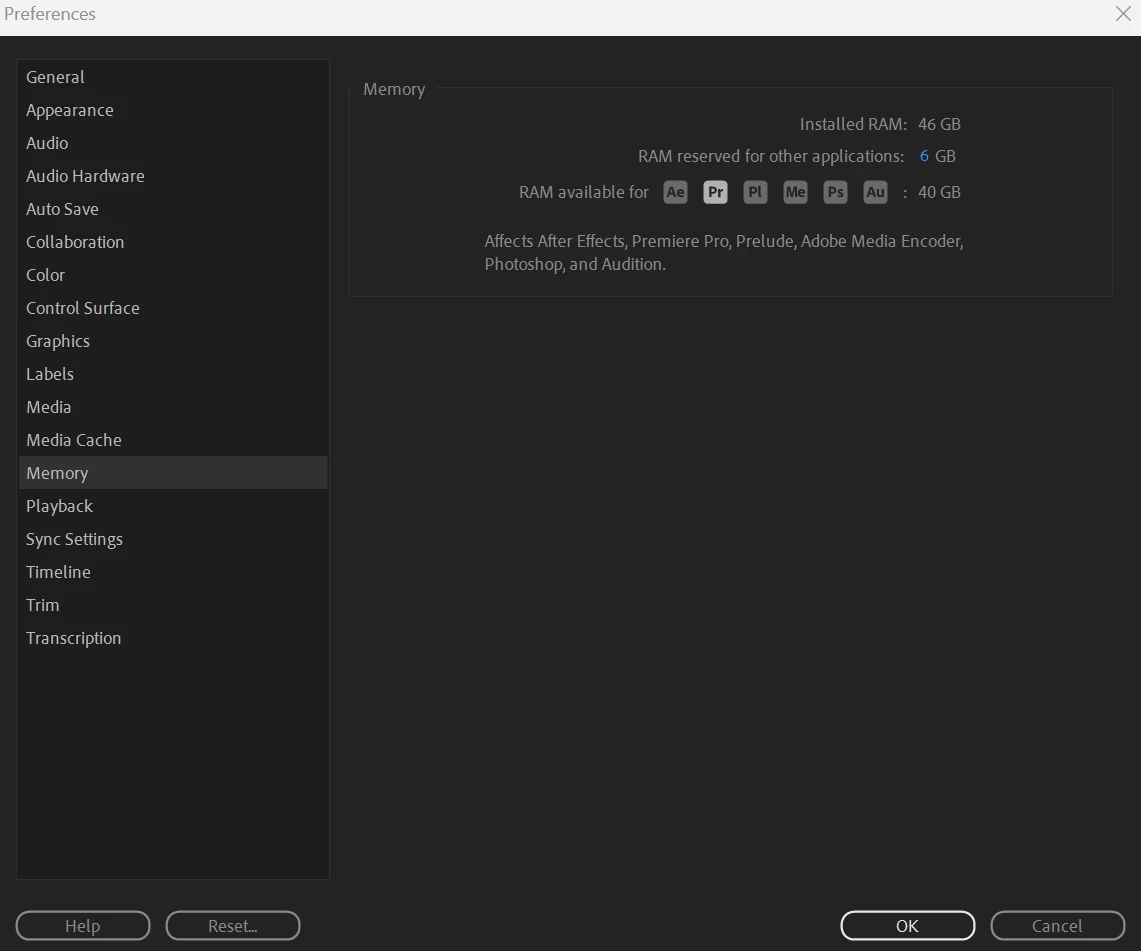
Premier pro settings:


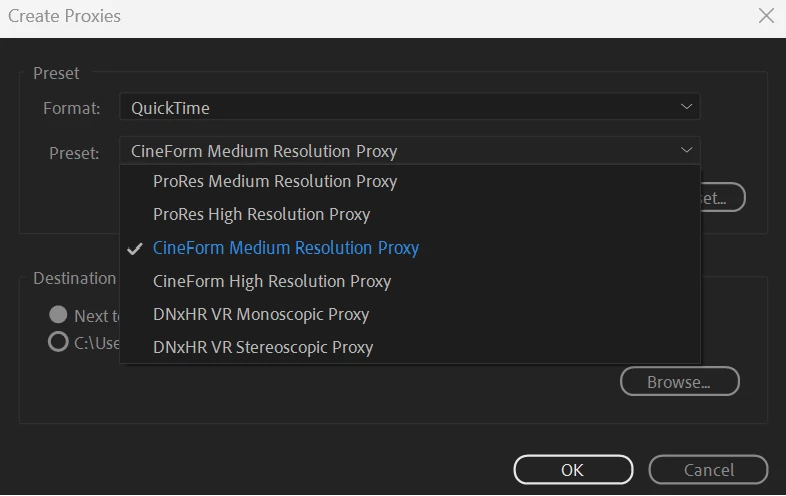
I Tried using proxies with no benfits at all, and i even dont see all the options like other people. I cant Find a Low Resolution option.


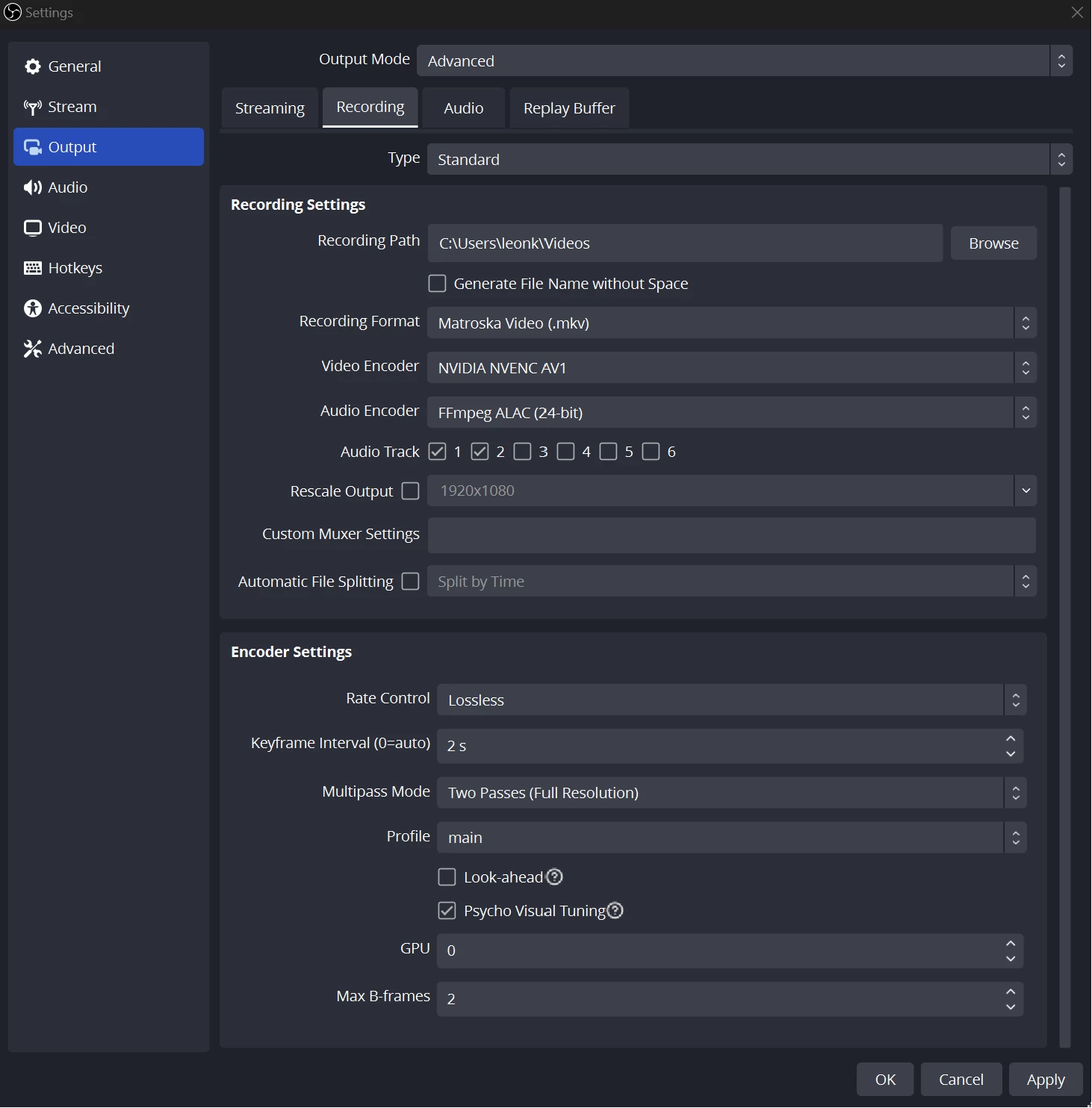
I'm Recording a LossLess 4K HDR 60fps Videos with a lenght of 01:30:00 Hrs. with a final file size of 100-120GB. these are my Video recording settings:


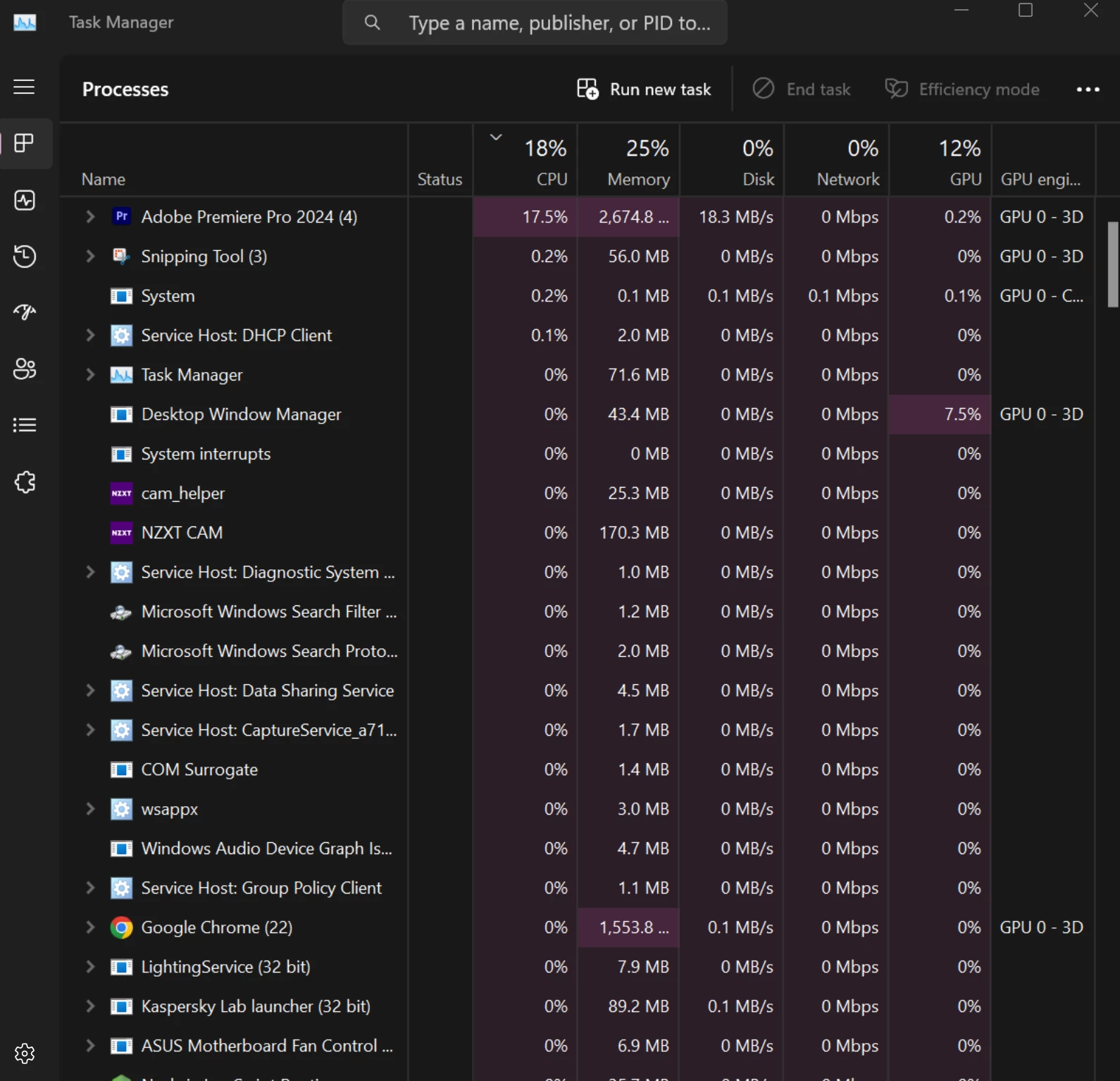
Task mannager while during editing (I dont use any effect at all, only cuts here and there)
This topic has been closed for replies.
Correct answer R Neil Haugen

Are you using mkv? Or AV1 ... I can't tell from looking at your screen. Neither does well in Premiere, by the way. Many users can't use them at all. And the format/codec you're using is of course needed to know what's up.


A general suggestion for many playback issues (odd as it seems) is to set the Audio Hardware preferences Audio Default Input to "none".


Edit: and as that's an AMD CPU, your rig doesn't have the hardware that I can see for long-GOP hardware decoding/encoding. My 24 core 3960x is awesome for most codecs but not real good at H.264 either. A weakness of AMD CPUs.

3 replies

MyerPj
Community Expert
Community Expert
December 23, 2023

Just checking to make sure you just want it to play correctly and not just see all those performance indicators at 100%, that's not the way it works. Do what Neil said for the audio playback preference and go back to Full on playback resolution and make sure your Playback and Paused resolution are 100% and have High Quality playback checked. That's a good starting point.

R Neil Haugen
R Neil HaugenCorrect answer
Legend
December 23, 2023

Are you using mkv? Or AV1 ... I can't tell from looking at your screen. Neither does well in Premiere, by the way. Many users can't use them at all. And the format/codec you're using is of course needed to know what's up.


A general suggestion for many playback issues (odd as it seems) is to set the Audio Hardware preferences Audio Default Input to "none".


Edit: and as that's an AMD CPU, your rig doesn't have the hardware that I can see for long-GOP hardware decoding/encoding. My 24 core 3960x is awesome for most codecs but not real good at H.264 either. A weakness of AMD CPUs.

Everyone's mileage always varies ...
Participating Frequently
December 28, 2023

I'm truly impressed!

Your solution has completely eliminated my playback issues, allowing me to run lossless 4K footage at full playback resolution without a hitch. This is truly remarkable.


Thank you so much for your expertise and assistance.

Participating Frequently
December 23, 2023

I forgot to mention that reducing play back resolutio to 1/8 has no benfit. and 1/16 option is grayed out despite working on a 4k video.