Known Participant
November 23, 2024
Answered

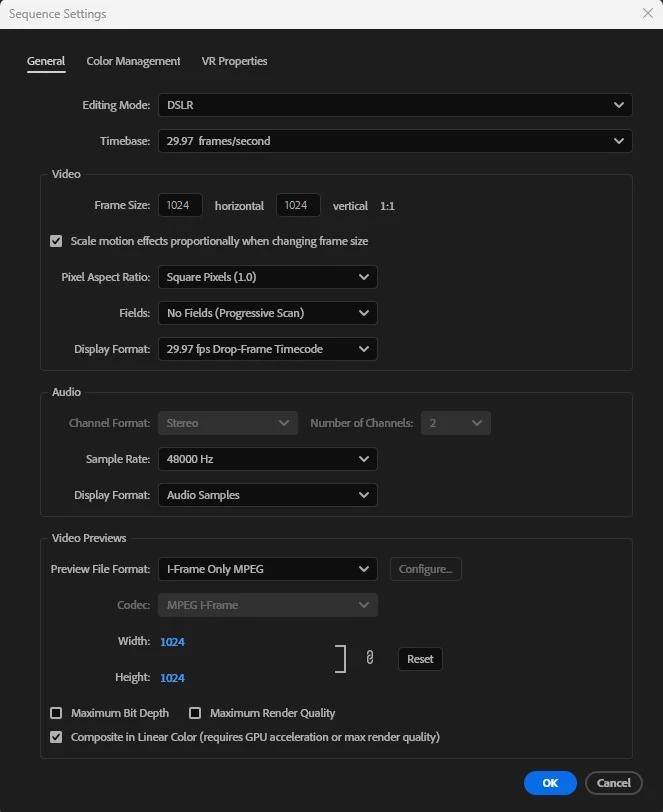
Video exports at 4:3 regardless of sequence and export settings set to 1:1

  • November 23, 2024
  • 3 replies
  • 902 views

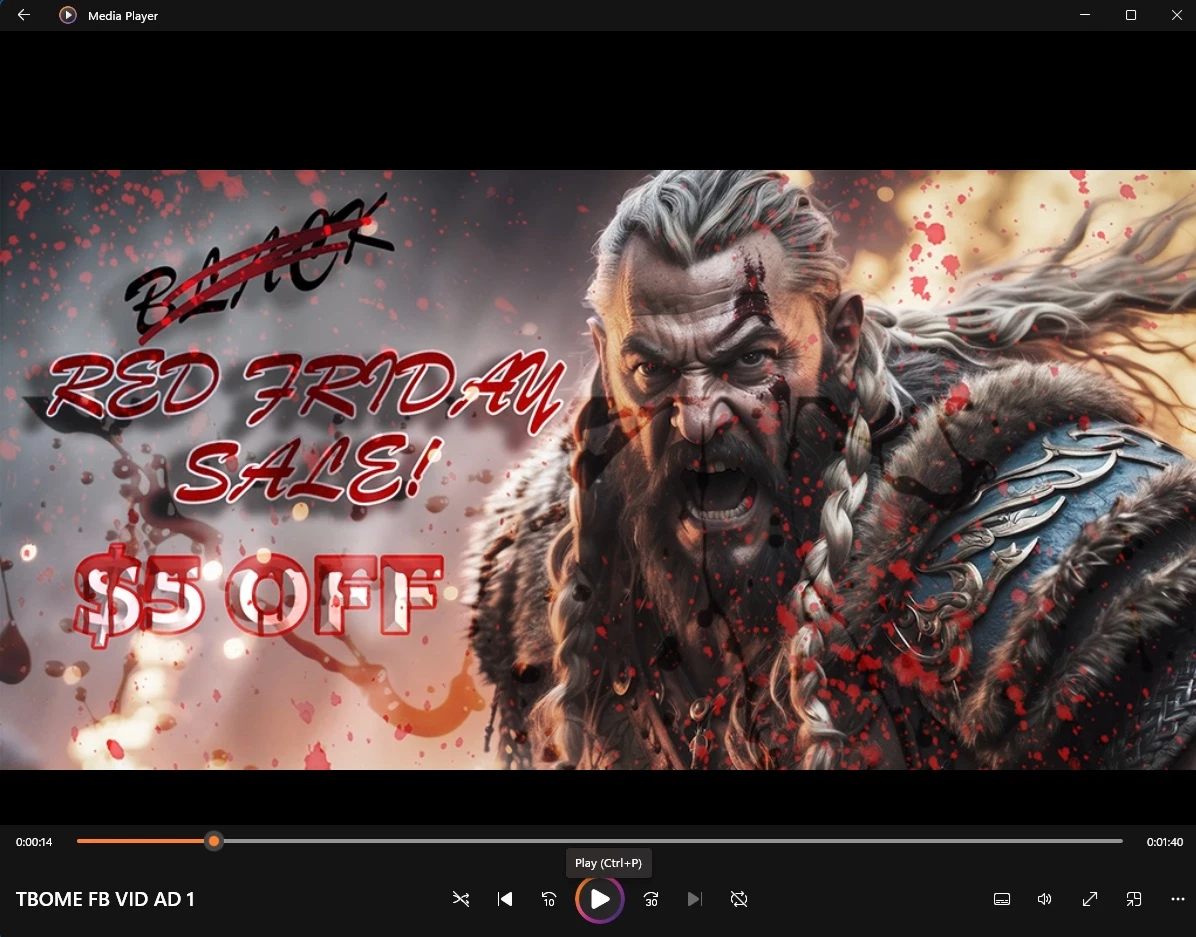
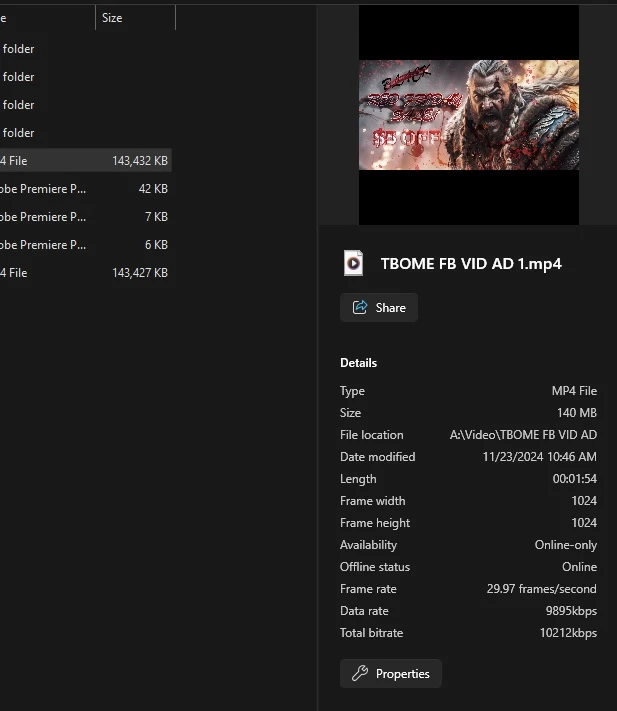
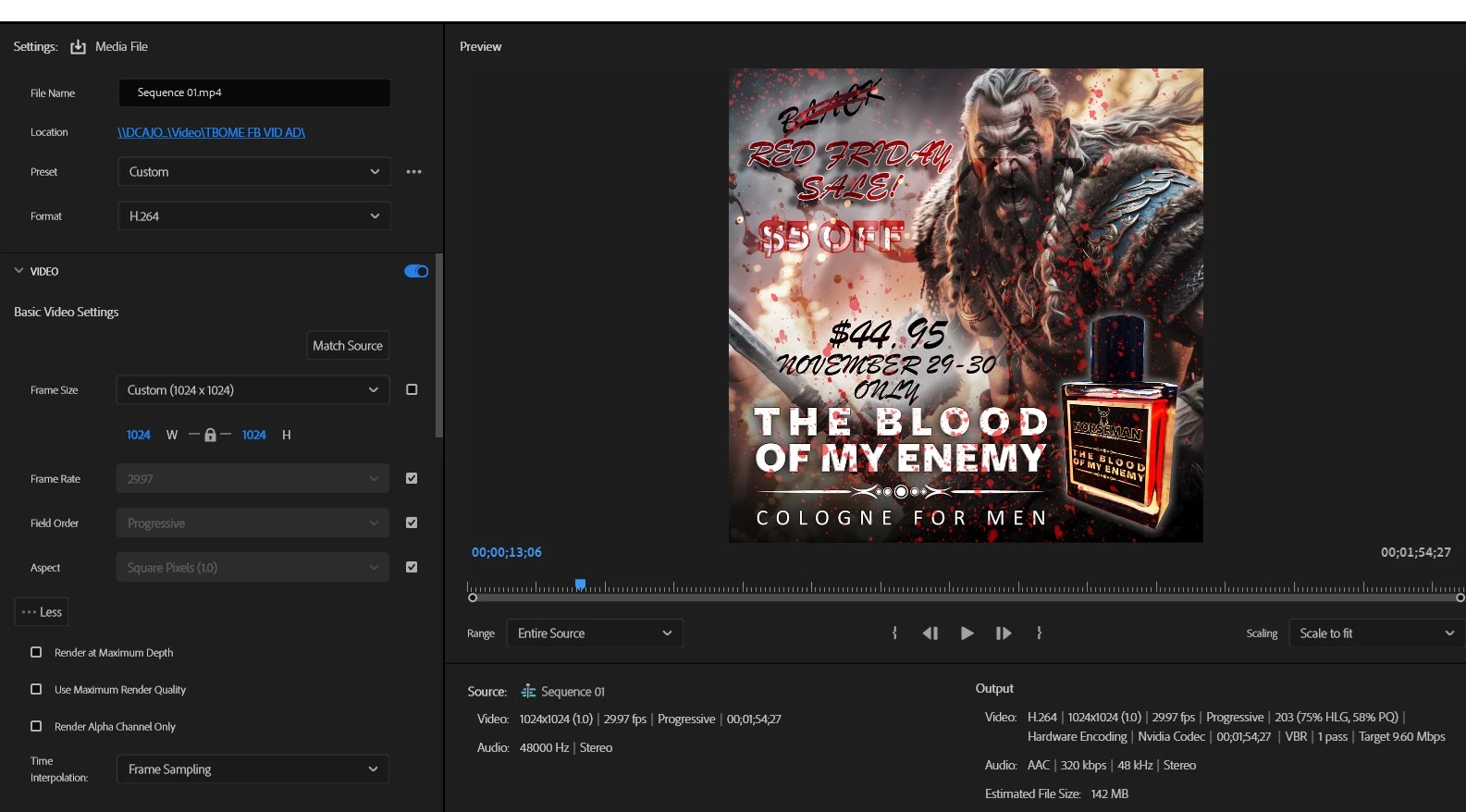
I am trying to export an video meant for a facebook ad at 1024x1024. No matter what I do, my video comes out at 4:3 with the top and bottom of the video being cropped. Here are my settings, a screenshot of the thumbnail and propertied in exlorer, and a screenshot of what it looks like in Media Player.
 

This topic has been closed for replies.
Correct answer Averdahl

Hi Warren,

Here is the project with no media. I'm happy to include the media as well if you want. All that's there is a jgp and an Adobe stock video clip. 


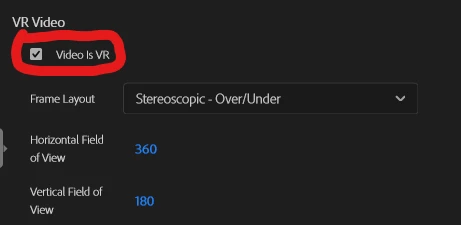
@Kevin M NSC Is you video VR and do you attempt to export as VR?


I downloaded your project and see the same issues as you report but did notice that in VLC does it look even worse and if i import the clip into Premiere Pro it looks good. Since it looked "spheric" in VLC i noticed that you have checked the "Video is VR" in the Export Settings.


Un-check that setting and export again and report back! 🙂


3 replies

Warren Heaton
Community Expert
Community Expert
November 23, 2024

The video that you're exporting in Premiere Pro is named Sequence 1.mp4.


The video shown in Media Player is named TBOME FB VID AD 1.mp4.


Known Participant
November 23, 2024

Thanks for pointing that out. My mistake on having that one highlighted, but they were identical, just named differently. 

Averdahl
Community Expert
AverdahlCommunity ExpertCorrect answer
Community Expert
November 24, 2024

Hi Warren,

Here is the project with no media. I'm happy to include the media as well if you want. All that's there is a jgp and an Adobe stock video clip. 


@Kevin M NSC Is you video VR and do you attempt to export as VR?


I downloaded your project and see the same issues as you report but did notice that in VLC does it look even worse and if i import the clip into Premiere Pro it looks good. Since it looked "spheric" in VLC i noticed that you have checked the "Video is VR" in the Export Settings.


Un-check that setting and export again and report back! 🙂


R Neil Haugen
Legend
November 23, 2024

We would need to see the Export preset settings.

Everyone's mileage always varies ...
Ann Bens
Community Expert
Community Expert
November 23, 2024

@R Neil Haugen First image.

R Neil Haugen
Legend
November 23, 2024

My tablet didn't load that image initially ... so it wasn't "there" when I was reading through this.

Everyone's mileage always varies ...
Ann Bens
Community Expert
Community Expert
November 23, 2024

Set preview codec to Prores LT

Turn off hardware encoding and try cbr.

Known Participant
November 23, 2024

Hi Ann, thank you for the reply. I did as you suggested with the exception of the ProRes LT codec, it wasn't in the list. I did have ProRes RAW so I switched to that. Still the same result though.