
Video headers allow 'invalid' characters in names; audio headers do not
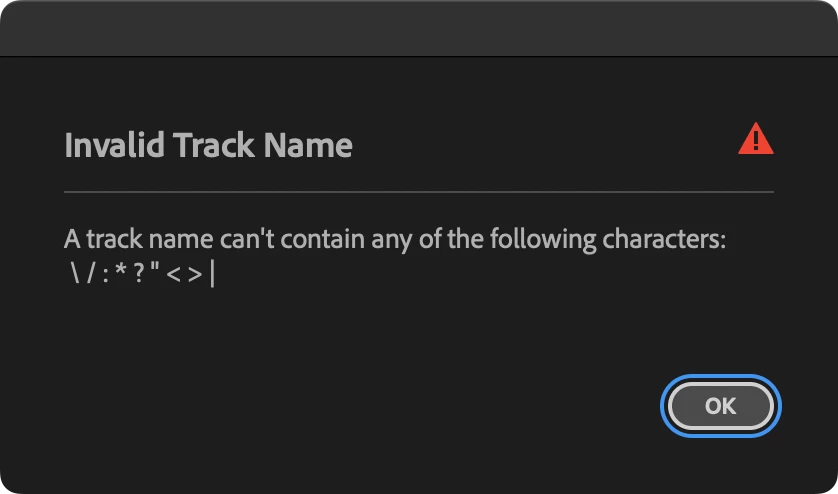
Issue: When renaming video and audio tracks, I discovered that several characters are considered "invalid" to use in a track name, per a warning dialog box. However, the warning is triggered only for audio tracks, not video tracks. So I'm left wondering what kind of problem this is:
- Can these invalid characters cause errors down the road if they're inadvertently used in (video) track names?
- Was this an issue in earlier versions of Pr and is now obsolete, and the triger needs to be removed for audio tracks?
Steps to reproduce:
- Right-click in a track header (expanded or tall track heights) and choose Rename.
- Type in a new name that includes \ / : * ? " < > | and press Enter/Return.
Expected result: Video track renaming triggers the samewarning as audio track renaming when using any of these invalid characters.
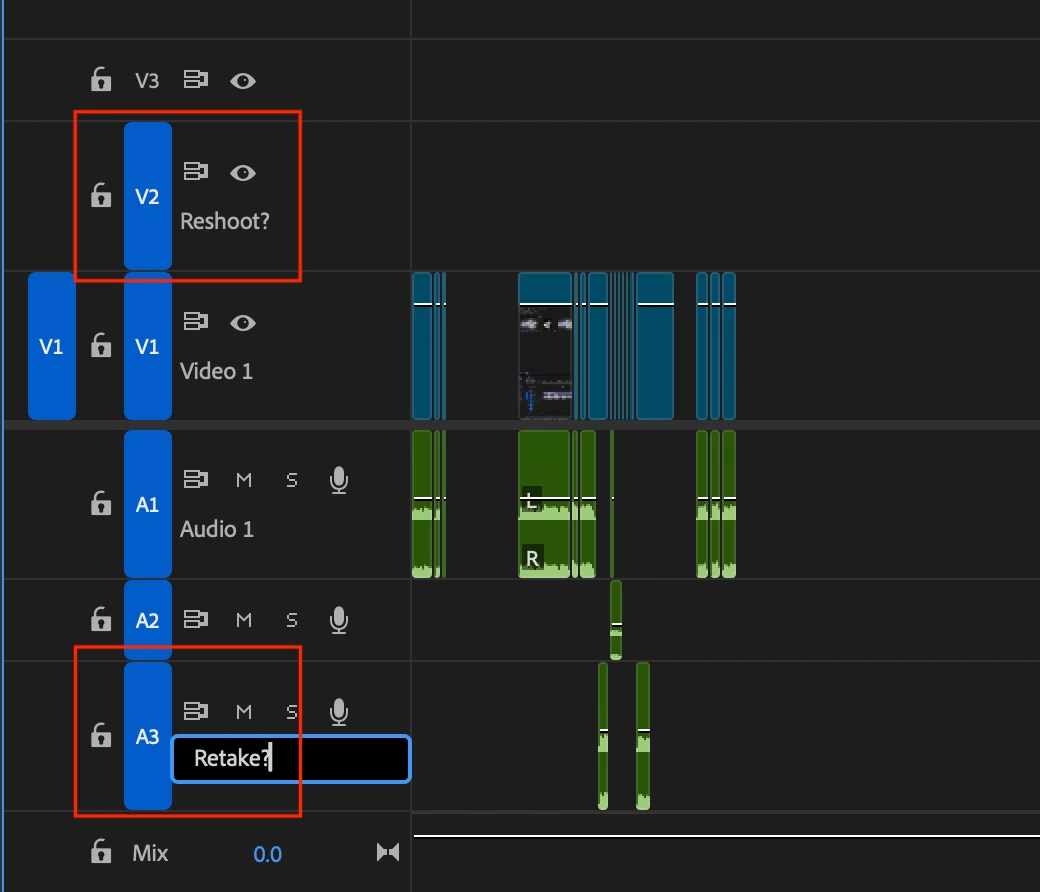
Actual result: Video track renaming does not trigger any warning, while audio track renaming does.
Premiere Pro version: 25.2.3 (Build 4)
Operating system: macOS 15.4.1
Comparative information: This is reproducible in existing projects and new ones.
Screen shots below show a video track name successfully containing a "?" in the name and my attempt to do the same in an audio track—and the subsequent warning dialog box that was triggered as a result.
[title edited by mod for clarity]
 AdChoices