
Lev__
Participant
December 12, 2018
Answered

Video is exporting at low quality

  • December 12, 2018
  • 1 reply
  • 1029 views

Hi everyone, I had a question I hope you could answer for me.

I've been working on a project where I had to do a Romeo and Juliet scene in Minecraft, and I recorded the game at 1280x720. When I viewed the videos on my monitor in fullscreen they looked perfectly fine.

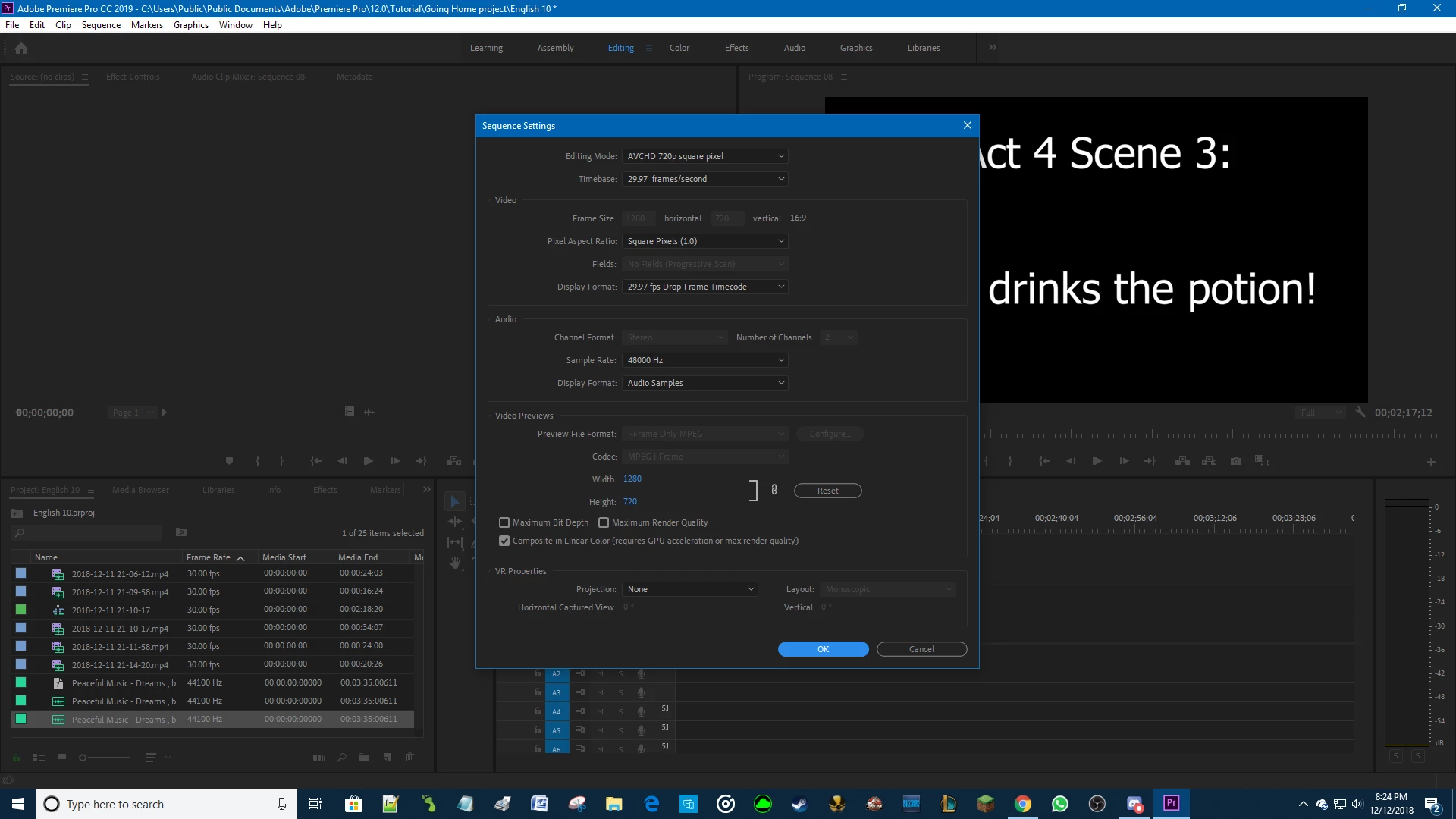
The problem is, when I try to export the video the end result ends up being really blurry. I changed the Sequence settings to match and it still won't work. When I'm exporting it, the file type is Avi.

I skipped a bunch of details because I don't know what you guys need to help me, so if there's something you need like a screenshot or specs let me know. Thank you!
This topic has been closed for replies.
Correct answer Meg The Dog

I want to play it in front of my class.


How are you going to play the file back? On your computer?

Select you sequence (click anywhere in the timeline), then go to the menu File > Export > Media.

For the format choose H.264, for the preset choose High Quality 720p.

Make sure Maximum Render Quality is unchecked.

Export the file and test the results.

MtD

1 reply

Shivangi_Gupta
Legend
December 12, 2018

Hi lev,

I understand that you are getting a blurry preview of the exported video as compared to the original video though you made sure that the resolution is kept the same in the sequence settings. Sorry for your issue. We're here to help. We'll need more information to troubleshoot it further:

  1. Please share a screenshot of the export settings that you select. FAQ: How do I capture and post a screen shot or video?
  2. What is the format of the original video?
  3. Have you applied any specific scaling effects on the video?
  4. Have you tried to playback the exported video in Premiere Pro? How does it look?

Thanks,

Shivangi

Lev__
Lev__Author
Participant
December 12, 2018

1.

2. The original files that were used to make the video are MP4.

3. No

4. It's saying the file "appears to be damaged" when I drag it into Premiere from my Desktop.

Lev__
Lev__Author
Participant
December 13, 2018

Post a screen shot of your sequence settings - go to the menu Sequence > Sequence Settings, and post that.

What are you intending to do with the file you export?

MtD


I want to play it in front of my class.