
on_a_wave
Participating Frequently
July 21, 2018
Answered

Video Pixelated After Export

  • July 21, 2018
  • 15 replies
  • 55841 views

I'm fairly new to Adobe Premiere, and I'm really stumped as to what the problem could be here. And maybe it's just as good as it gets...

So after exporting the mp4 file in Premiere, the video looks somewhat pixelated. There is a lot of smoke in the video, and subtle gradients, and the video seems to have sort of distinct sections of color, that are a bit pixelated. In premiere itself, it looks absolutely perfect, but not in the exported version. I'm wondering if that's just the way it is, and I need to accept that it doesn't look as good as in Premiere?...

Here is a screenshot of what the video looks like in Premiere:
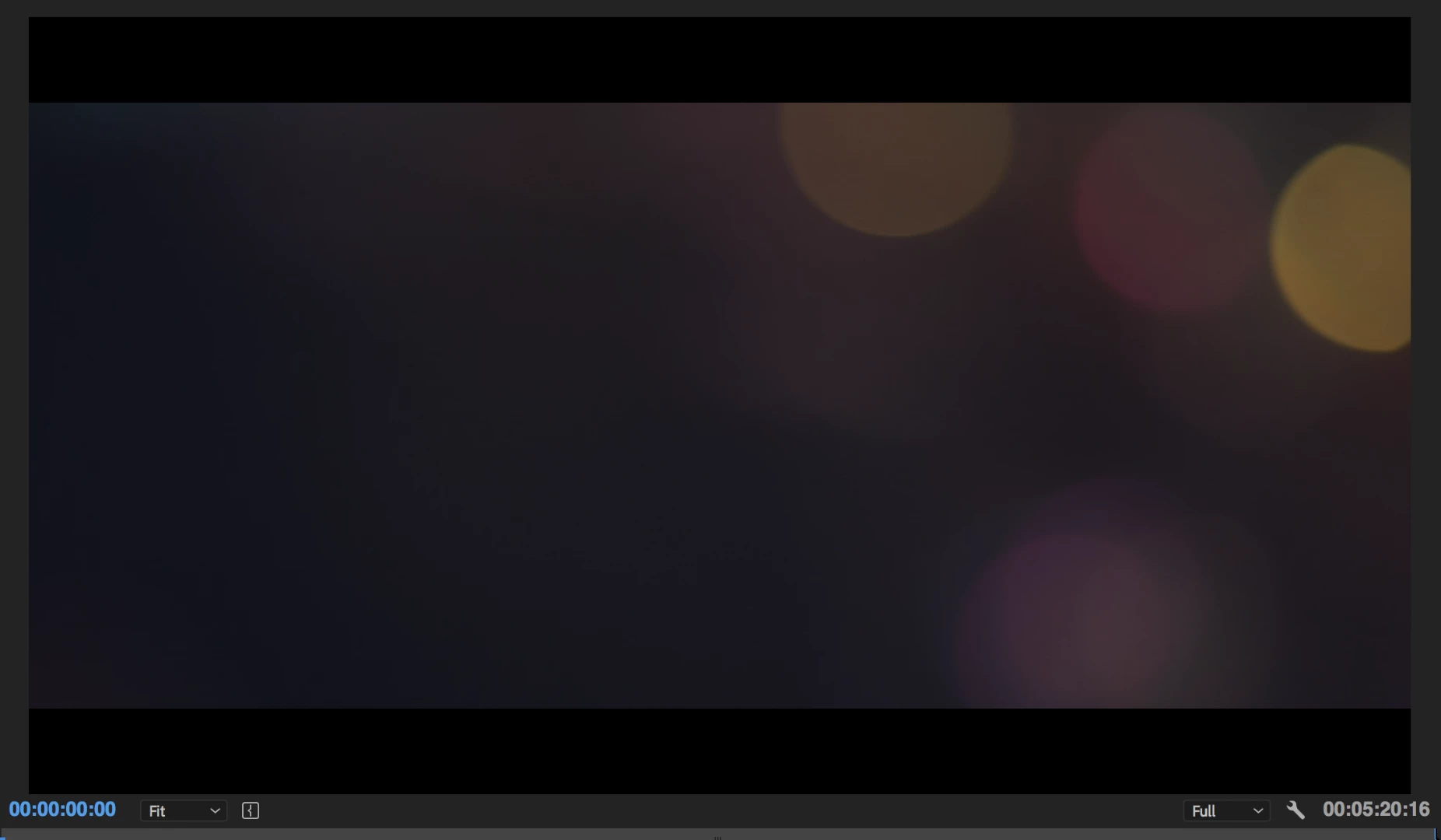
And here is one of the first frame in Quicktime player, of the exported version:
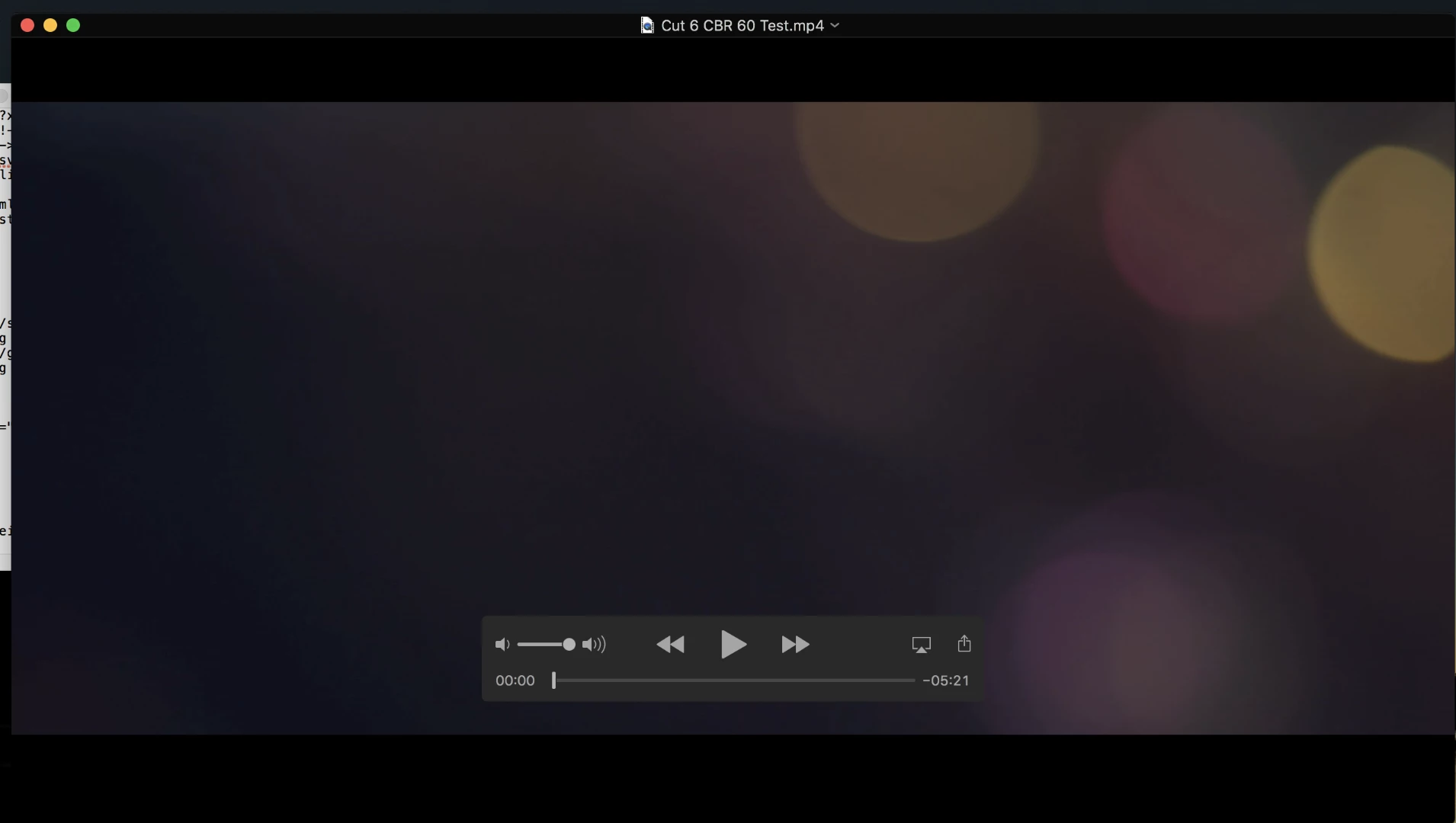
It's kind of hard to tell in these photos, but you can see defined sections in the bottom one, where it kind of looks like Quicktime is just rounding certain pixels off, and it's not just a completely smooth gradient. And it's kind of pixelated... not absolutely horrible, but nowhere near as good as in Premiere.

Here is what my export setting look like:
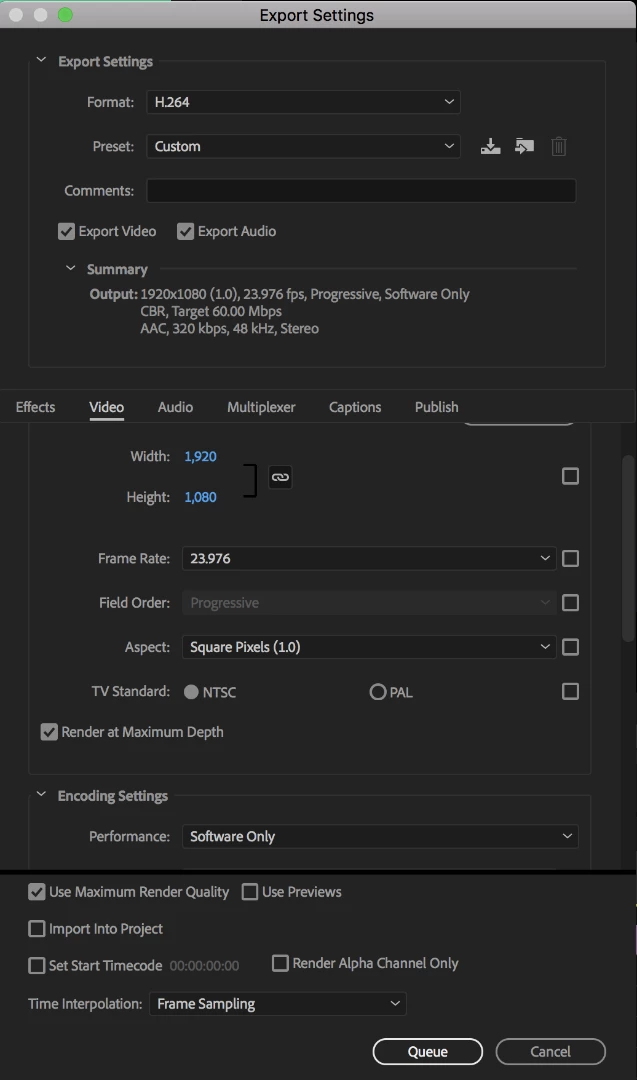
And then further down:
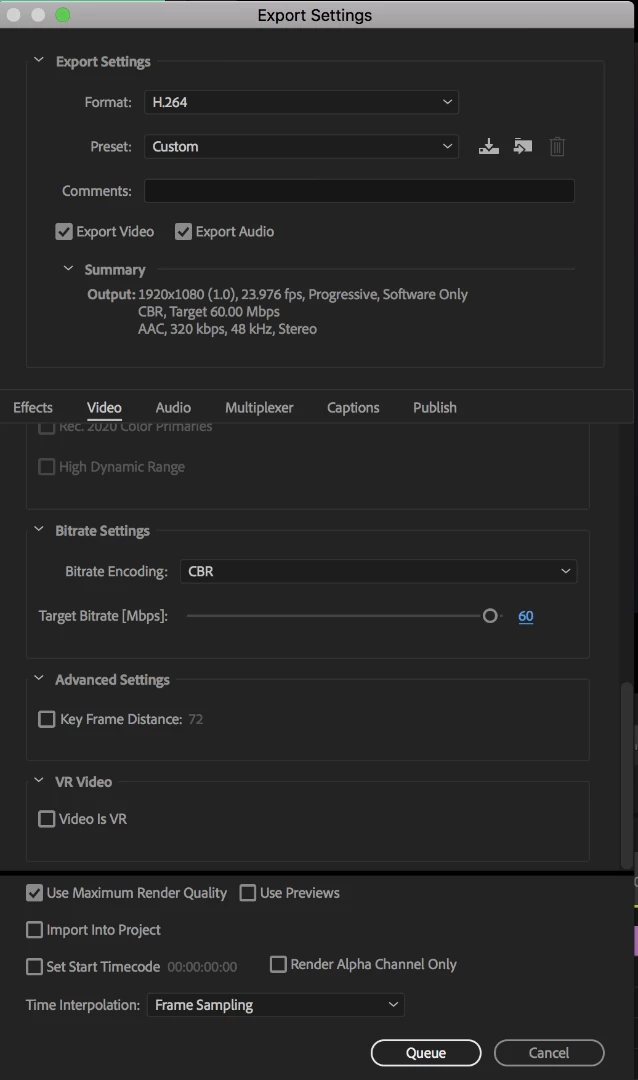
I've also tried exporting through Media Encoder, and that seemed to make no difference. (I have Encoder open during these screenshots, which is why there's no 'Export' button I believe, to do it within Premiere)

Any thoughts on a possible solution would be amazing! The final video will basically just go on to Youtube... if that matters...

Thanks very much in advance!

This topic has been closed for replies.
Correct answer Richard M Knight

It could just be a normal side effect of an 8 bit codec, try exporting using one of the DNxHR 10bit presets and see if it is any better.

15 replies

on_a_wave
on_a_waveAuthor
Participating Frequently
July 21, 2018

Thanks everyone for the replies so far! Looks like I have lots to try, I'm going to experiment with a lot of things here, and I will report back:)

Participant
July 21, 2018

Hi, I don't know if this will help or not (I'm also new on this) but the other day I had the same problem! I exported on the same size as always but the outcome was horrible, that is when I realized I was not working with the proper size so I had to change the size of my frame. I just went to sequence; sequence settings; and changed the size to 1920 x 1080. (You have to press "custom" to be able to change the size)

Legend
July 21, 2018

Thanks Anne. I think I understand. If I render work area it only make lower quality preview files, which makes my editing go smoother if my computer is struggling with playback, (playing timeline and so on ) but it has a negative effect on the export to use those files.  Sorry I misled the poster.

Legend
July 21, 2018

Anne, have things changed since cs6 or has it always been bad to render work area and use preview files ?

Ann Bens
Community Expert
Community Expert
July 21, 2018

No things have not changed for preview fiels .

Preview files are make with the preview codec in your sequence settings

If your preview codec is I frame mpeg only which is of lower quality so will your output file be.

Ann Bens
Community Expert
Community Expert
July 21, 2018

Render work Area has no impact on the files quality.

Ann Bens
Community Expert
Community Expert
July 21, 2018

Turn off max render if you have a dedicated graphics card.

Also turn off Max depth.

No need to set bitrate to 60 if original footage is way lower.

Post screenhot sequence settings.

on_a_wave
on_a_waveAuthor
Participating Frequently
July 21, 2018

So I don't think I have a dedicated graphics card... I have a 2017 iMac, nothing in the way of a dedicated card...

I tried turning off 'Render at maximum depth', and the export really just looks the same.

Here is a screenshot of the sequence settings:

Thank you!

Richard M KnightCommunity ExpertCorrect answer
Community Expert
July 21, 2018

It could just be a normal side effect of an 8 bit codec, try exporting using one of the DNxHR 10bit presets and see if it is any better.