
Participant
December 10, 2018
Answered

Video playback and scrubbing glitching, skipping and strobing

  • December 10, 2018
  • 5 replies
  • 9246 views

When I import a video into Premiere, and try to play it, it's very glitchy.

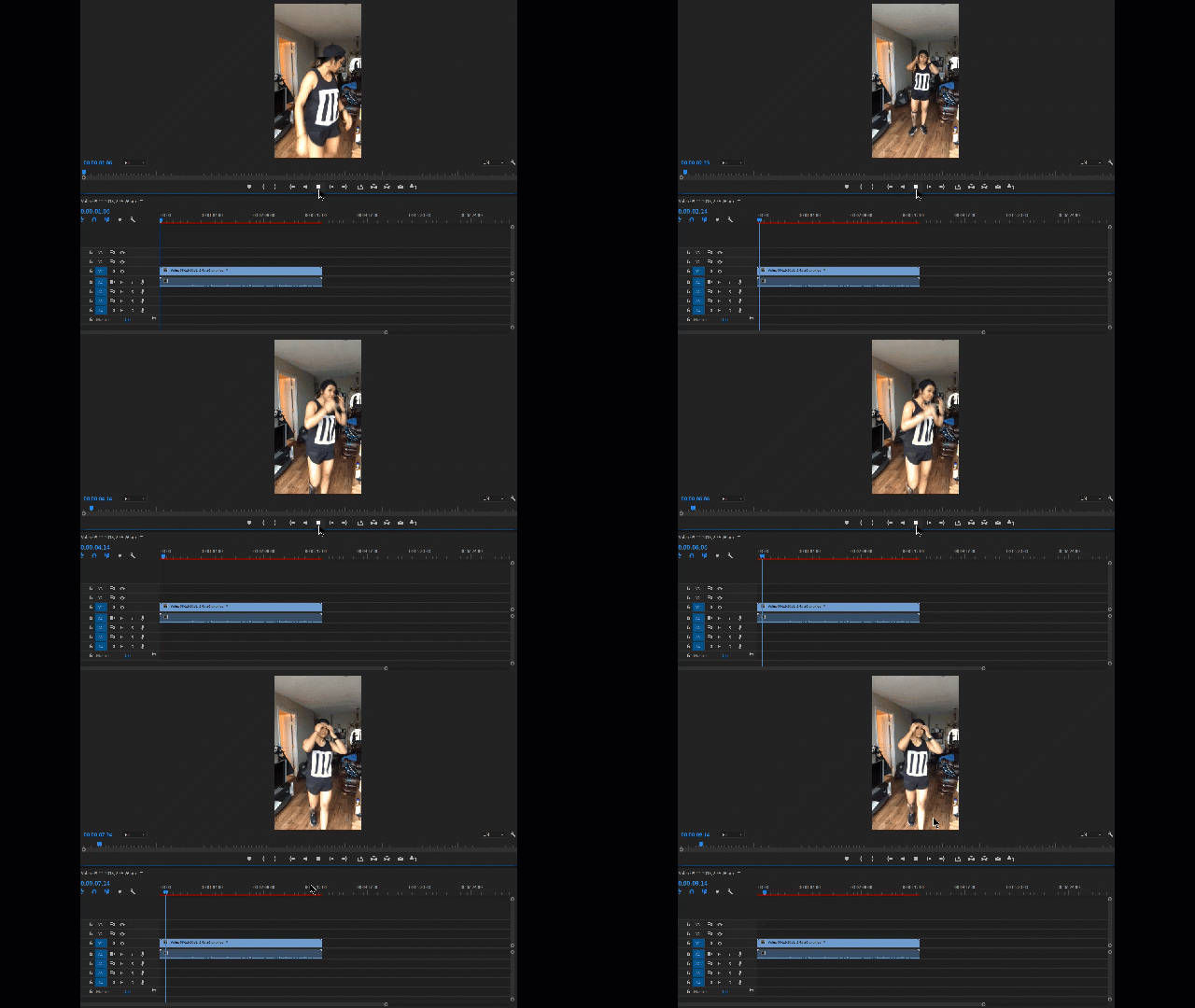
I would press play, and the video playback would be super laggy, but on top of that, different frames from other parts of the video would strobe (See below:).
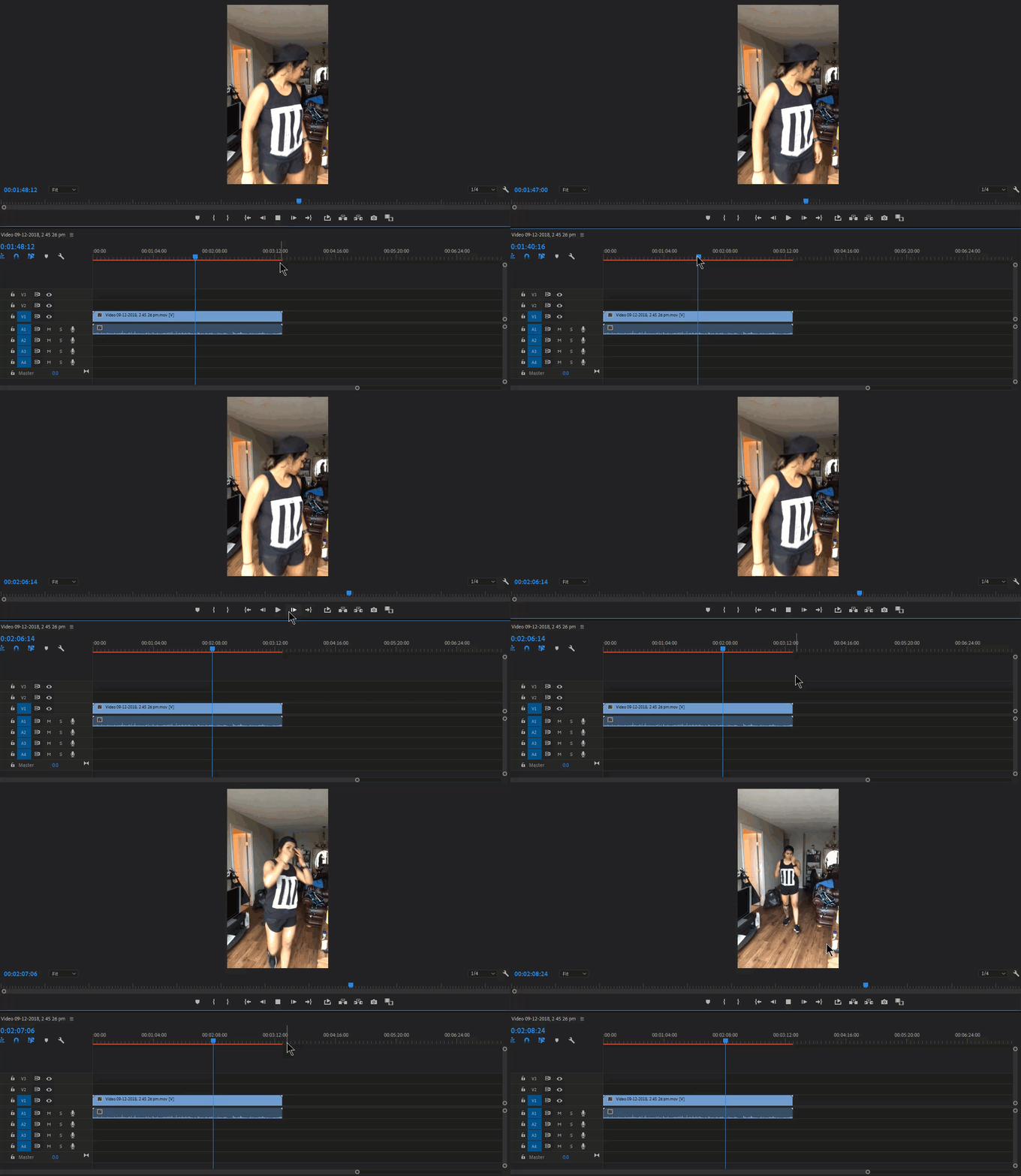
Also, I cannot scrub smoothly - it would strobe different frames from the video. On top of that, if I was to place my scrubber halfway through the video, it would show frame 1 of the video, and play the video from the start, despite my scrubber being halfway through. When I would trim the video, it would strobe again, and often just play the clip from the start. (See below🙂
Hopefully I've made sense - its a odd issue.

Things I've tried:

-Reinstalling Premiere 2019

-Reinstalling an older version (2017)

-changing the video type (from .mov to .mp4)

-changed from 'Mercury Playback Engine GPU Acceleration' to 'Mercury Engine Software Only'.

My computer specs:

-ASUS Strix SCAR II Gaming Laptop, GeForce GTX 1070, 8GB, i7 8th Gen

Other things to note:

-rending out the video is also glitchy, strobes and skips.

-The original video plays smoothly in video players, so I do not think its an issue with the video.

-The videos were taken on iphone7.

Please - any help would be greatly appreciated. Its almost brought my workflow to a grinding halt. My last option would be to just use After Effects to deal with my videos, however this isn't preferable.

Thanks

This topic has been closed for replies.
Correct answer Sethyoufree

did you try different options in the "audio hardware" preferences?  Weirdly enough I've had this issue and then seen it go away after switching "Default Input" to "No Input" before.

5 replies

Participating Frequently
December 2, 2022

Try scaling the whole application window down on your monitor.

Participant
December 7, 2020

It's a glitch that happens in Ver 14 only. In another forum, said the only way around it was to revert back to Ver. 13. 
Here's a pretty simple way to do that without starting a new project. It's saved me on multple occasions. Goodluck!

dahnis4695436
Participant
December 9, 2020

thanks, that helped me. woof what a hassle


Participant
July 7, 2020

I believe I have found somewhat of a solution for this issue, I have been dealing with it for awhile as well. For me, when the playback keeps jumping around while scrubbing footage ive interpreted from 120 to 24, I have found that rendering the clip twice eliminates this issue.


I have a brand new 2020 iMac with 32gb RAM, solid graphics card and a fast processor. The hardware is definitely not the issue here. However, after rendering the first time, the clip will usually show a yellow line above the clip, and then green after the second render. At this point, the scrubbing issue goes away.


Hopefully this is just a bug that can be addressed, but for now, this seems to work.

Participant
February 1, 2021

How can you render a clip if its in your source, its the source thats glitching not the post?

SethyoufreeCorrect answer
Participant
January 8, 2019

did you try different options in the "audio hardware" preferences?  Weirdly enough I've had this issue and then seen it go away after switching "Default Input" to "No Input" before.

itrueb
Participant
April 24, 2020

Holy crap, that worked. haha THANKS!

Participant
December 10, 2018

I’m having the same issue have you fixed it yet?

Participant
December 10, 2018

Okay so i think I fixed it.

I trimmed the video first in just my photos app on my computer and then put it into premier pro with all the audio

Participant
December 10, 2018

Yeah, I actually tried that, and it kind of works - but I still ran into the crazy glitchy lag etc. Its a bit hit and miss.

I found the way to fully fix it, is to just bring the videos into Adobe Media Encoder and convert it to mp4 that way - and ​then ​bring it into Premiere. Previously i was converting it to a mp4 by just renaming the file - which doesn't work (if at all).

Hope that helps!!