
February 9, 2017
Answered

Video Playback is blur

  • February 9, 2017
  • 4 replies
  • 626 views

Hello,

I have started a new video-project in Premiere Pro.

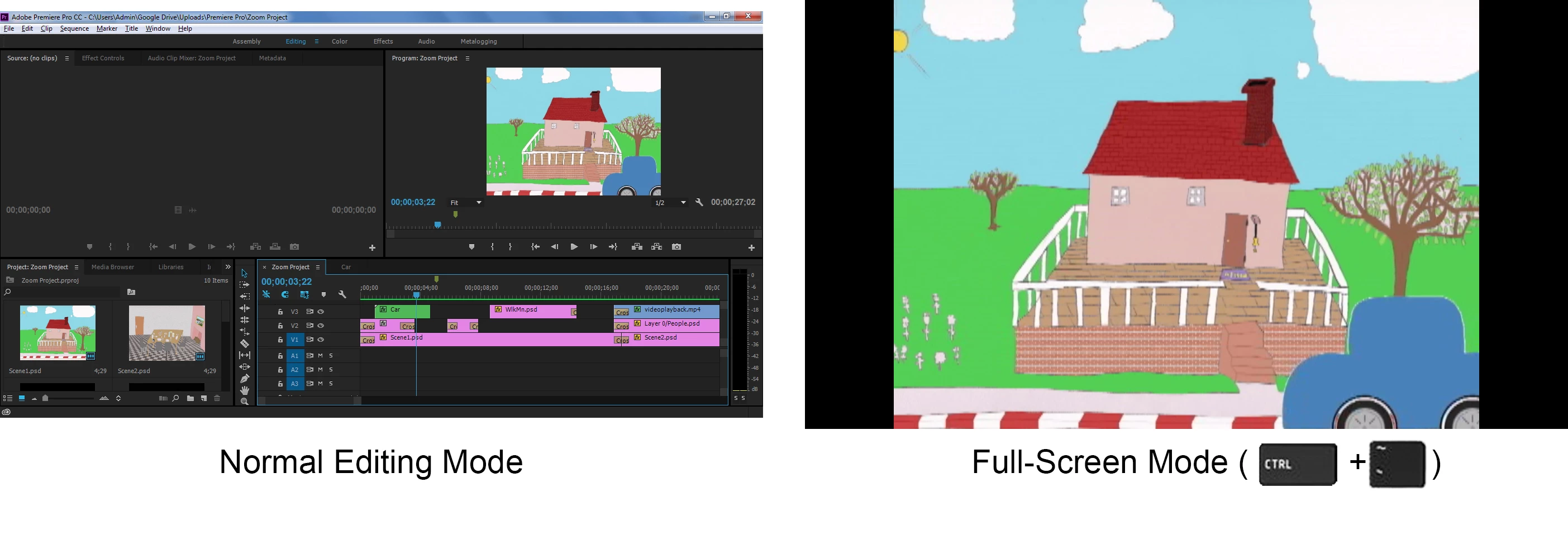
When I'm playing back the video anytime I want to check my proccess of making it, it's blurry and not clear to see it.

I even rendered it but it still shown straingly. My previous video I've edited wasn't like the video I'm making now.

Can someone help me by fixing this?
This topic has been closed for replies.
Correct answer

Thanks for your suggestions, but updating to the 2017 version helped me to fix my problem.

4 replies

Correct answer
February 10, 2017

Thanks for your suggestions, but updating to the 2017 version helped me to fix my problem.

Legend
February 9, 2017

Your Playback Resolution is set to 1/2.  Change that to Full.

Inspiring
February 9, 2017

Also, click on the "wrench" icon under your preview monitor and choose High Quality. See if that makes any difference, although your images online do not look blurry.

Peru Bob
Community Expert
Community Expert
February 9, 2017

What is your media properties and what are your sequence settings?  Dio they match?

Are you playing at full resolution?