Participating Frequently
July 19, 2024
Answered

Video Playback Sizing

  • July 19, 2024
  • 3 replies
  • 2190 views

Hi All,


I know very similar questions have been asked before but after trawling the forum I'm still struggling so here goes:

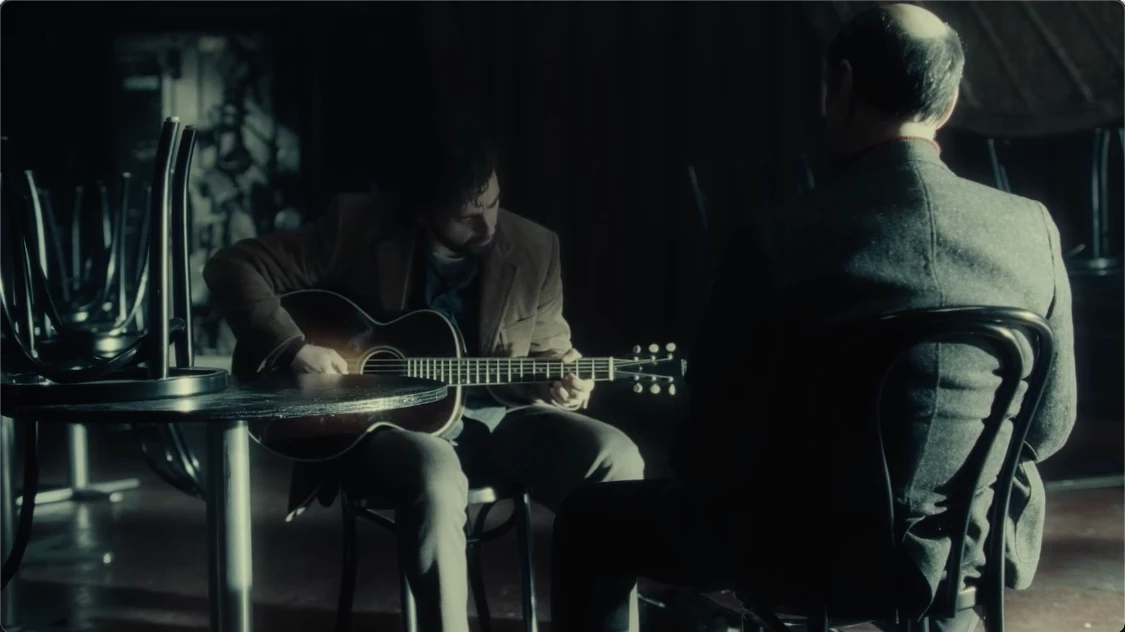
This is the FIRST TIME IVE EVER USED PREMIER PRO. Complete novice. I've made a video essay using lots of clips from different films. The first clip I added to the sequence I hit 'Set to Frame Size'. Subsequently, each clip added to my sequence I have hit 'Scale to Frame Size' then I also 'Auto reframed' the whole sequence when finished. When I output the video file it plays TOTALLY FINE in Quicktime, as you can see from this screen shot:


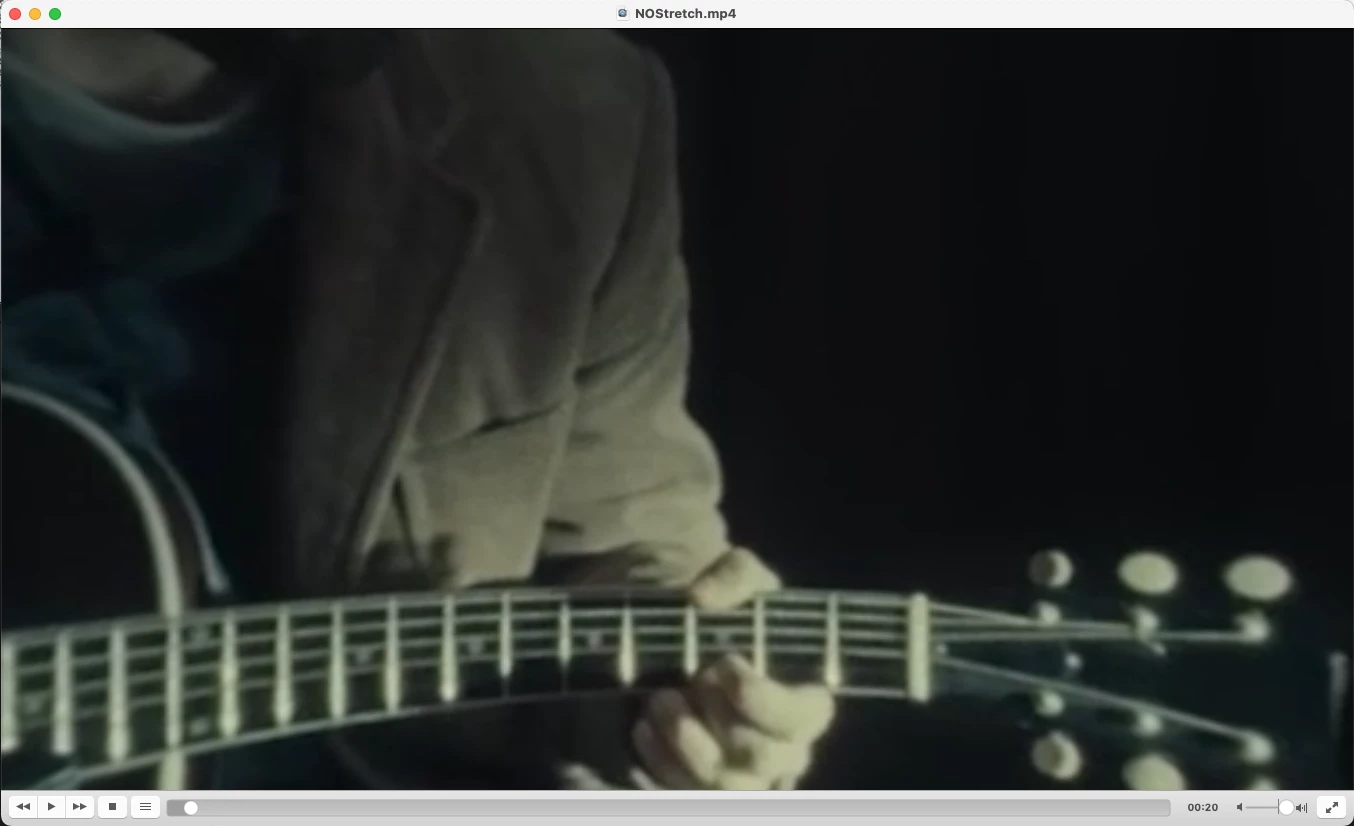
BUT, when I play it back in VLC, or upload it to Vimeo or YouTube (same result on both platforms) it looks mega zoomed in and distorted like this:


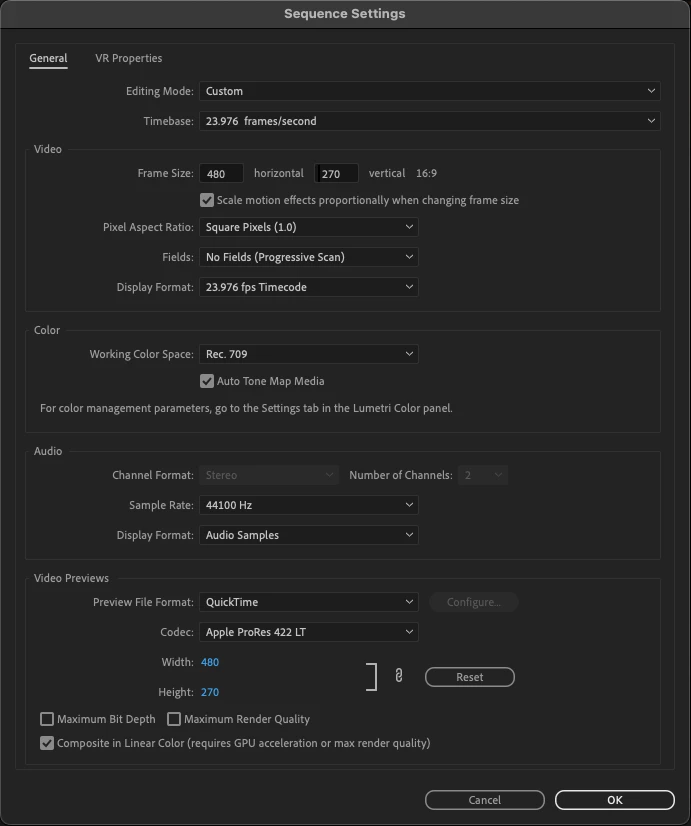
Here are my sequence settings:


And these are the output settings I'm using. 
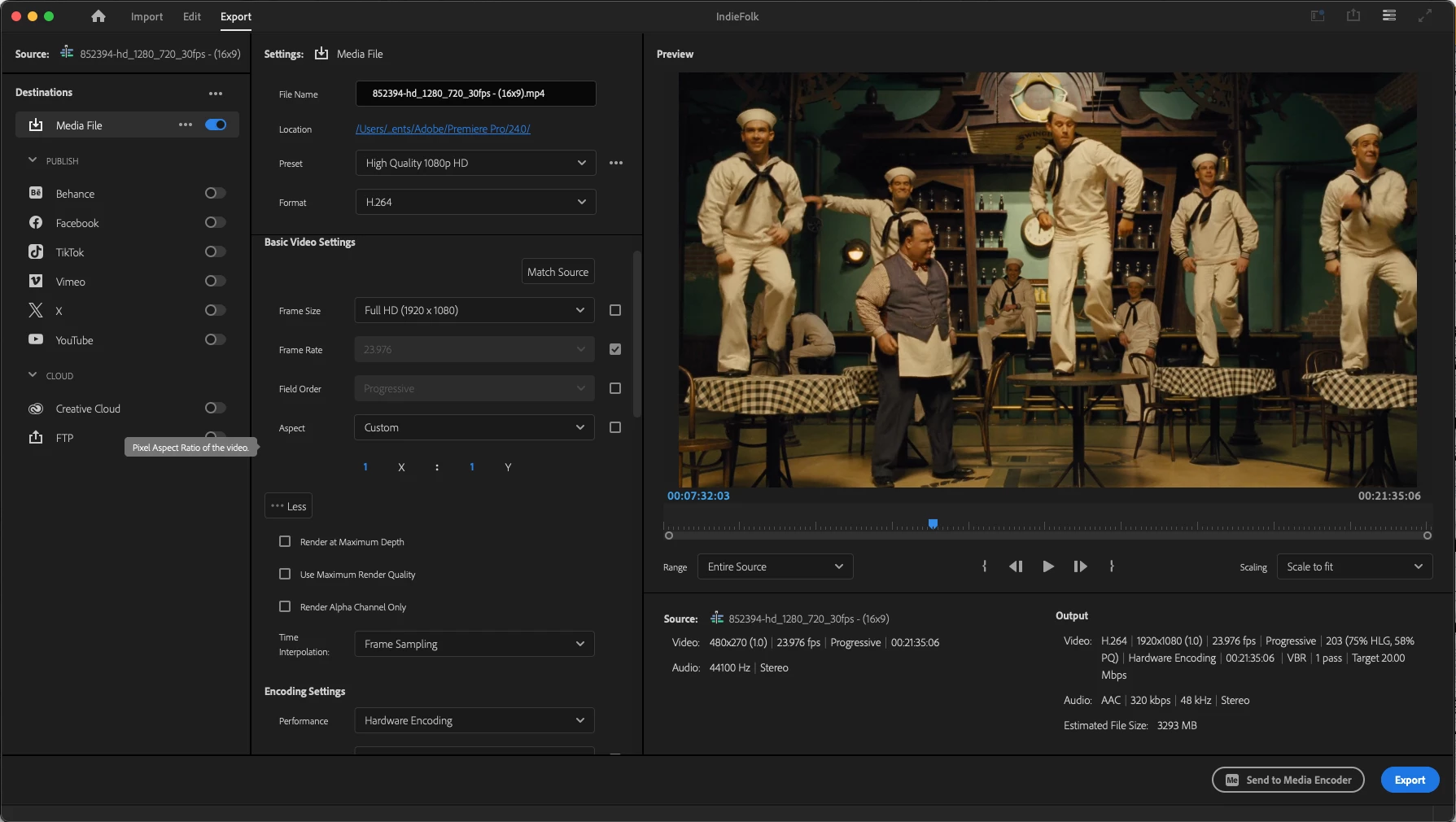


I need to host the video online so I need it to play back properly, it isn't enough to just use Quicktime. Can anyone help me with this?


Thanks in advnce. 


Martin

This topic has been closed for replies.
Correct answer Averdahl
quote

Any out of the box ideas? I'm still struggling with this one. Can't get the playback right for online. 


By @Martin38696969ugpm


What happens if you create a brand new project and do a small test?


  1. Import the clip with the man playing guitar
  2. Create a new sequence with the dimesion 1920x1080 @ 23.976 fps
  3. Drop the clip into the timeline
  4. Right click on the clip and choose Set to Frame Size
  5. Export the timeline to 1920x1080 @ 23.976 fps


No auto-blah-blah, no sequence @ 480x720, nothing else either.


How does it look?


3 replies

Participating Frequently
July 21, 2024

Any out of the box ideas? I'm still struggling with this one. Can't get the playback right for online. 

Averdahl
Community Expert
AverdahlCommunity ExpertCorrect answer
Community Expert
July 21, 2024
quote

Any out of the box ideas? I'm still struggling with this one. Can't get the playback right for online. 


By @Martin38696969ugpm


What happens if you create a brand new project and do a small test?


  1. Import the clip with the man playing guitar
  2. Create a new sequence with the dimesion 1920x1080 @ 23.976 fps
  3. Drop the clip into the timeline
  4. Right click on the clip and choose Set to Frame Size
  5. Export the timeline to 1920x1080 @ 23.976 fps


No auto-blah-blah, no sequence @ 480x720, nothing else either.


How does it look?


Participating Frequently
July 22, 2024

Oh my that worked perfectly! I'll add the rest of the clips etc into the new sequence and see how that outputs and will report back. Its a 20min sequence so it may take a while to get right. 

Participant
July 19, 2024

Have you tried in the export preset selecting: Match Source - Adaptive High Bitrate.
That exports in mp4 in the exact dimensions of your sequence, which I believe are the dimensions you are looking for.

Participating Frequently
July 20, 2024

That has produced the same result sadly. It could be that I'm doing something wrong with VLC?

Community Expert
July 19, 2024

Hi Martin,


It's best to avoid using Scale to Frame Size and Auto Reframe simultaneously, as it can reduce the quality of your videos before they're reframed.

I recommend using only the Auto Reframe effect in your sequence for better results.

Let me know if you have any other questions!

Cheers,
Paul

Participating Frequently
July 19, 2024

Thanks Paul, I'll bare that in mind moving forward. 

At this point though, do you have any thoughts on how I can rectify the issue I'm having with playback?

Ann Bens
Community Expert
Community Expert
July 19, 2024

You need to adjust the sequence settings: as of now its post stamp size while the export settings are billboard size.