
Participant
December 27, 2022
Question

Video quality is poor after exporting (I'm so done!)

  • December 27, 2022
  • 3 replies
  • 820 views

After exporting my project or video, no matter how I fiddle with the settings, nothing seems to produce the same high quality as the original video on the computer. I've changed my settings hundreds of times and exported using VBR Pass and CBR and nothing seems to work. This is so frustrating, it just deflates me and deters me off editing any of my footage. 
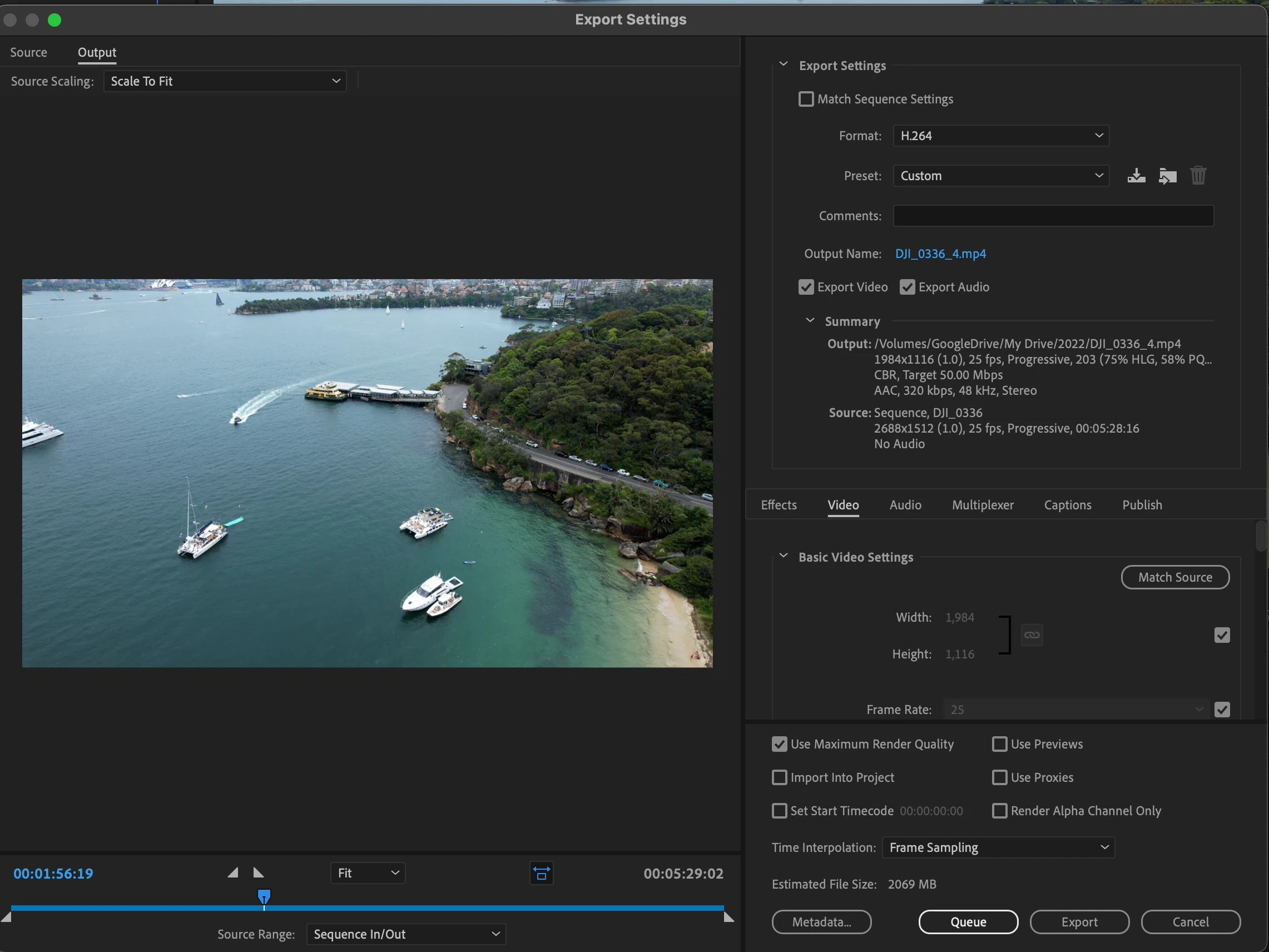
Any help would be GREATLY appriciated!

This topic has been closed for replies.

3 replies

Legend
December 27, 2022

please tell us your source properties and sequence settings...   

JOEY1988Author
Participant
December 30, 2022

Source properties

Type: MPEG Movie File Size: 858.71 MB

Image Size: 2688 x 1512

Frame Rate: 25.00

Pixel Aspect Ratio: 1.0

Alpha: None

Color Space: Rec. 709

Color Space Override: Off

Input LUT: None

Video Codec Type: HEVC 4:2:0


sequence settings attached

Averdahl
Community Expert
Community Expert
December 30, 2022

It's drone footage, probably using DJI codec? I see bunches of Youtube tutorials on how to edit this.


I only found one forum thread with this pixel size. @Averdahl, any thoughts?


Stan


quote

@Averdahl, any thoughts?


By @Stan Jones


Yes, i would like to hear TS answer the post created by @basil1891 posted in this thread dec 27 2022.

Inspiring
December 27, 2022

To spare time try to export the most affected part of the timeline with 2 settings:

- h264 with disabled Hardware encoding (has to be in the export settings)

- Prores422. If this is fine, you can recompress it in Handbrake tool via x264 later on (constant quality mode, CRF20 or less)

Community Expert
December 27, 2022

Is there a reason why your export pixel size is different to your sequence size?

JOEY1988Author
Participant
December 30, 2022

This was just one of the options I tried. I tried to reduce the output pixels in hope that it would make a difference.