
mikedashg
Inspiring
June 28, 2021
Answered

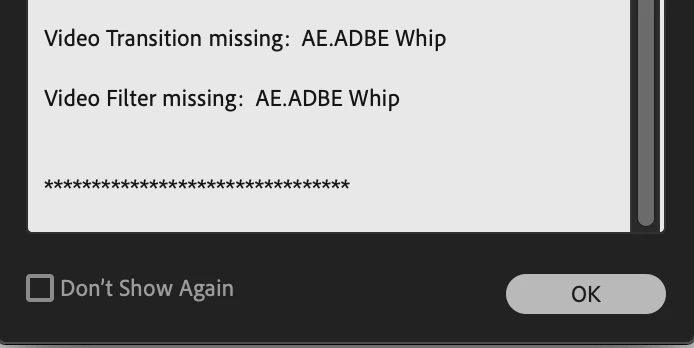
Video Transition missing error message AE.ADBE Whip

  • June 28, 2021
  • 1 reply
  • 863 views

See screen cap below. I'm using Premeire Pro 2020 CC.


I created a project on one iMac, but when I try to open it on a different iMac, I get this error message. I assumed the "Whip" transition was a built in/default transition when I used it. I don't really use third party stuff. There's no way for me to export it as a preset. Are these stored somewhere on the computer? I can't seem to locate it. I tried application support, the presets folder, etc.
 

This topic has been closed for replies.
Correct answer mikedashg

I spoke too soon. Issue fixed! It turns out I was using a slightly older versions of Premeire Pro on the other iMac. It was 14.3. The iMac I created the project on was using 14.9.


I guess the answer is just make sure you're using the latest Premeire Pro 2020, if you're on 2020 that is. I'm sure it's not an issue in 2021.

1 reply

mikedashg
mikedashgAuthorCorrect answer
Inspiring
June 28, 2021

I spoke too soon. Issue fixed! It turns out I was using a slightly older versions of Premeire Pro on the other iMac. It was 14.3. The iMac I created the project on was using 14.9.


I guess the answer is just make sure you're using the latest Premeire Pro 2020, if you're on 2020 that is. I'm sure it's not an issue in 2021.