
Jpaydirt
Known Participant
January 29, 2025
Question

VR video correct until YouTube upload

  • January 29, 2025
  • 2 replies
  • 904 views

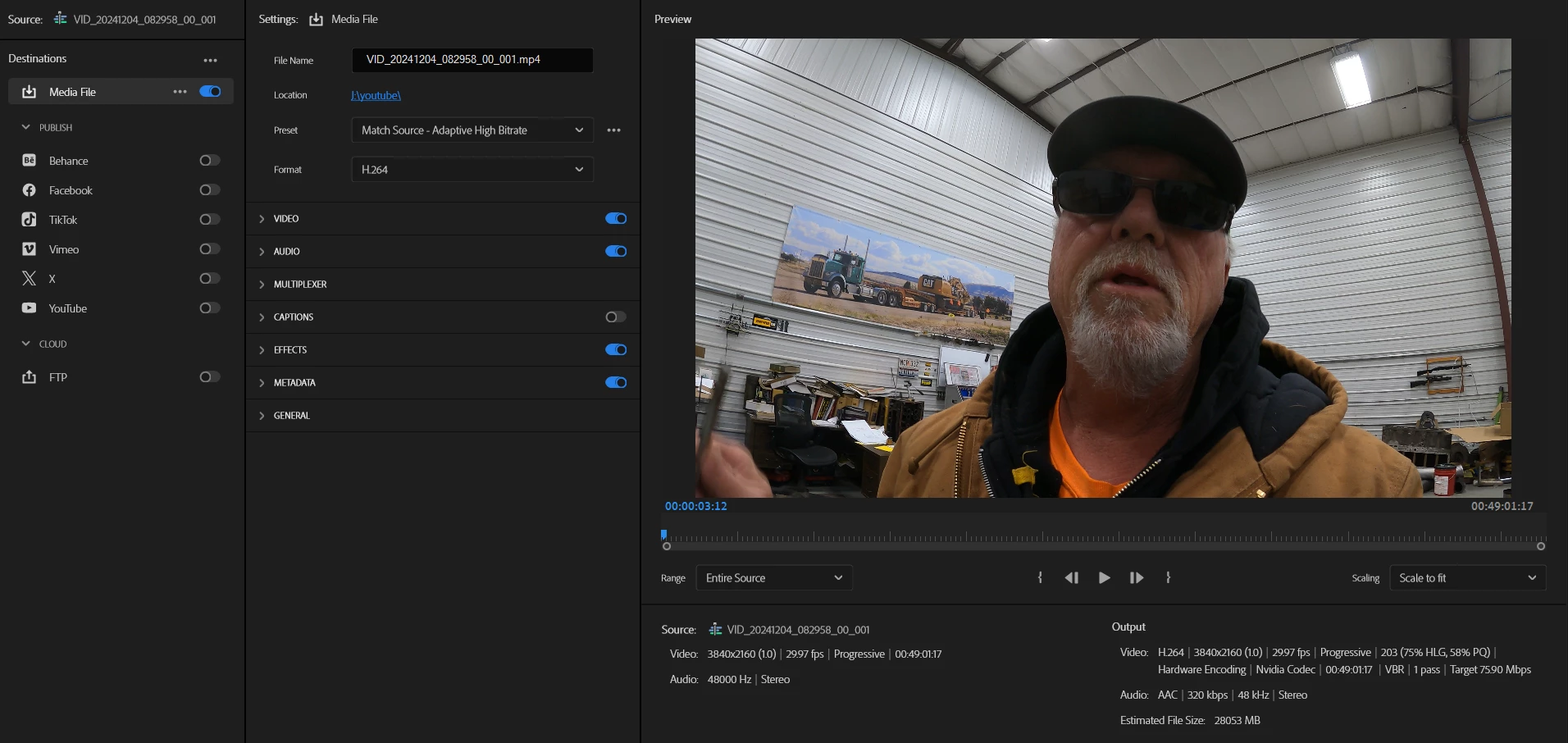
I have a video with square content and insta 360 video, after export the square is square and the VR is just as edited, but after upload to youtube , it has the navigation button for VR video in the upper left corner and the square video is now distorted, here is a screen shot of the export settings, I went with match source:  what have I done wrong?  this is my first VR edit and upload
 

2 replies

Mike Dziennik
Community Expert
Community Expert
January 29, 2025

My understanding is that once a video is flagged as VR on youtube then the entirety of the video is VR - therefore the user can always navigate their view even if you don't want them to (i.e. in the "square" sections).

Are you trying to prevent the user panning/scrolling in the "square" sections?

Jpaydirt
JpaydirtAuthor
Known Participant
January 29, 2025

Take a look at what it's done to the gopro video, which should be a normal video,  I unchecked the VR box, lets see what happens

Community Manager
January 29, 2025

Hi there,


Welcome to the community! Could you please share a screenshot of the General & VR Properties tab of the Sequence Settings? If possible, please also share a screenshot of the distorted preview that you are getting on YouTube.


Thanks,

Sumeet

Jpaydirt
JpaydirtAuthor
Known Participant
January 29, 2025

 the gopro and dji drone video play normaly upon export to my PC  but after uploaded to youtube it's got the navigation icon in the upper left of screen and that's what's causing the distortion.