

juan pablor47239012
Participant
July 15, 2022
Question

Weird flashing in Premiere and exports. Need Help

  • July 15, 2022
  • 4 replies
  • 2468 views

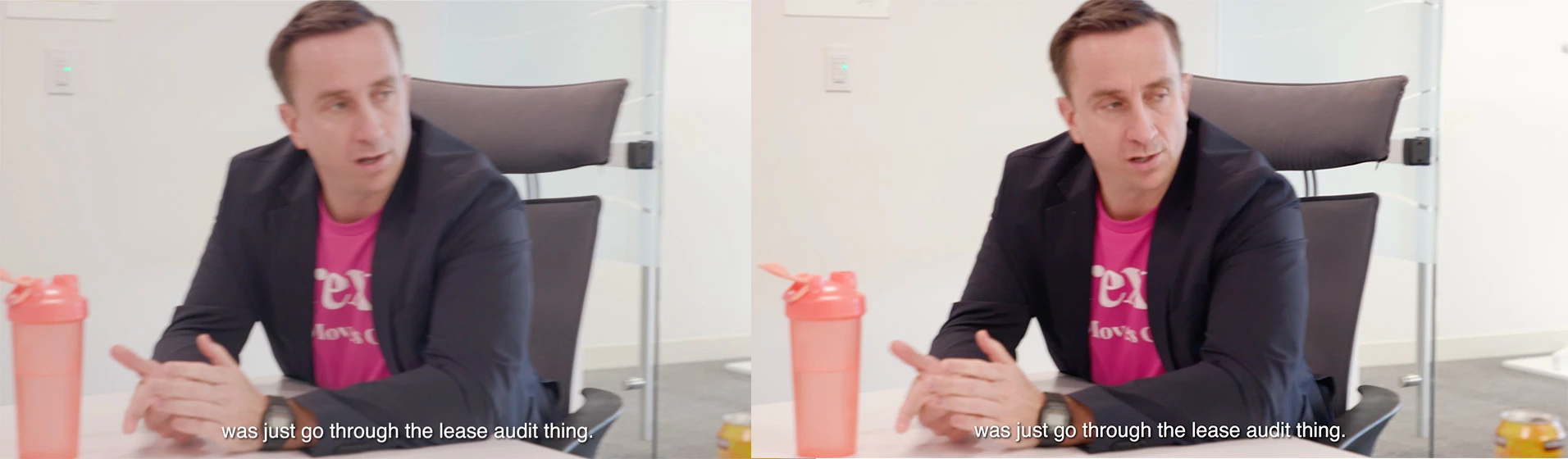
Anytime I export in Premiere, it now has a weird flashing every few seconds. The video flashes to frames that are less saturated and less contrasty. I have tried exporting in different ways, adding or removing filters, saving the project onto another harddrive, recreating the project and nothing helps.


Any suggestions? Below is an example of the problem:

https://f.io/VZ57xTas


I also attached a still of the problem.
This topic has been closed for replies.

4 replies

Community Manager
July 15, 2022

Hi juan pablor47239012,


We're sorry to hear about this. Let us know the version of Premiere Pro & the system specs. Are you experiencing this issue with any specific media type? Also, is this happening while previewing the timeline in the Program monitor? We're here to help, just need more info.


Thanks,

Sumeet

natvegas
Participant
August 3, 2022

HI there

I have exactly the same problem at Juan with Premiere 22.5

The only fix was to roll back Premiere version to 22.4

Has this been looked at by Adobe yet?


Thanks,

Nathan

Kevin-Monahan
Community Manager
Community Manager
August 3, 2022

Hi, natvegas,

Yes, this issue seems to happen with specific formats from Sony cameras. Does that line up with your case? If so, the team knows about the issue and is working on a fix. I apologize for the frustration.


Thanks,
Kevin

Kevin Monahan - Sr. Community and Engagement Strategist – Adobe Pro Video and Audio
Peru Bob
Community Expert
Community Expert
July 15, 2022

Please post screenshots of your media properties, sequence settings, and export settings.

Does it happen with both direct export from Premiere Pro and through Adobe Media Encoder?

Have you tried turning off Hardware encoding in the Video tab of the export settings?

Peru Bob
Community Expert
Community Expert
July 15, 2022

Also, please use the free MediaInfo and post a screenshot of the properties of your media in tree view:
https://mediaarea.net/en/MediaInfo

Many users are having issues with VFR. If the file is variable frame rate, use Handbrake to convert to constant frame rate:
https://handbrake.fr/downloads.php
Here is a tutorial:
https://www.youtube.com/watch?time_continue=34&v=xlvxgVREX-Y

Shutter Encoder may also be used to convert to Constant Frame Rate:
https://www.shutterencoder.com/en/

Peru Bob
Community Expert
Community Expert
July 15, 2022

Delete the Media Cache and Media Cache files:
https://community.adobe.com/t5/premiere-pro/faq-how-to-clear-your-media-cache-in-30-seconds-in-premiere-pro-2020/m-p/11017257/thread-id/260446?page=1

If that doesn't work, try resetting the preferences:
https://community.adobe.com/t5/premiere-pro/faq-how-to-reset-trash-preferences-in-premiere-pro/td-p/8236158?page=1

If that doesn't work, try resetting the Workspaces:
Reset a workspace
Reset the current workspace to return to its original, saved layout of panels.
1. Do one of the following:
• Click the Workspace menu icon and select Reset to Saved Layout.
• Choose Window > Workspace > Reset to Saved Layout.
from here:
https://helpx.adobe.com/premiere-pro/using/workspaces.html

If that doesn't work, try Preferences > Audio Hardware and set Input to None.

If that doesn’t work, try updating or rolling back your graphics driver directly from the video card manufacturer’s site. If NVIDIA, do a clean installation of the latest Studio Driver (NOT the Game Driver)

If that doesn't work, try creating a new project and import the old one into it.

Also, please help us help you:
https://community.adobe.com/t5/premiere-pro/faq-what-information-should-i-provide-when-asking-a-question-on-this-forum/td-p/3929027?page=1