



Welcome to Adobe Premiere Pro 22.5!
Welcome to Adobe Premiere Pro 22.5!

Hello and welcome to the June release of Premiere Pro! Premiere Pro 22.5 is now available for download from the Creative Cloud desktop app. The new features include:
- Essentials workspace & Vertical Video workspace
- Proxy improvements:
- Proxy badges in the Project panel and Timeline
- Burn-in option for watermarking proxies
- Gradients for strokes and shadows
- Improved H264/HEVC Encoding on Apple M1 systems
- GPU acceleration for the following effects: Magnify, Replicate, Spherize, and Warp Wave
- Support for RED V-RAPTOR
- Paste to same track keyboard shortcuts
This update is recommended for all users.
If you are experiencing any issues, please create a new post explaining your problem rather than placing it here so that we can help. If you have a bug to report or any complaint, please do that on User Voice.
New Features in Premiere Pro 22.5
New workspaces
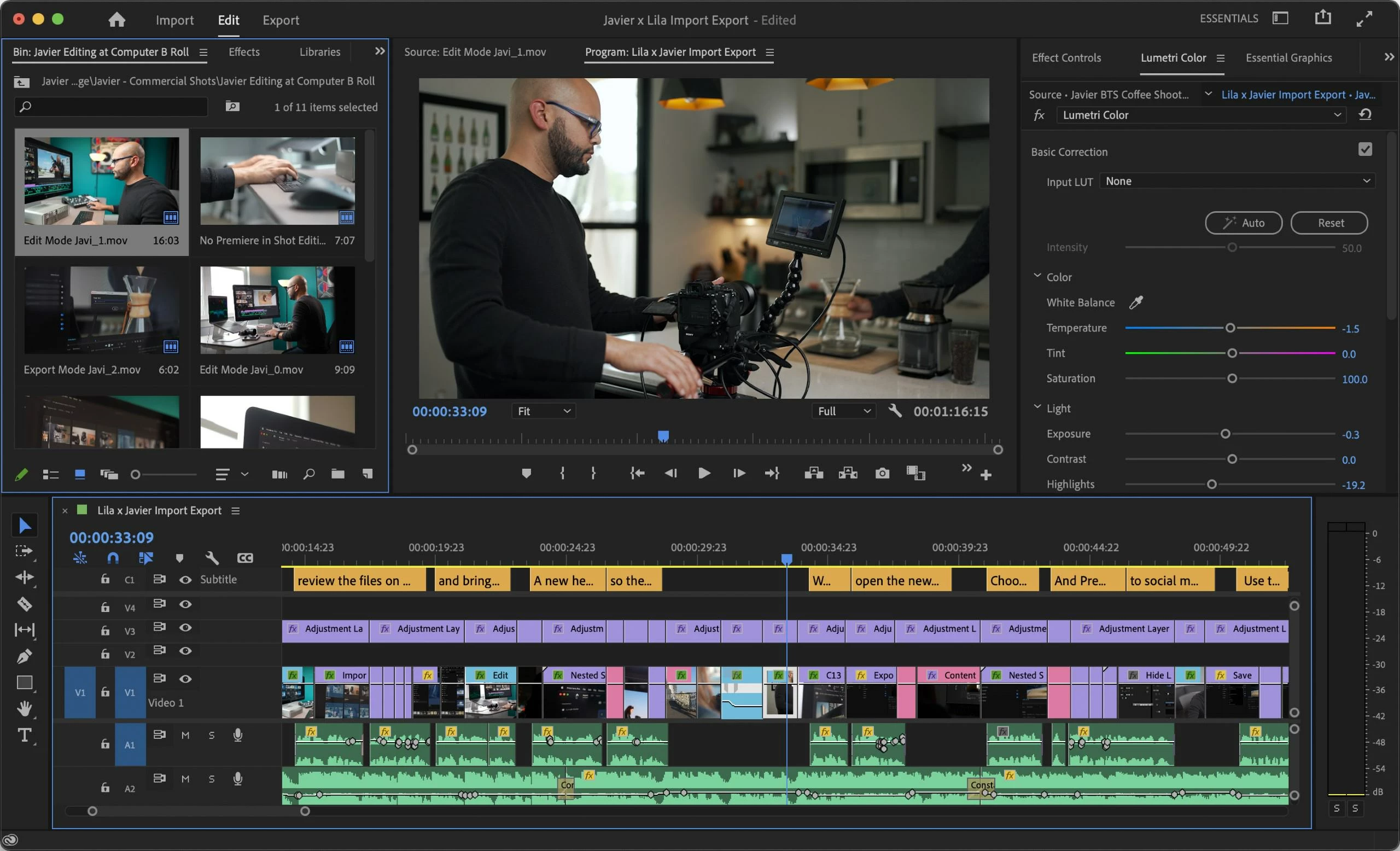
Premiere Pro now supports two new workspaces: Essentials and Vertical Video.
- Essentials: Provides only the essential panels needed for basic editing.
- Vertical Video: Provides the ideal layout for working with Vertical Video.
For more information, see:
New Essentials workspace
New Vertical Video workspace
Proxy improvements
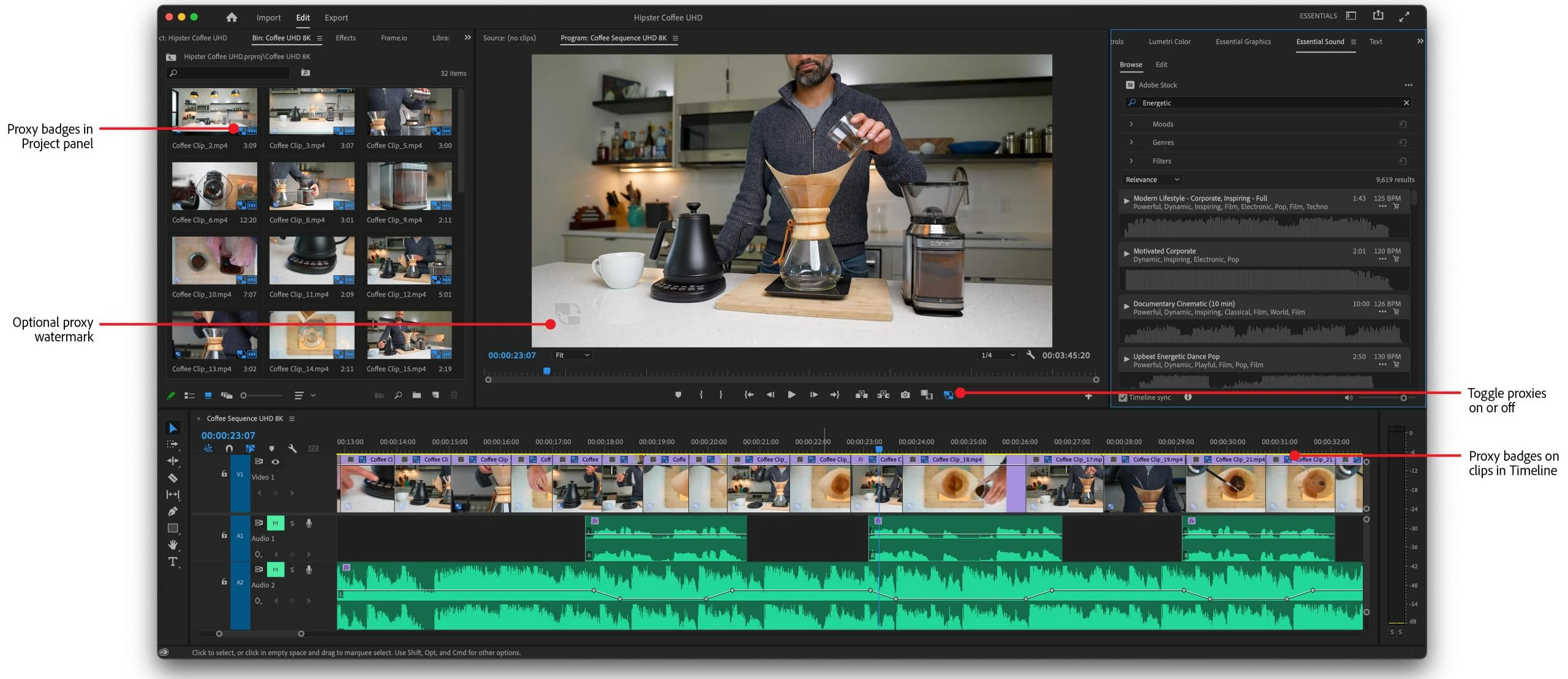
Premiere Pro 22.5 has a few new features related to proxies of note: proxy badges and watermarks. These features assist you with visual cues as to whether you have proxies enabled or not.
- Proxy badges in the Project panel and Timeline: Proxy badges in the Project panel and the Timeline show you a quick visual cue if proxies are enabled in the UI.
- Burn-in option for watermarking proxies: You can now automatically add a burned-in watermark for proxies. You no longer have to customize an encoding preset to add a simple watermark. The watermark is seen onscreen in the Program Monitor if proxies are enabled.
For more information, see:
Gradients for strokes and shadows
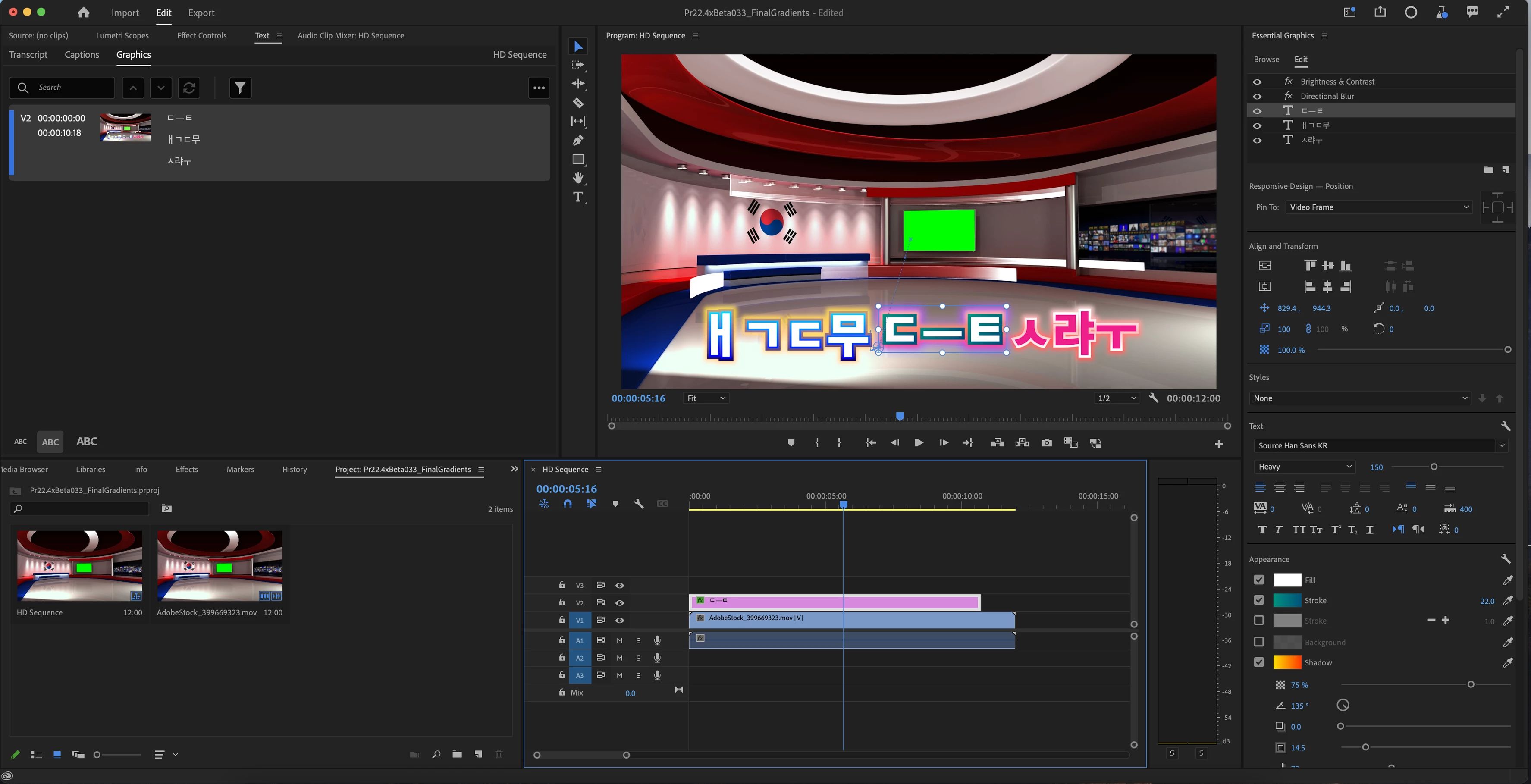
There are now choices for gradients in strokes and shadows so that you can create even more custom looks for text and shapes.
The following are now available:
- Color Radial Gradient
- Color Linear Gradient
- Opacity Radial Gradient
- Opacity Linear Gradient
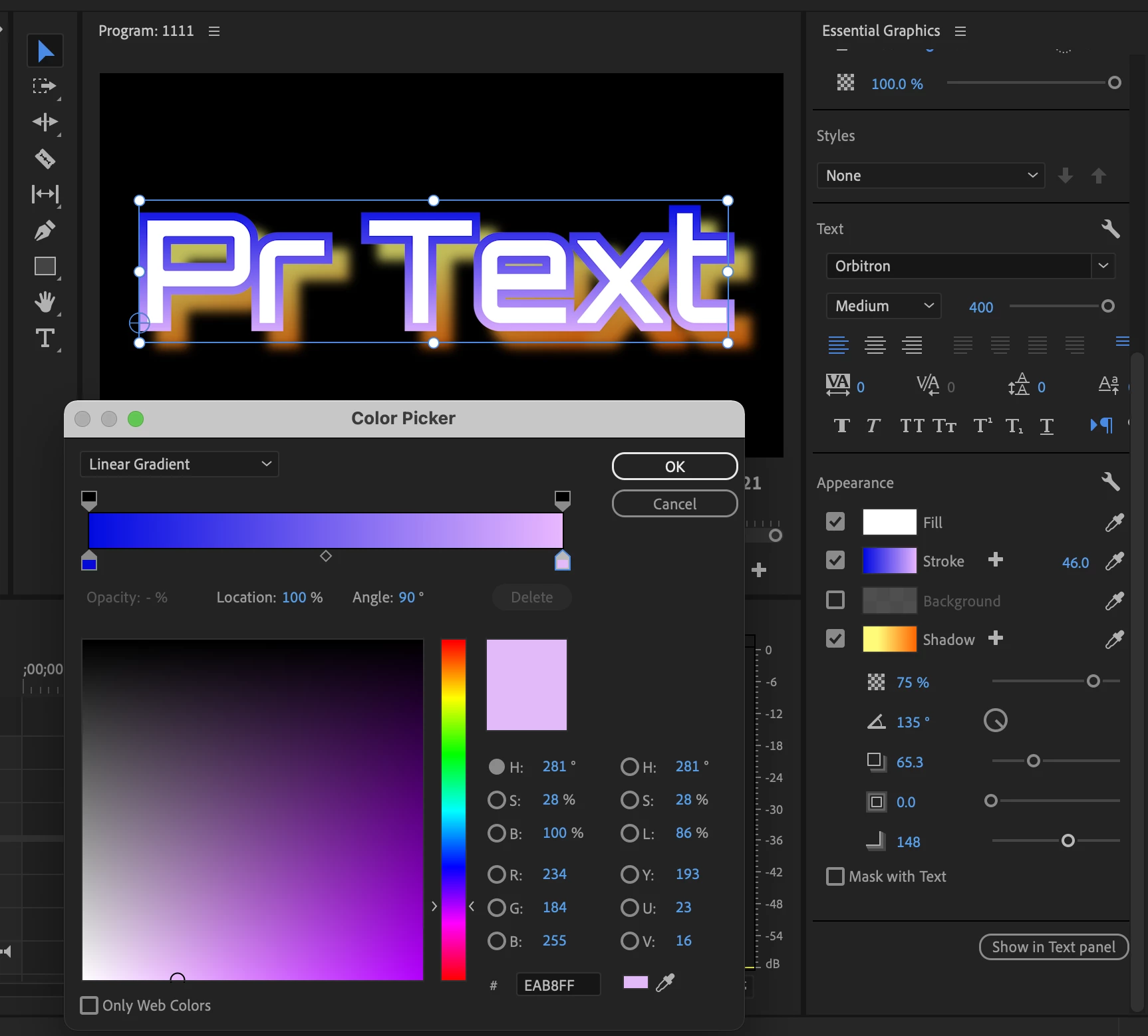
Select Shadow or Stroke in the Essential Graphics panel and click the color chip. Then use Color Picker to customize the color for shadows and strokes.
For more information, see:
Gradients for Strokes and Shadows
Apply Gradients to Text and Shapes
Improved H264/HEVC Encoding on Apple M1 systems
Premiere Pro now has improved the quality of H264/HEVC files encoded on Apple M1 systems.
For more information, refer to this link.
New GPU acceleration for effects
GPU acceleration has been added for the following effects:
- Magnify, Replicate, Spherize, and Warp Wave
For more information, refer to this link.
Support for RED V-RAPTOR camera
Premiere Pro now offers support for RED V-RAPTOR cameras.
Paste to same track keyboard shortcuts
When copying and pasting assets in a timeline, Premiere Pro now defaults to pasting items to the same track instead of always pasting according to track targeting. This new functionality can be accessed via four new assignable keyboard shortcuts.
-
Paste to Same Track
-
Paste Insert to Same Track
-
Paste to Target Track
-
Paste Insert to Target Track
For more information, refer to this link.
Premiere Pro Beta
Your feedback and involvement make Premiere Pro a better application. I wanted to thank all of you for contributing to providing input for the Premiere Pro Beta on the forums and User Voice. Thank you!
Go here to learn more about the new features discussed in the Premiere Pro Beta community.
 AdChoices