gg44078459
Participating Frequently
January 15, 2020
Answered

What is “source patchers”?

  • January 15, 2020
  • 2 replies
  • 785 views


There are two terms in the docs of premiere, they are "Source patchers" and "source track indicators", as follow:
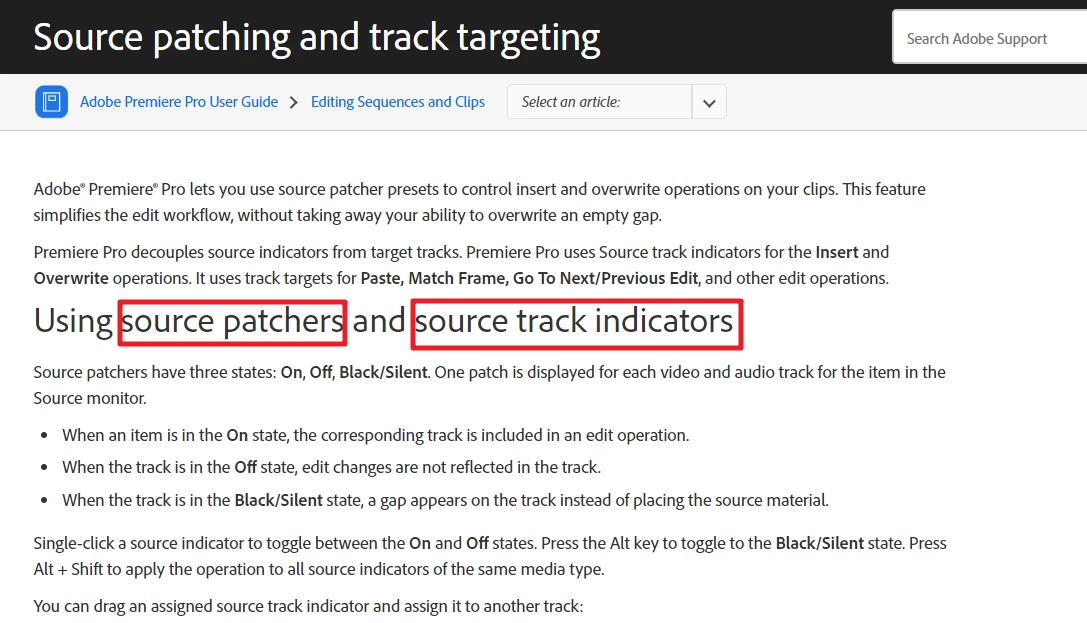
source:

https://helpx.adobe.com/premiere-pro/using/source-patching-track-targetting.html


Questions:

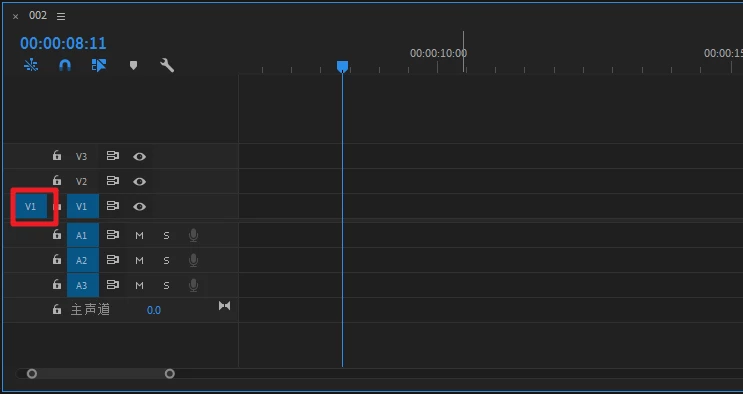
1、In the red box below, is it  "Source patchers" or "source track indicators"?

2、Where is the other one?
 

This topic has been closed for replies.
Correct answer Ann Bens

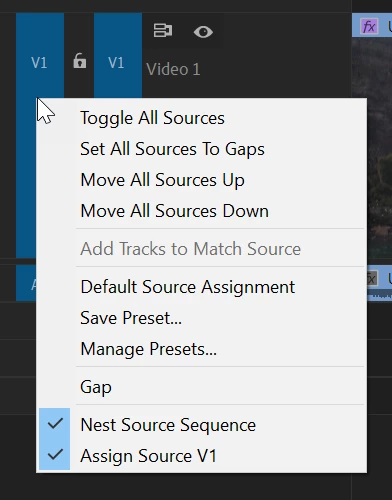
The red box shows the sourse track indicator.

For the patchers right click on the indicator.

2 replies

Inspiring
January 15, 2020

The blue box you have framed is the Source Patching. The lettering on the blue box is the Source Track Indicator. You use this feature to patch (route) the source signals from the source tracks to the timeline tracks (by dragging them to reorder them), like in this example where I've routed Source A3 to timeline A1, Source A1 to timeline A2, Source A4 to timeline A3, and Source A2 to timeline A4:

MtD

Ann Bens
Community Expert
Ann BensCommunity ExpertCorrect answer
Community Expert
January 15, 2020

The red box shows the sourse track indicator.

For the patchers right click on the indicator.

Ann Bens
Community Expert
Community Expert
January 15, 2020

And please have the courtasy to respond when someone answers your questions. And there have been many. Dont take it all for granted. (end of rant).

gg44078459
Participating Frequently
January 16, 2020

I am very sorry, I just think that clicking "Like" and "Correct Answer" is ok.