
Known Participant
August 13, 2022
Answered

What's the best way to trim Audio precisely ?

  • August 13, 2022
  • 3 replies
  • 1802 views

Hi, 

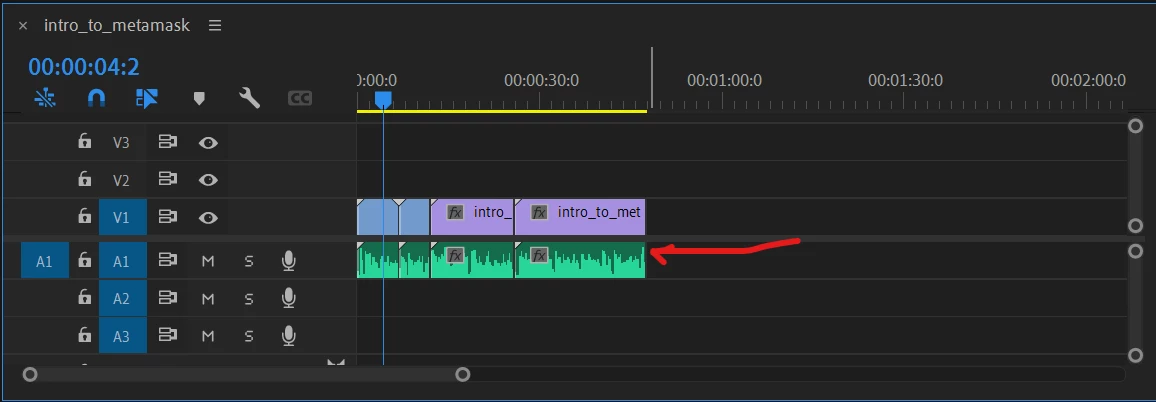
I need to trim just a little fraction of a second of the end of an audio clip, and I am having a hard time with using the red arrow with the mouse. It takes off too much. Is there a more precise method of clipping just a fraction of the end? Thank-you


This topic has been closed for replies.
Correct answer Richard M Knight

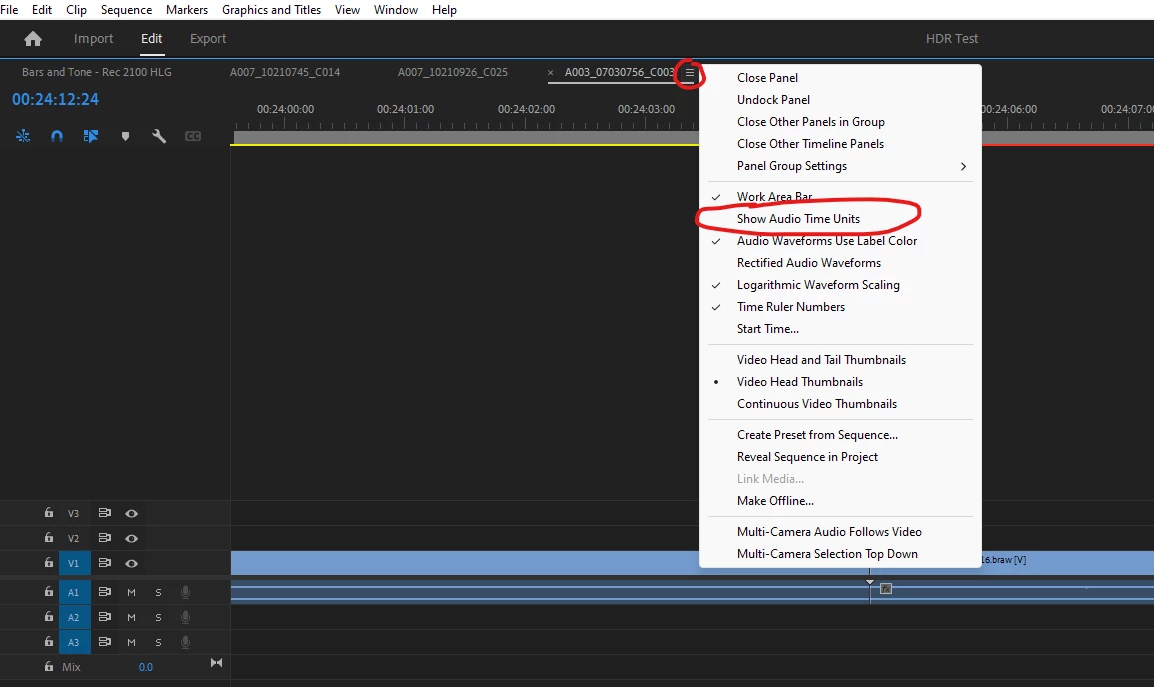
If you need to edit the audio to less than one frame, un-link the audio from the video and select 'Show Audio Time Units'. this will allow you to edit down to sample level.

3 replies

Richard M KnightCommunity ExpertCorrect answer
Community Expert
August 14, 2022

If you need to edit the audio to less than one frame, un-link the audio from the video and select 'Show Audio Time Units'. this will allow you to edit down to sample level.

marfazzAuthor
Known Participant
August 14, 2022

Thank-you.

Ann Bens
Community Expert
Community Expert
August 14, 2022

Set timeline to Show Audio Units: now you can trim off 1/48000/second.

https://helpx.adobe.com/premiere-pro/using/editing-audio-timeline-panel.html

marfazzAuthor
Known Participant
August 14, 2022

Thank you for this, although a bit unconventional and tricky, I was able to trim audio the in much smaller time units, thank you. 

Ann Bens
Community Expert
Community Expert
August 14, 2022

Nothing unconventional or tricky. A very good feature within Premiere.

Participant
August 13, 2022

I expand the viewing area where each 5 frames are only shown. It make it easy to clip only one at a time.

marfazzAuthor
Known Participant
August 13, 2022

Can you please elaborate a little more? How do you expand the viewing area? Sorry I am just a beginner.