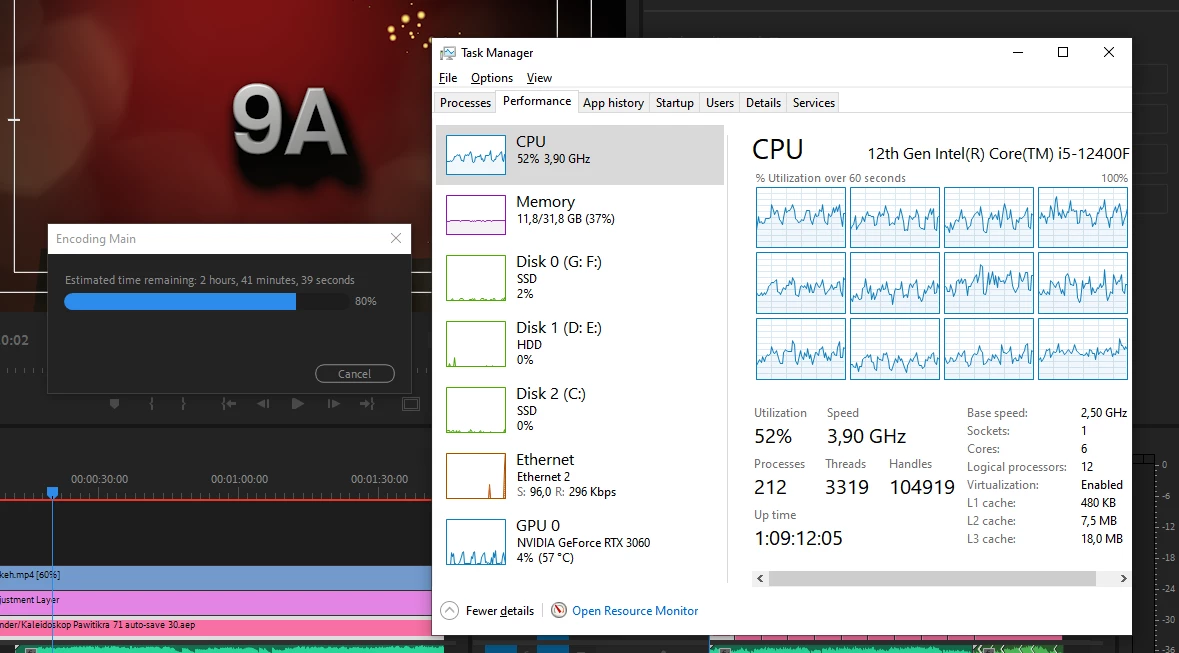
@nams25lerler the short answer is that it's not always possible to use the full 100% of the CPU in all situations. Exporting requires all the hardware in your system to work together (CPU, Memory, Disks, GPU, possibly Network), and it may be that the speed of one of the other components is limiting how much the CPU can be utilitzed. That does not mean there's a problem! You could, for example, disable your GPU and maybe get 100% CPU usage, but you'd be left with a much slower export. Full CPU usage isn't always the best thing, if your goal is fastest export times.
The long answer is that the big factor is also which types of footage you are using, what your sequence is like (frame size, effects, titles, graphics, etc), and what format you are exporting to. All of these factors affect how Pr will make use of your hardware. These are the things you can control:
- Preferences > Media > Enable Hardware Accelerated Decoding: make sure this is turned on (and you restart if you turned it on)
- File > Project Settings > General > Renderer: make sure this is set to use the CUDA accelerated renderer
- In your export settings, if exporting to H.264 or H.265, make sure the Output video report says "Hardware Encoding". If it says "Software Encoding" that means something in your export settings is making the export not able to use the encoding hardware on your system. Try using one of the built-in presets and modifying from there, watching that nothing you change sets it off of "Hardware Encoding".
- Make sure you have a recent/updated NVIDIA Studio Driver installed.
If all that is in order, then if you see CPU usage like your screenshot, it's just because Premiere Pro is doing its best to get you the fastest export, for example sharing the encoding tasks with the GPU. That can mean a faster export, even if the CPU isn't at 100%. Also, your CPU has 6 physical cores, each of which can "pretend" to be two cores for a total of 12, which is why you see 12 graphs in Task Manager. In your screenshot you have the 12 virtual cores all running at 3.9 GHz – in my opinion that's a great use of your CPU.
I hope that helps!

 AdChoices