
Participant
August 16, 2020
Answered

When I click a text, screen goes black. Help!
  • August 16, 2020
  • 3 replies
  • 7099 views

I have my video, it is finished. I even have some texts already.

Today is weird, and bare with me, english is not my mother language.

In the part where we have all the videos and audios and adjustment layers, etc....

If I select anything it is ok, but when I select a TEXT, then the editing screen goes black. I select an AL, Audio, Video, screen goes back to whatever has to be shown. I click on a text again, screen goes black.

By screen I mean only the editing screen, the whole monitor is ok, and I can see everything in premiere. >

Hope it is clear. The window that shows the video (what we will eventually export), the contents, all goes black.

any tips?

really no need for all that HW specs, Im on a laptop, windows 10, it is not a problem of my HW, I must have clicked something and now this is happening, and I do not know what I did.

edit:

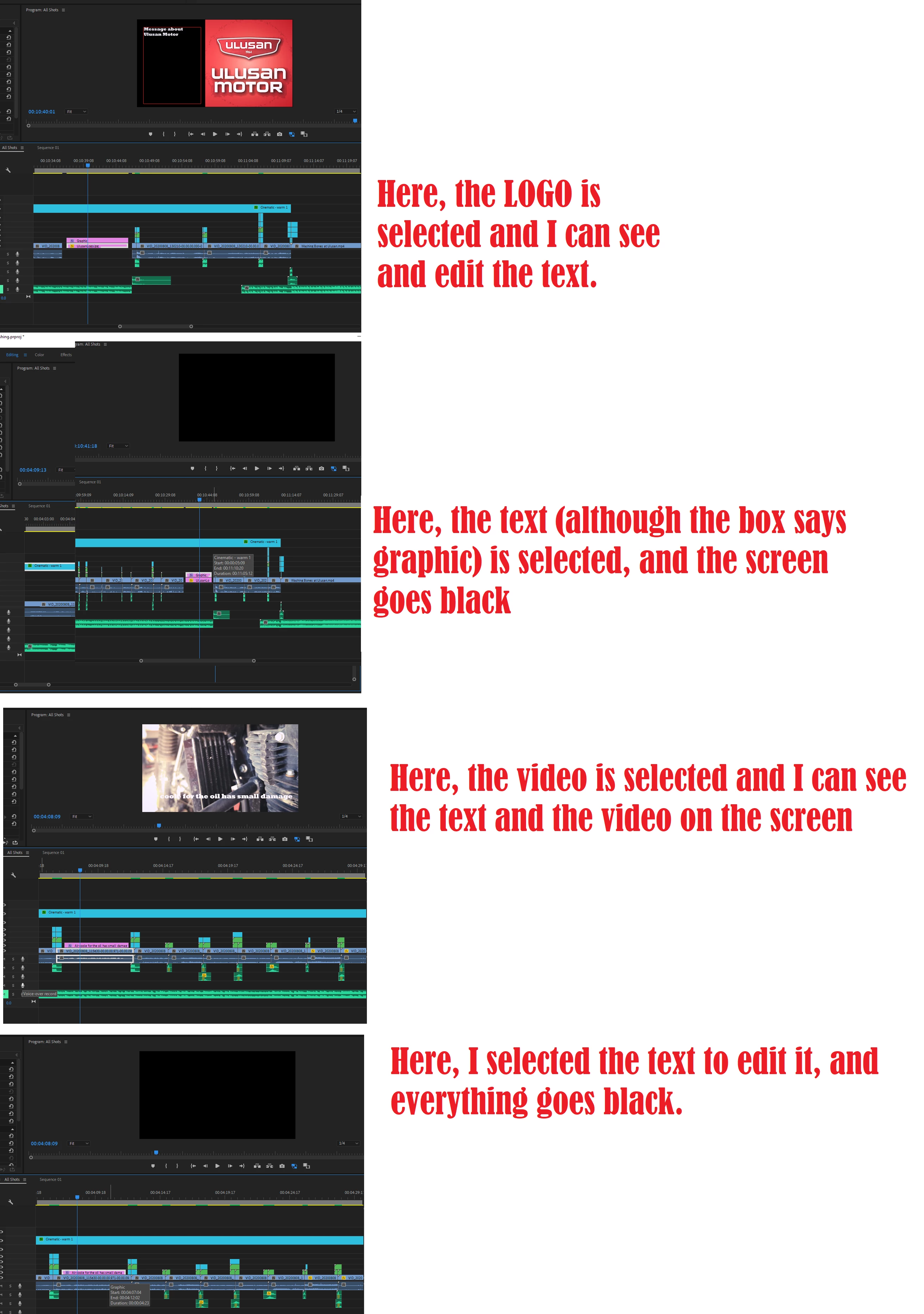
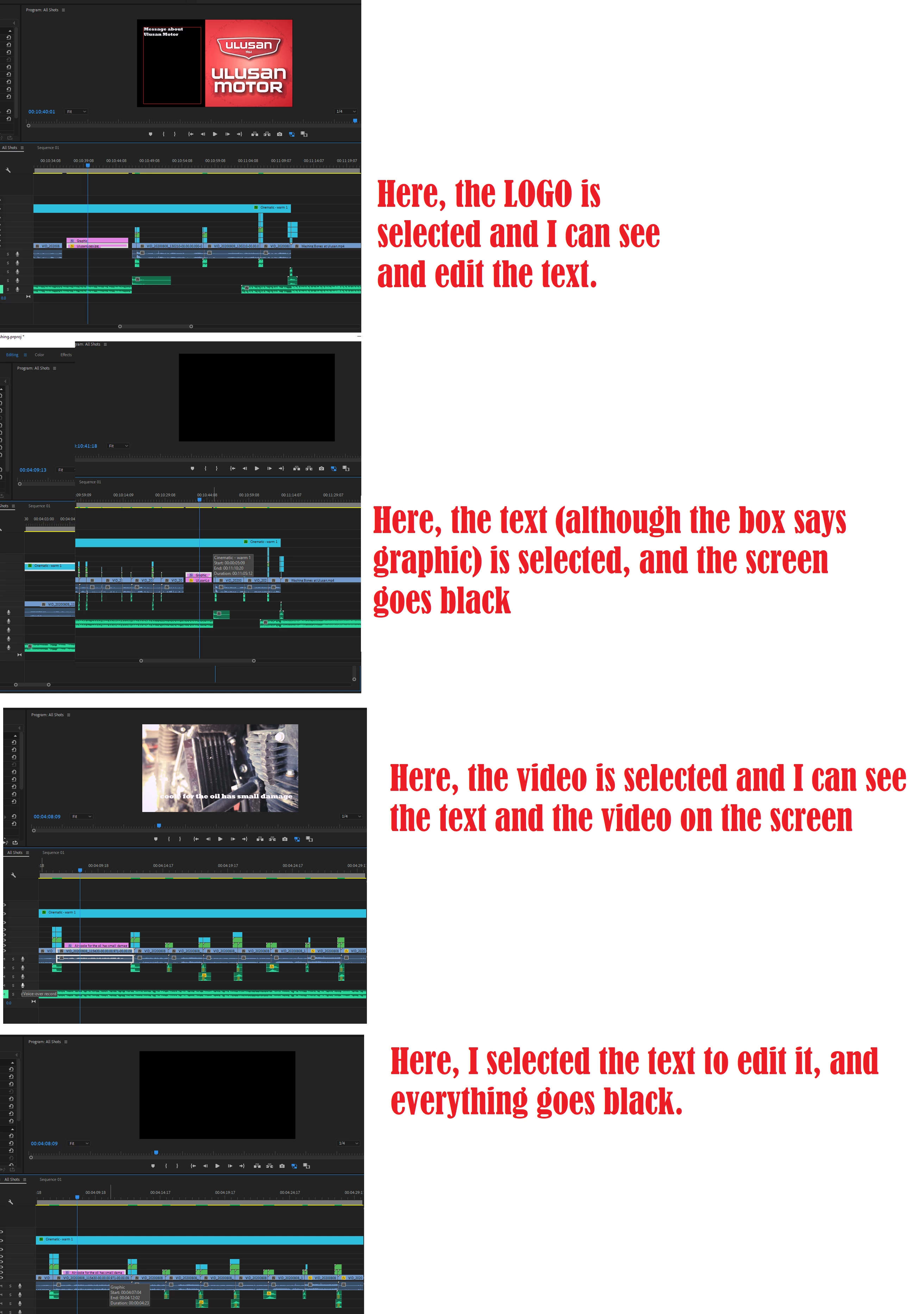
Here is something I discovered.

I have texts... the pink boxes say "graphic", I guess that is normal.

There are 2 examples.

1) I have 2 pink boxes, text on top of a logo. 1 is text, the other is a logo. I select the LOGO, I can edit the text. But if I select the text, the screen goes black.

2) I have a pink box (my text, it says graphic in the box) on top of a video. I select the VIDEO, I can see the text but not edit it. When I select the text, the screen goes black.

https://ibb.co/VL1VYHz

this second link is not working for me, it should be the same image https://pasteboard.co/JmBvoF6.png
 

This topic has been closed for replies.
Correct answer Peru Bob

Hi Peru Bob,


While this is true, my drivers and Adobe softward are completely up to date, and I have a laptop, so can't really change the graphics card. To me, that means that a "workaround" is the solution because it works.


Did you have a different suggestion? Otherwise, it seems like this is the answer for now.


You might want to try other drivers.  The most up to date driver isn't always the best one for some situations.

If you are not experiencing performance issues with GPU acceleration disabled, however, I suppose you will want to go with what works for you.

3 replies

Participant
January 6, 2021

Did you ever figure this out? I'm having the same problem...

Participant
January 12, 2021

OK, I just found this answer here. (external link)

Here are the steps I followed and it fixed the issue.

  1. Go to Premiere top bar and -> FILE
  2. Project Settings -> General
  3. Change the “Renderer” to -> the default option which is the “Mercury Playback Engine Software Only


Hopefully that helps!

Peru Bob
Community Expert
Community Expert
January 12, 2021

Change the “Renderer” to -> the default option which is the “Mercury Playback Engine Software Only


That is just a workaround and indicates that there is a graphc driver or card issue.

Ann Bens
Community Expert
Community Expert
August 16, 2020

What effect have you applied to the text?


Participant
August 17, 2020

the effect.... it seems to have no effect. When I select the TEXT tool and I click to apply it, regardless of doing it over a video or in an empty space to have only text, the whole thing goes black. I can not see anything.

If there is a video behind, then the video goes black.


If there is nothing behind, then the tool itself is nowhere to be seen.

I am new to Premiere, and I can tell that there is always this or that clicked that changes the whole thing/experience. It must be something on the menus.

Ann Bens
Community Expert
Community Expert
August 17, 2020

FX icon on the clip is purple so you must have done something.

Ann Bens
Community Expert
Community Expert
August 16, 2020

...so we dont have to download unknown files: we help you, you help us. Thanks! 

Participant
August 16, 2020

I am not sure I follow you. Can you please explaing me how I can help you help me?

Ann Bens
Community Expert
Community Expert
August 16, 2020

Please post your screenhots inside your original post as shown in my screenshot. I (we) dont want to download from some unknow file server.