
kkamil
Participant
September 15, 2018
Question

When Sony XAVC XML files support?

  • September 15, 2018
  • 3 replies
  • 6651 views

When Adobe plans to finally implement support for XML files from Sony's XAVC?

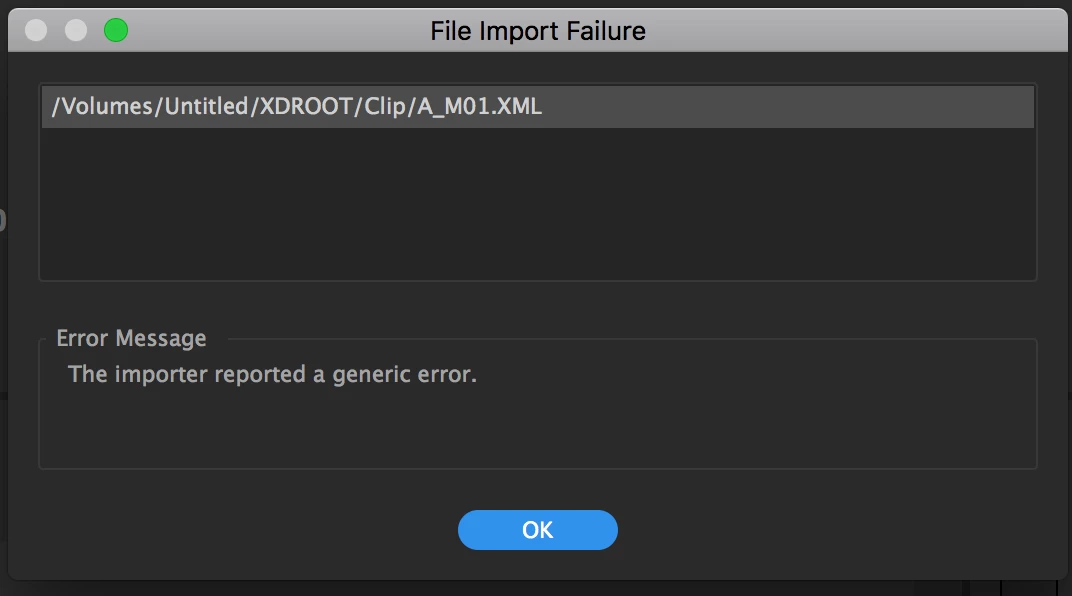
It's 6 years after Sony F5/55 release and 4 years after FS7 release. Those cameras are one of the most popular and widely used everywhere. Yet each and every time when importing files I get an error as seen on a screenshot.

COME ON ADOBE, YOU CAN DO IT!!!
    This topic has been closed for replies.

    3 replies

    Legend
    September 15, 2018

    Ste 2C below will solve this for you.

    Unofficial Premiere Pro Troubleshooting Guide

    Inspiring
    September 15, 2018

    Those files are not needed by Premiere Pro. They contain metadata about the clip that Premiere Pro does not use.

    Is there a reason you need that information imported?

    If you navigate to the Clip folder, select it and then import it, Premiere will see the .mxf flies - which are the clips, and the .xml files which are the unnecessary metadata. It will then import the clips only and report not importing the xml files.

    Other edit systems may use the XML files that are associated with the clip.

    MtD

    kkamil
    kkamilAuthor
    Participant
    September 15, 2018

    Error while importing is not my main concern (which is annoying) but I refer to full support of XAVC files. By full support I mean metadata is read from either mxf or xml files - doesn't matter, with correct EI (Exposure Index) and all the other info. We know Adobe can do it because files from Arri Alexa have full support.

    Kevin-Monahan
    Community Manager
    Community Manager
    September 27, 2018

    Hi Kkamil,

    Kindly make your issue known to our developers here: Premiere Pro: Hot (2553 ideas) – Adobe video & audio apps

    Sorry for your frustration.

    Thanks,
    Kevin

    Kevin Monahan - Sr. Community and Engagement Strategist – Adobe Pro Video and Audio
    Ann Bens
    Community Expert
    Community Expert
    September 15, 2018

    Premiere does support xml but you dont import them into your project, hence the error message.

    Ann Bens
    Community Expert
    Community Expert
    September 15, 2018

    Copy entire card to hdd and ingest via Media Browser. You wont see the xml files.