DustinJamesKid
Participating Frequently
February 16, 2015
Answered

Where did my timeline/sequence go?! Please help!

  • February 16, 2015
  • 12 replies
  • 190028 views

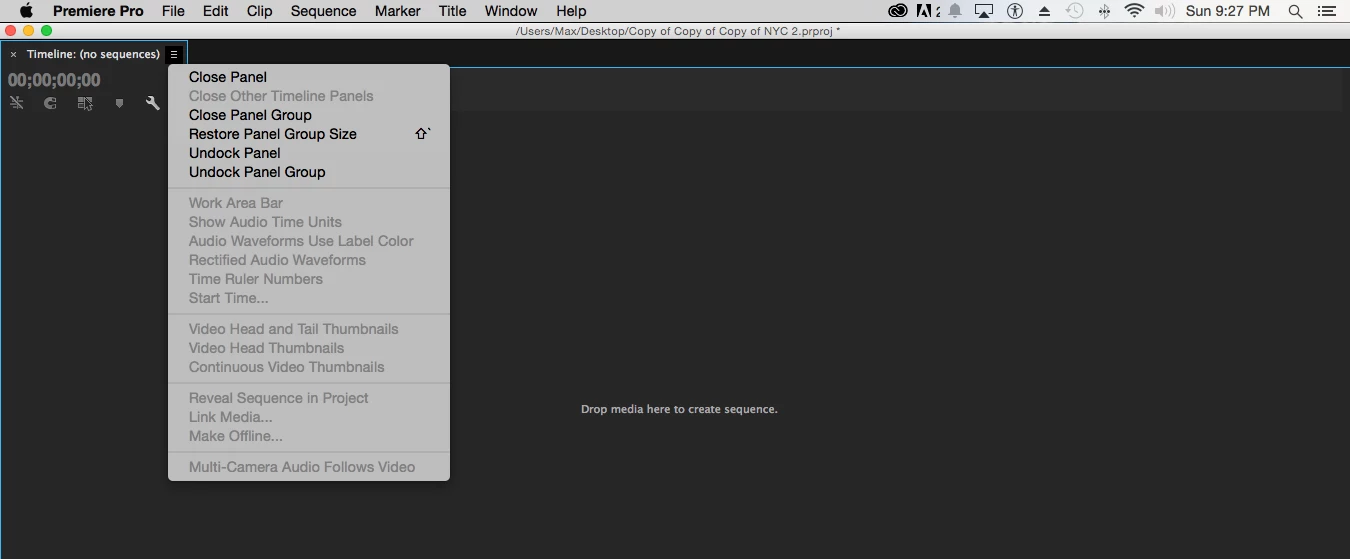
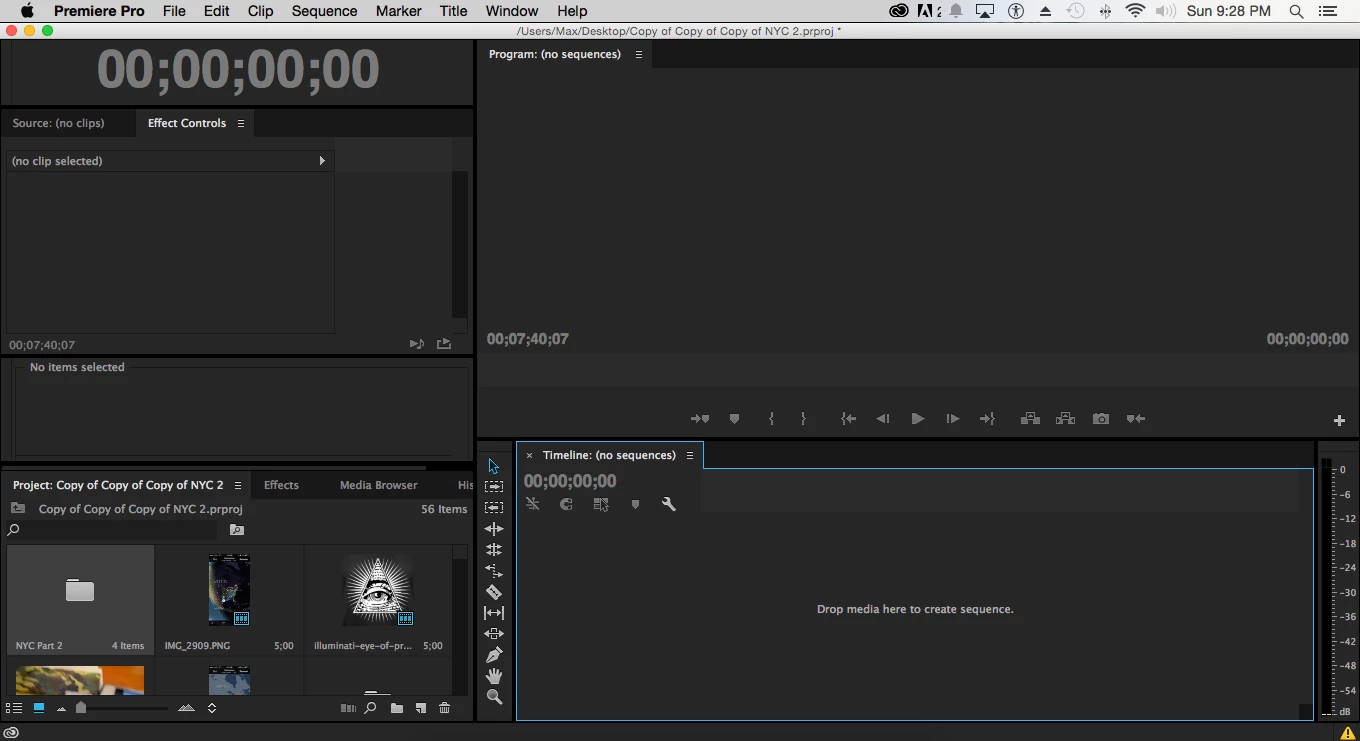
I've spent around 15-20 hours on a project. when I was about 5 minutes from finishing, I maximized the timeline panel as shown in the 1st picture below. While trying to click "Restore Panel Group Size" I hit this spacebar, or some hotkey, or accidentally hit "close panel group". When I reopened the timeline panel, all my hours of hard work were instantly gone. How do I recover my sequence on the timeline? If you can fix this problem for me, I will send you $20 through paypal.
Correct answer Ann Bens

there are lots of strange things happening with premiere that folks posting here... i haven't seen this exact problem before. you can change the auto-save settings in the preferences, to something like every 5 minutes, and even put some obscene number like 1,000 copies. if thats what it takes to get this working... also good idea to keep a copy of the project in another location, like another hdd. just do this manually each time you close the program.


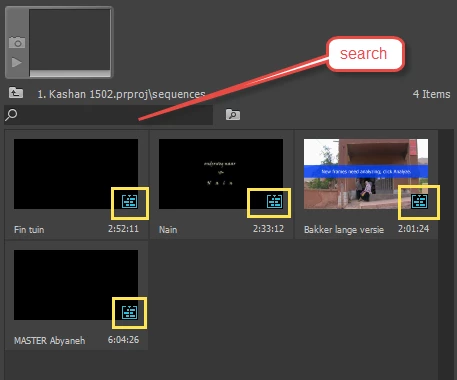
Look for these or try search:

12 replies

Participant
July 9, 2025

CLOSE OUT AS LONG AS YOU SAVED PREVIOUSLY THEN WHEN YOU OPEN THE PROJECT ITLL BE THERE TRUST


[Please do not write in capital letters: mod]

Participant
April 12, 2023

When I lost a sequence, I discovered it in a previous project. 

cluelet
Participating Frequently
February 15, 2023

Hey! 1 thing that happened to me recently that scared the sh** out of me was I had multiple projects open and it turns out I saved the sequence to a different "project" than I thought I did. Look through all your projects and look for any sequence, click on all of them one at a time to see if it's the one you saved it to. Hope this helps anyone!

Participant
April 12, 2023

Just posted the same thing. So obvious, but so frustrating.

RicardoPintoMKT
Participant
May 15, 2020

Had the same problem, and YOU SOLVED IT! Saved my life, thank you very much. 

Best regards,
Rick

Participant
April 29, 2020

So with the resolved solution here I just lose all my edit markers and whatnot? I'm new to this so don't know the correct jargon. I found the sequence and put it back on the timelines and it's just one continuous file instead of showing the literal hundreds of cuts, audio files, image files, video files.... I don't know if there is a more frustrating suite of programs to use in the world than Adobe. 

Ann Bens
Community Expert
Community Expert
April 29, 2020

Participant
November 20, 2019

So what if theres no sequence file? Ive tried everything even my autosave files wont bring back the sequence? Theres no sequence file in the project bins on any of them. I defenetly did work and done manual saves even done the "Render effects in to Out " on the sequence. Is my project salvagable or am i going to have to start again?

Ann Bens
Community Expert
Community Expert
December 19, 2019

If there are no sequences in your project then you have to start over.

Are your other assets still present?

Render effects in to out is of no importance for having a sequence or not in your project.

Did you do a search?

Participant
January 13, 2020

Searching for "sequence" does not locate the sequence when this bug is active.

I believe PP is hiding the sequence or not loading it. Frequently saving the project does not help.


I have enountered this on two projects with difference sequences, when I select Reveal Sequence in Project, it opens a Bin that contains no sequence. This critical bug from 5 years ago is still active and there seems to be no resolution.


As it stands, I cannot find the sequences anywhere on my hard drive.


Participant
August 14, 2019

Thank you! you saved my life

Participant
April 30, 2018

thanks!!

Participant
February 21, 2018

Thank you so much

azzib53783776
Participant
January 29, 2018

Beyond grateful for this post! i had a project I have been working on for months and suddenly there was no sequence. turns out it was hidden in the project bin like others have said! Honeslty I thought I lost everything thankyou so much!!!!