
May 15, 2012
Answered

Where is ProRes Export Setting?

  • May 15, 2012
  • 2 replies
  • 95718 views

I own FCP 7 and do not see where i can set up a Prores sequence NOR export out to 10bit uncompressed (animation)....basically my deliverable is Prores....but do not find anywhere Prores settings.

Do I need to import them from some place within my FCP app?

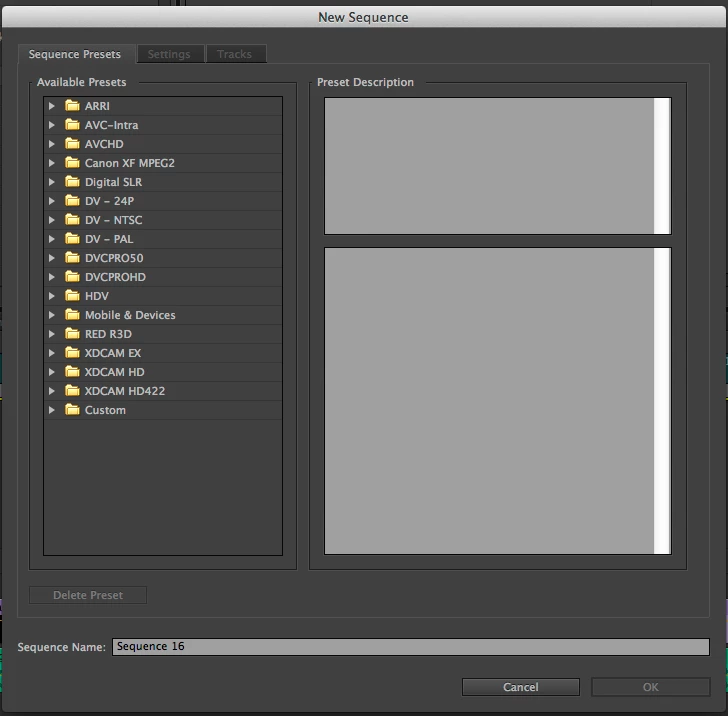
Below are snapshots of my available sequence settings....
This topic has been closed for replies.
Correct answer ExactImage

Select Quicktime in the export dialog.   Ignore the preset.  Now go to the Video Codec in the Video Tab and choose Animation, Prores, etc.... it's all there.

2 replies

Participant
November 27, 2017

Hi. I am also having trouble in finding these settings. Is there something that i can do to export it in Apple ProRess 4444 or 422 HQ in 4K?

Ann Bens
Community Expert
Community Expert
November 27, 2017

You cannot export to Prores on a windows machine. Has to be a Mac.

Participant
November 27, 2017

Thank you Ann

ExactImageCorrect answer
Participating Frequently
May 15, 2012

Select Quicktime in the export dialog.   Ignore the preset.  Now go to the Video Codec in the Video Tab and choose Animation, Prores, etc.... it's all there.

May 15, 2012

Here are my setting options within Sequence:

JoshWeiss
Known Participant
May 15, 2012

I'm assuming there may be no advantage or downside to taking my current sequence where i imported Tiffs and dropped on my 1920x1080p @ 29.97 timeline....and then exporting from there to a QT setting and use some codec to get 1920x1080 50i? but of course brings up my oringal head scratcher---should i just set up another timeline sequence at 1920x1080 25 and drop my Tiff sequence there and THEN output to a prores 50i ?


I think you should take your tiff sequence out of the 29.97 timeline.  Then bring it into your 50i timeline.  Overall, you may want to watch these movies, which may help you

http://www.retooled.net/?p=116

http://www.retooled.net/?p=123