
May 15, 2012
Answered

Where is ProRes Export Setting?

  • May 15, 2012
  • 2 replies
  • 95710 views

I own FCP 7 and do not see where i can set up a Prores sequence NOR export out to 10bit uncompressed (animation)....basically my deliverable is Prores....but do not find anywhere Prores settings.

Do I need to import them from some place within my FCP app?

Below are snapshots of my available sequence settings....
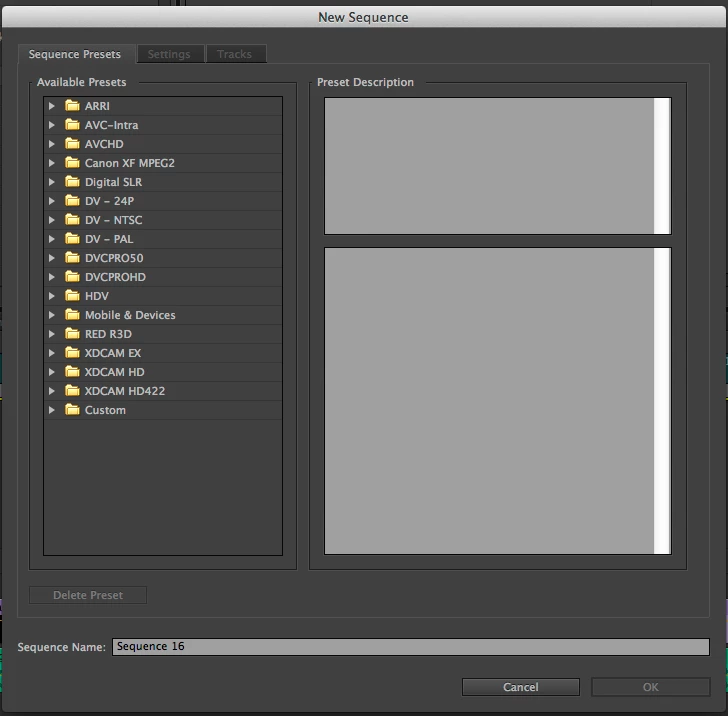
This topic has been closed for replies.
Correct answer ExactImage

Select Quicktime in the export dialog.   Ignore the preset.  Now go to the Video Codec in the Video Tab and choose Animation, Prores, etc.... it's all there.

2 replies

Participant
November 27, 2017

Hi. I am also having trouble in finding these settings. Is there something that i can do to export it in Apple ProRess 4444 or 422 HQ in 4K?

Ann Bens
Community Expert
Community Expert
November 27, 2017

You cannot export to Prores on a windows machine. Has to be a Mac.

Participant
November 27, 2017

Thank you Ann

ExactImageCorrect answer
Participating Frequently
May 15, 2012

Select Quicktime in the export dialog.   Ignore the preset.  Now go to the Video Codec in the Video Tab and choose Animation, Prores, etc.... it's all there.

May 15, 2012

Here are my setting options within Sequence:

Participant
May 31, 2017

OK - so looks like you figured out the codecs while I was doing a screen capture

For the main sequence, either drag a clip to the new sequence icon and have it create a sequence for you, or simply create a sequence that matches your frame rate, progressive / interlaced and size (e.g. 1920x1080).  After that it doesn't seem to matter much.  It all plays well.  Once you've got the settings right you can save your own preset and use that from there on if you want.


I am having the same issue, but under Video Codec all I see is this.

There are no Apple codecs!

I just want to rerender a .mp4 4K clip as a ProRes444 .mov 4K clip to hand over to the colorist.  Is there another way?