Participant
March 8, 2023
Answered

Where to download Keylight?

  • March 8, 2023
  • 3 replies
  • 25717 views

Where can I download the Keylight plugin?

Correct answer Warren Heaton

Keylight is available in Adobe After Effects.  Unfortunately, it is not available in Adobe Premiere Pro directly.

If there's a Clip in your Timeline that you'd like to key with Keylight instead of Ultra Key (included with Premiere Pro), right-click the Clip Boundary and choose Replace with After Effects Composition.

Once in After Effects, right-click the Layer and choose Effects > Keying > Keylight.
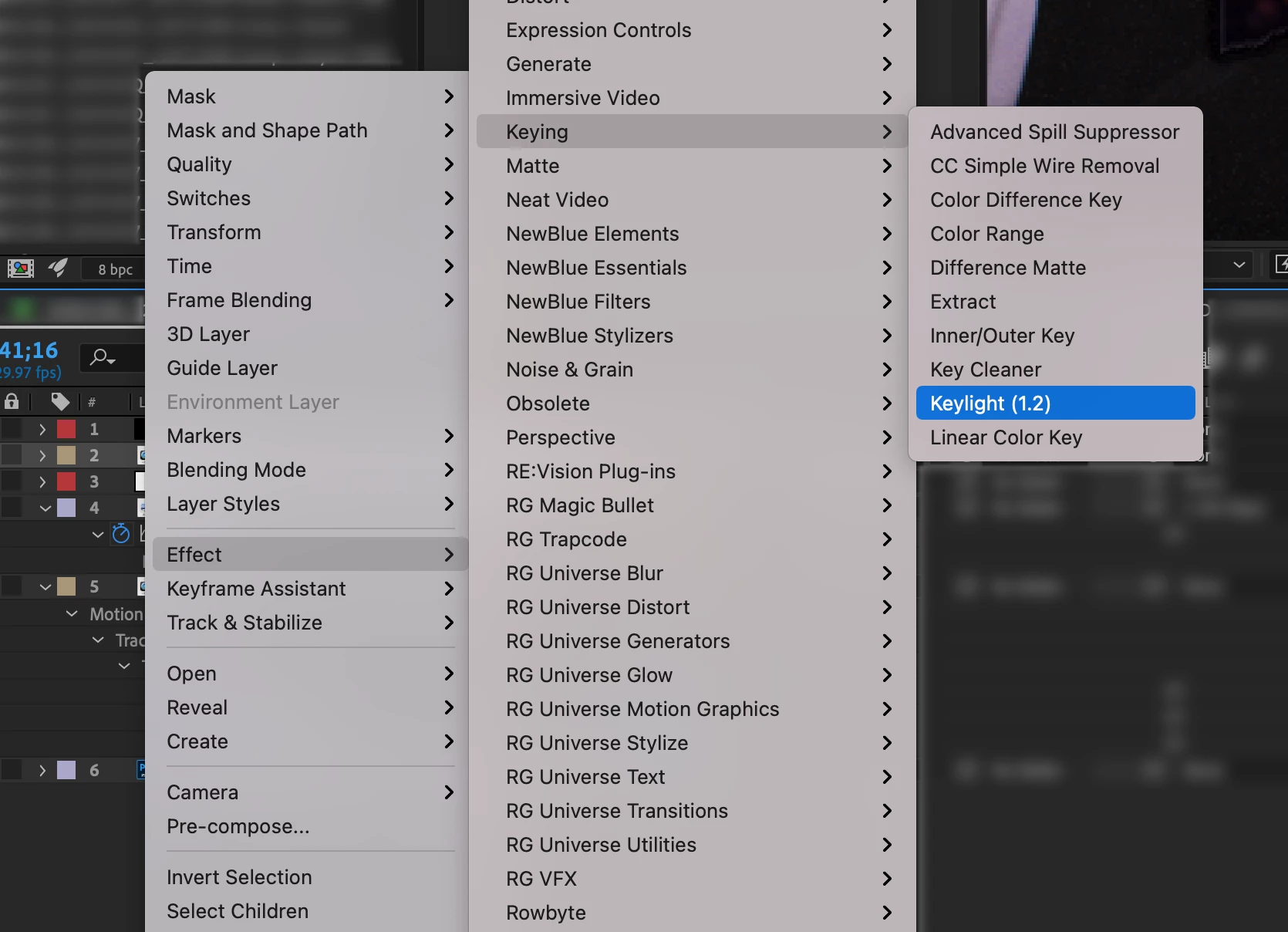


I usually save the resulting After Effects Project next to the Premiere Pro project file.


The Keylight user guide is included in the Keylight folder that is in the Plugins folder.  This the file path under macOS:

  • /Applications/Adobe After Effects 2023/Plug-ins/Effects/Keylight/docs/Keylight_1.2_AE.pdf


3 replies

Participant
March 26, 2024

In Premiere Pro has "Ultra Key" (Effect>Video Effects>Keying)

Warren Heaton
Community Expert
Warren HeatonCommunity ExpertCorrect answer
Community Expert
March 8, 2023

Keylight is available in Adobe After Effects.  Unfortunately, it is not available in Adobe Premiere Pro directly.

If there's a Clip in your Timeline that you'd like to key with Keylight instead of Ultra Key (included with Premiere Pro), right-click the Clip Boundary and choose Replace with After Effects Composition.

Once in After Effects, right-click the Layer and choose Effects > Keying > Keylight.


I usually save the resulting After Effects Project next to the Premiere Pro project file.


The Keylight user guide is included in the Keylight folder that is in the Plugins folder.  This the file path under macOS:

  • /Applications/Adobe After Effects 2023/Plug-ins/Effects/Keylight/docs/Keylight_1.2_AE.pdf


Ann Bens
Community Expert
Community Expert
March 8, 2023

Keylight is a plugin that comes with Ae.


You probably mean Ultra Key which comes with Pr.