Participant
January 26, 2021
Answered

White boxes around images

  • January 26, 2021
  • 3 replies
  • 1584 views

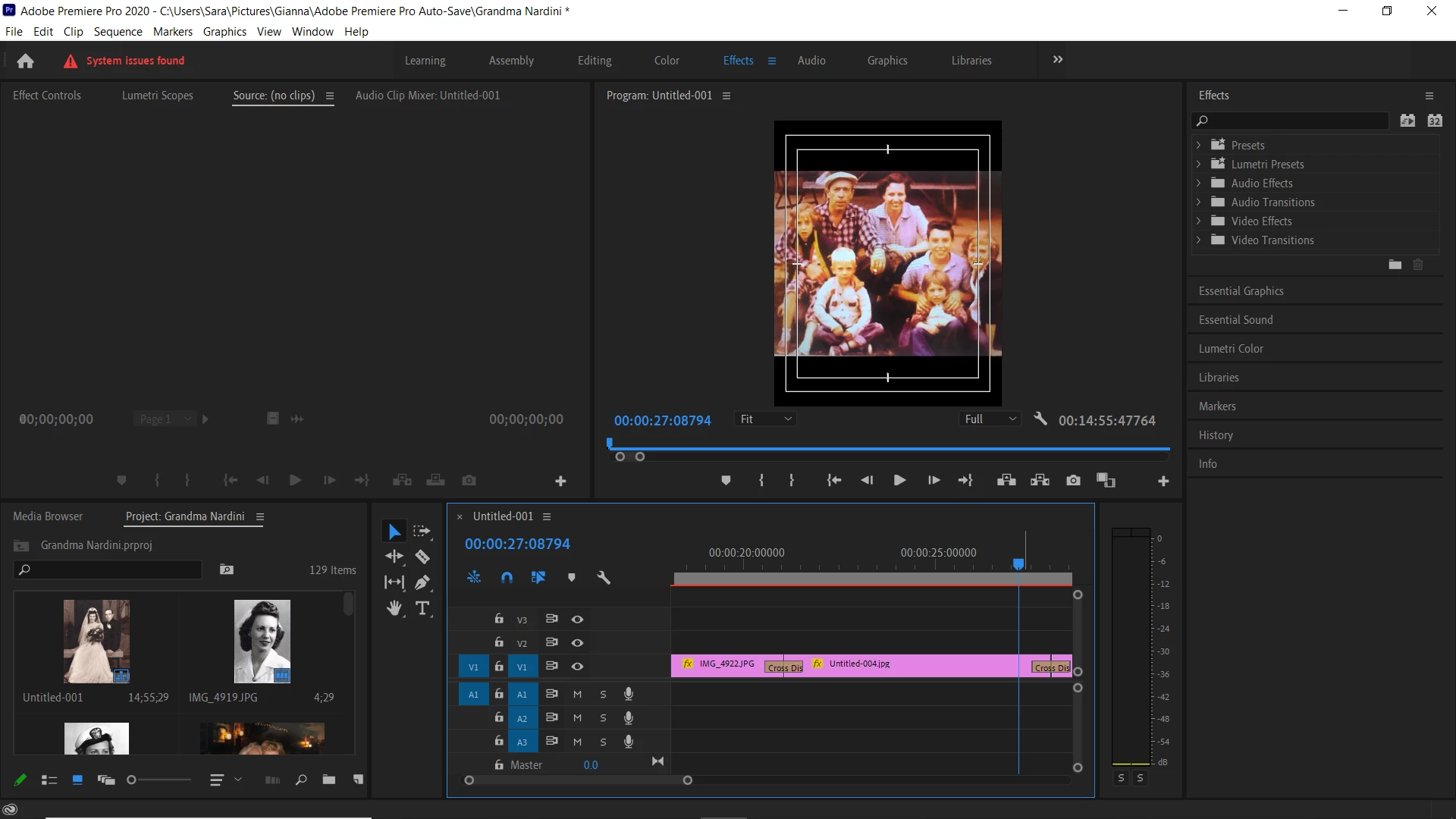
I am getting 2 white boxes around my images.  What did I do wrong?
 

This topic has been closed for replies.
Correct answer Ann Bens

Turn off Safe Margins of the Program Monitor. Setting found under the wrench.

3 replies

R Neil Haugen
Legend
January 26, 2021

And those are only "guides", shown in the Program monitor to show the "safe" areas to place text on-screen. They are not contained in any export of the sequence.


Neil

Everyone's mileage always varies ...
Ann Bens
Community Expert
Ann BensCommunity ExpertCorrect answer
Community Expert
January 26, 2021

Turn off Safe Margins of the Program Monitor. Setting found under the wrench.

jane-e
Community Expert
Community Expert
January 26, 2021

Hi @Sara5DC6 

Since your image is of Premiere Pro, I have moved this from the Photoshop forum where you posted. It looks like the video safe area.

~ Jane

Sara5DC6Author
Participant
January 26, 2021
Whoops! Thanks! I’m new!

Sent from my iPhone
jane-e
Community Expert
Community Expert
January 26, 2021

You're welcome, @Sara5DC6. Happy to help!

~ Jane
