
Participant
May 19, 2018
Answered

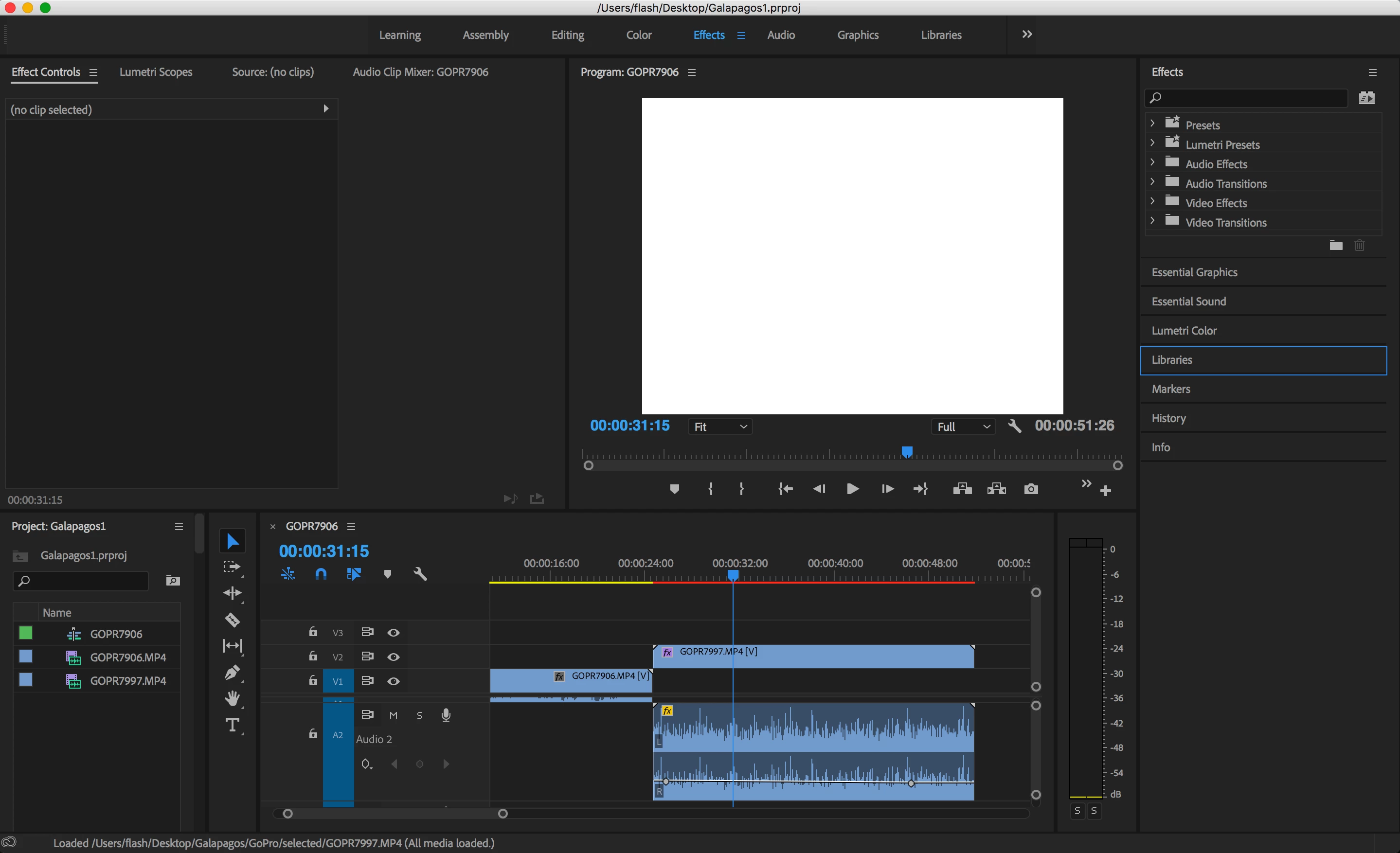
White screen in the video playback box

  • May 19, 2018
  • 1 reply
  • 8228 views

Hi,

I have an issue with Premiere Pro CC on my Macbook. System reboot does not help. Tried different clip formats, result is the same. Intro tutorial has the same issue.

Please advise.
Premiere Pro version: 12.1.1 build 10

OSX: 10.13.4

CPU: 2,7 GHz Intel Core i7

Memory: 16 GB 2133 MHz LPDDR3

Graphics: Radeon Pro 455 2048 MB
    This topic has been closed for replies.
    Correct answer Meg The Dog

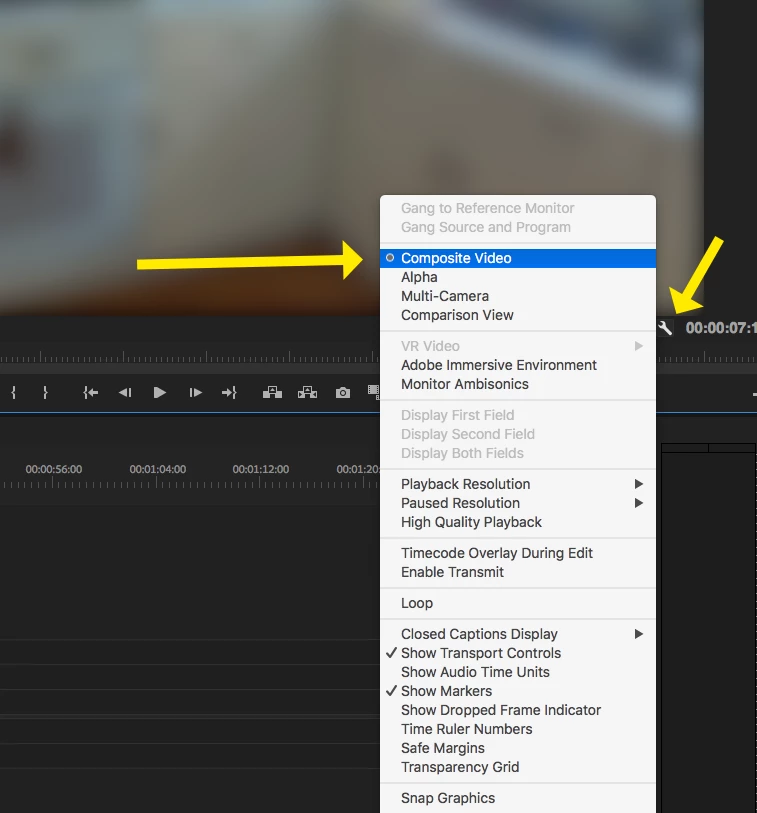
    In the lower right corner of the Program Monitor, click on the wrench to reveal a drop down menu, make sure you are set to display Composite Video and not Alpha:

    MtD

    1 reply

    Meg The DogCorrect answer
    Inspiring
    May 19, 2018

    In the lower right corner of the Program Monitor, click on the wrench to reveal a drop down menu, make sure you are set to display Composite Video and not Alpha:

    MtD

    Participant
    May 19, 2018

    Thank you, playing with this setting helped.

    Actually it was set to Composite Video. I first selected Alpha, then back Composite Video, then restarted Program Monitor. This did the job.