BulatMasterR
Inspiring
February 19, 2021
Answered

Why can't I add video part of clip in timeline, but audio is adding?

  • February 19, 2021
  • 2 replies
  • 7268 views

It’s unusual but when I try to add second (and more) track, video is not adding in project. However, in “source” panel I can see video, and video is not adding in timeline, only audio.

This issue doesn't appears in previus versions of Premiere pro, such as 14.1. 
Correct answer MarekMularczyk

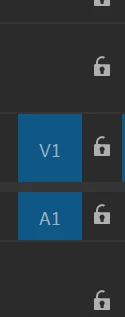
When you're adding a video clip into your timeline, you're ending up with just audio because in your Timeline you have Source Patching video disabled (on my screenshot I have it enabled:


2 replies

MarekMularczyk
Community Expert
Community Expert
February 19, 2021

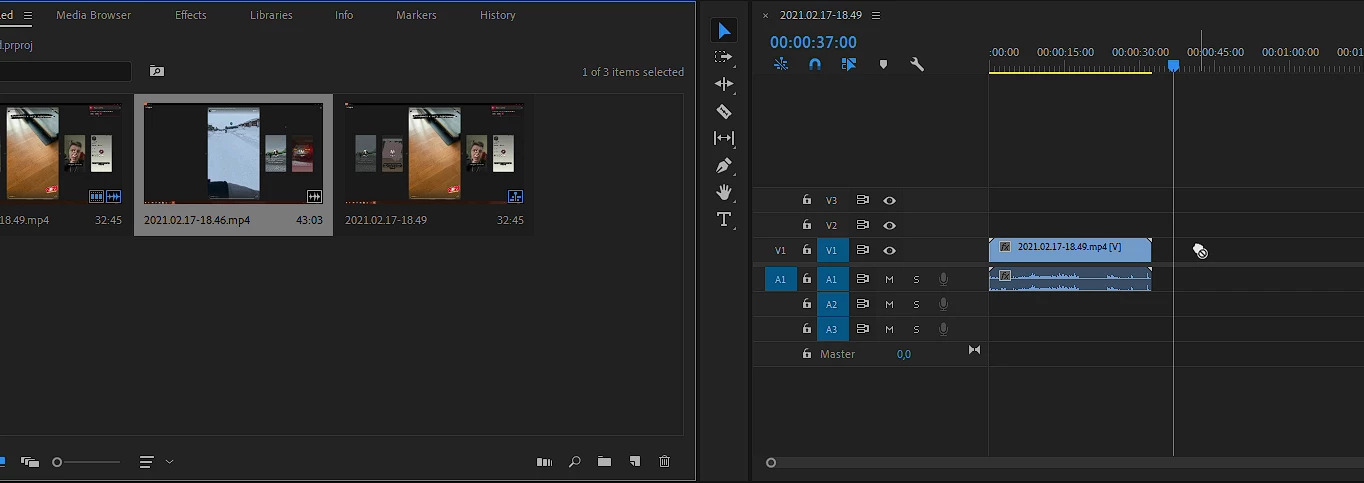
And this is yours for comparison so you can see what I'm talking about 😉  :


Adobe Community ExpertAdobe Certified Professional
Participant
April 23, 2021

I have this highlighted in the picture you showed previously. Do you know maybe of another reason why this could be. When I drag the clips to the "folded paper icon" at the bottom of imported media page it opens a new timeline with that video but if I drag it to the timeline to connect it to another video it shows the "can't do it" hand.

pedzsan
Inspiring
June 25, 2022

Late to the party...  I *think* in the past I had that happened with the sequence settings would incompatible with the clip.  It has been a long time and I can't recall any details.


MarekMularczyk
Community Expert
MarekMularczykCommunity ExpertCorrect answer
Community Expert
February 19, 2021

When you're adding a video clip into your timeline, you're ending up with just audio because in your Timeline you have Source Patching video disabled (on my screenshot I have it enabled:


Adobe Community ExpertAdobe Certified Professional
BulatMasterR
Inspiring
February 19, 2021

Thank you very much! But I don't understand why this option is disabled by default in new versions, and in 14.1 this is enabled 🙂

Kevin J. Monahan Jr.
Community Manager
Community Manager
February 25, 2021

Just a little tip, Bulat. You will always need to keep an eye on source patching, no matter which system you are editing with. Premiere Pro seems to get out of it's automatic patching mode when you try to add an audio only clip or the footage comes from a questionable source, like a webcam, mobile device, or screen capture. Yes, always look at the timeline for patching before dragging. Always!


Thanks,
Kevin

Kevin Monahan - Sr. Community and Engagement Strategist – Adobe Pro Video and Audio