
Known Participant
September 28, 2011
Answered

Why Can't I Rename a Sequence?

  • September 28, 2011
  • 16 replies
  • 116821 views

Ok, so I'm in the project panel, right?  Minding my own buiz and doing what I do.  I want to rename a sequence that I've instinctively named "fat chick" because, well, uh, she was a bit heavy (and in a bikini).  Well, now I need to show the "fat chick" that's paying me what her sequence looks like.  So I want to change "fat chick" to "cute lady" so she's happy.  But guess what?  I can right-click and hit rename, but I never get further than that.  I can't rename it.  So I had to show her the sequence and hope she'd only see the video, not the name of the sequence. 

What's weird is I can rename a whole bunch of other sequences, but the other half of the time I can't.  Oh, I can rename it if it's sitting in the timeline of another sequence... but it only changes it there in the timeline.  (I've posted on this before I realize this is a limitation in Premiere).  But this is different.  I want to rename sequences from the project panel but can't.

Now she's all mad at me and threatening a lawsuit becaue I hurt her feelings, yada, yada.  It's a disaster... all this because I couldn't change the sequence name.

Ok, so the story's made up, but the renaming problem is true.  Is this a bug?  How can I rename sequences when they don't want to be renamed and are perfectly satisfied with the first name I gave them?
This topic has been closed for replies.
Correct answer Stella Haus

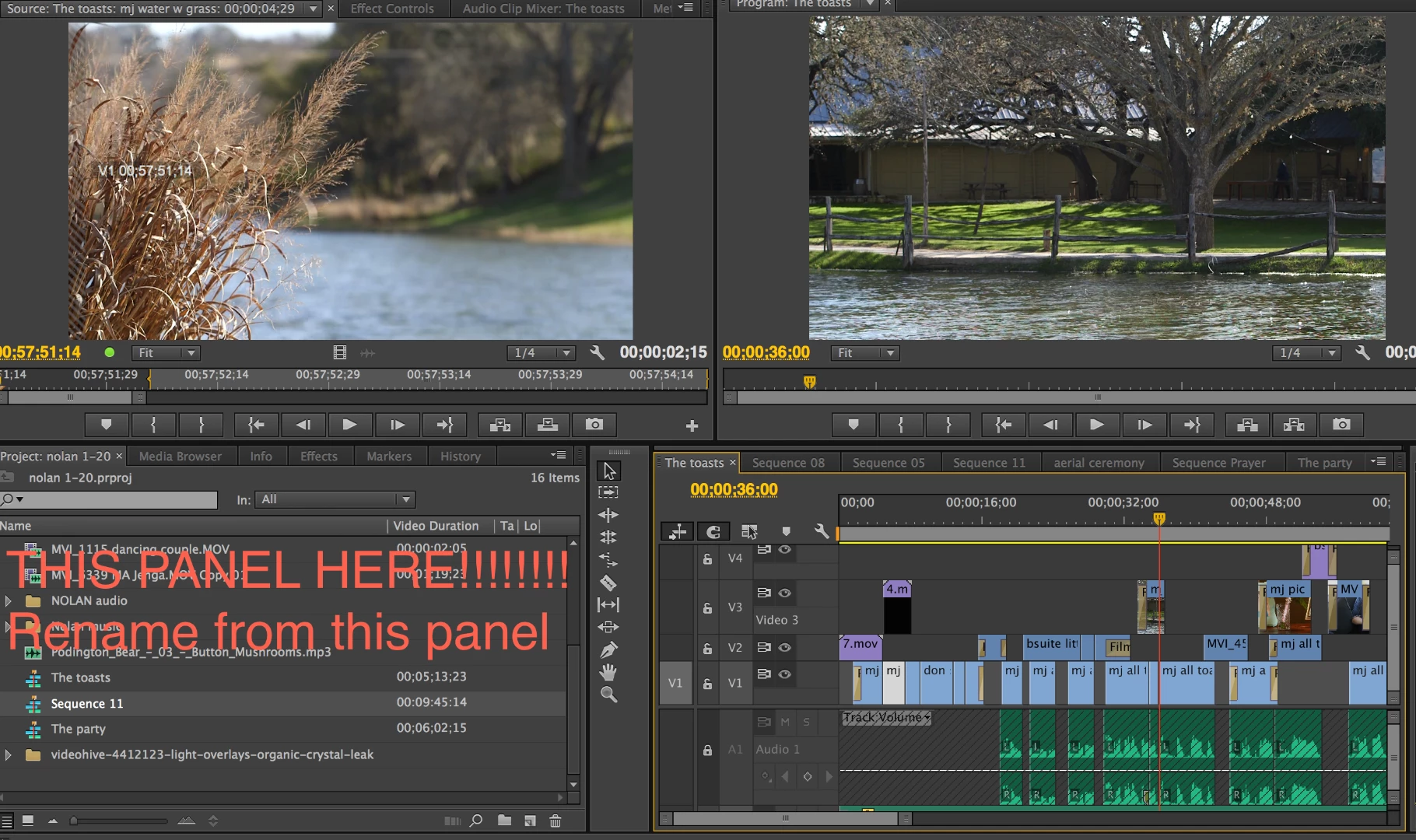
I figured it out. You cannot change the name in the Sequence panel, you can only change it in the Project Panel that holds all your files. Go to the sequence name in the project panel that you want to change and then right click and change the name. I had been trying to rename via the Sequence Panel.

16 replies

Inspiring
June 29, 2021

I have been having problems renaming sequences lately... It seems like maybe trashing preferences would help but the easy work around I found is to change the workspace look to a different preset, and then change it back to the one you want to work in and voila! you can rename a sqeunce in the project panel again.

Participant
July 24, 2020

This is happneing to me now in 2020. Why nearly a decade later is this still happening? FIX your software ADOBE, you're ridiculous.

janas74915606
Participant
March 25, 2020

None of solutions mentioned above did not helped...
Resaving the project under another name, closing the Premiere and opening it again with that new save solved the problem for me ...

Participant
July 13, 2019

You can change the Icon view like in the Pic Press  where is  " C"  AND after this rename the sequence I try it and its work 

Participant
July 13, 2019

Also you can Change the Workspace, chose another Work space , or the Default one ,   it will solve the Issue

Participant
November 18, 2019

Agreed, this happens to me all the time, and switching layouts and going back seems to reset things and all is good again.

Participant
February 14, 2019

Ha, the renaming bug happened to me last night. Widening the column didn't fix the issue - was able to solve by going to Preferences > General and changing the Bin Preference: Double-Click to "Open In Place." If anyone out there is having trouble, maybe try toggling those options around.

Participating Frequently
April 23, 2019

This bug just hit me today and was driving me bats.

Thanks, editville big time for the workaround!

frankf54372162
Participant
December 5, 2018

Thanks for that, was struggling for a while.

Participant
October 10, 2018

TRY THIS! I actually changed my Project Panel's mode from "List View" to "Icon View" and this seems to have fixed the issue.

Participant
May 31, 2017

Thanx

Participant
December 4, 2016

So not sure if this is still a problem for anyone on here but if you need a quick fix, you can right click on the sequence name in the time line, and then go to "reveal sequence in project". There you can just left click and rename like you would usually. Hope this helps if anyone still needs it!

-MS

Participant
August 26, 2016

Hilarious scenario!!!.... I have to say I did think you were an idiot there for a secod since you can start a new sequence, copy and past the timeline into it, and delete the offensive title if you REALLY had "Fat Chick" as a client. Thanks for making me laugh while I was pissed off and frustrated with having this issue. You rock!