Known Participant
November 16, 2023
Question

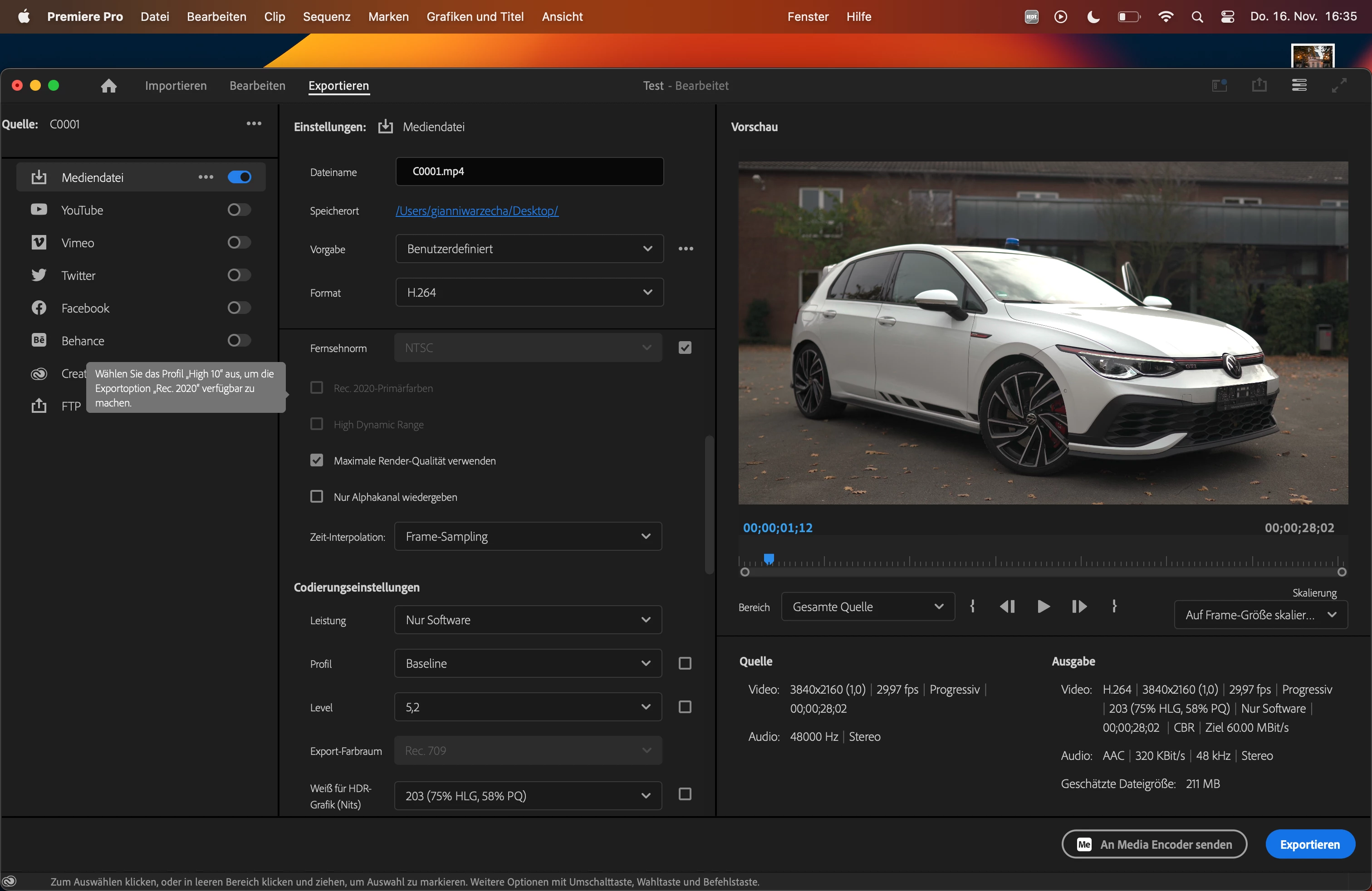
Why can't I select High dynamic range

  • November 16, 2023
  • 2 replies
  • 1206 views

As You see it Has "Please select High 10 to select this option" but I clearly already selected High 10. I jut want to export an HDR Video that gets recognized as one by other media players

This topic has been closed for replies.

2 replies

R Neil Haugen
Legend
November 16, 2023

Are you starting with an SDR preset? NOT recommended!


Use the presets with the correct color space/dynamic range in the preset name. There's too many fiddly things you can miss otherwise.


For HLG, you would use presets with HLG in the preset name.


For PQ or HDR10, use the PQ presets. Though for HDR 10 you need to set the HDR10 metadata 'switch' to on in the settings.


Those are the three forms of HDR that Premiere can currently export.

Everyone's mileage always varies ...
Known Participant
November 17, 2023

I just uploaded the wrong screenshot

Known Participant
November 17, 2023

Please... I asked a specific question for a reason.


Did you start with an HDR preset, or one built for SDR/Rec.709?


Please ... answer that.


I started with, "High Quality 4K" or High Quality Full HD", and than just tweaked the bitrate I prefer and stuff. I also tried one of the HLG Presets but theres basically no difference as a compare them. And High Dynamic range isn't selectable on neither of them

Shebbe
Community Expert
Community Expert
November 16, 2023

From the image you've shared you haven't set it correctly yet. Where it says Profil: Baseline -> that needs to be High 10.

Known Participant
November 16, 2023

I just uploaded the wrong screenshot