Question
why ctrl + e shortcut, don´t work on 2022 version
before with "CTRL + E" I was able to open the project of a video already re-rendered, now I don't open it, even though the project is on the computer, after I updated it to 2022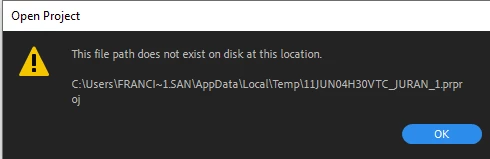

before with "CTRL + E" I was able to open the project of a video already re-rendered, now I don't open it, even though the project is on the computer, after I updated it to 2022
Already have an account? Login
Enter your E-mail address. We'll send you an e-mail with instructions to reset your password.
 AdChoices