
Participant
September 12, 2022
Answered

Why do my effects outlast the clip they are on?

  • September 12, 2022
  • 1 reply
  • 303 views

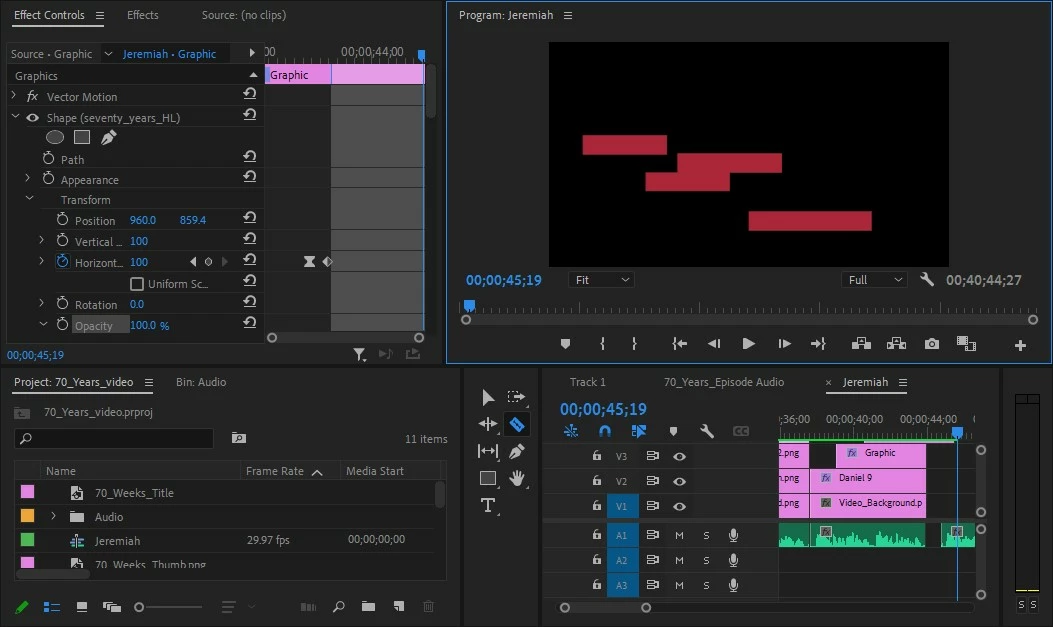
I am trying to do a simple highlighting effect using a couple of rectangles. It worked great, but unfortunately, the rectangles are outlasting the image they are mapped to by several seconds (see photo). I can't get rid of the extra seconds without getting rid of the rectangles entirely. Can you help out with this? I just want to adjust the duration of the effect, but can't figure out how to do it. 


Thank you, 
This topic has been closed for replies.
Correct answer R Neil Haugen

Is something on V4? Looks like we're seeing the 'bottom' of a clip there ...


Neil

1 reply

R Neil Haugen
R Neil HaugenCorrect answer
Legend
September 12, 2022

Is something on V4? Looks like we're seeing the 'bottom' of a clip there ...


Neil

Everyone's mileage always varies ...
Participant
September 12, 2022

My man! Thank you! I didn't know I was creating extra "Vs" every time I made a new graphic. That fixed the problem. Thank you so much dude, and sorry I am such a newbie.

R Neil Haugen
Legend
September 12, 2022

Never apologize for being a more recent person jumping in to this complex/complicated app ... we ALL started out at some point!


Neil

Everyone's mileage always varies ...