
Participant
July 31, 2018
Question

Why does exporting make my video so dark? Never had this issue before.

  • July 31, 2018
  • 1 reply
  • 10652 views

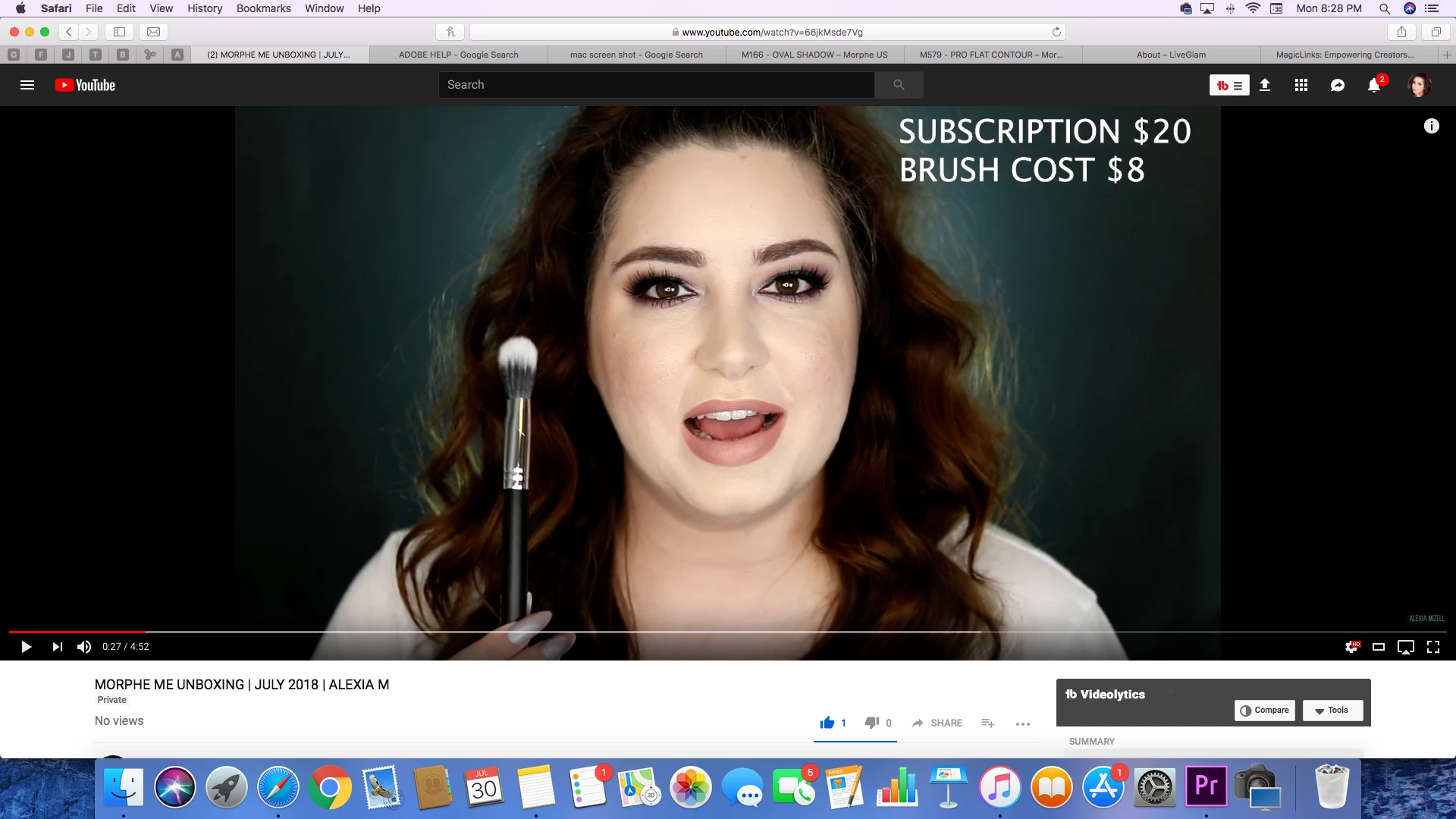
I am not sure what is going on because I haven't had this issue before. The video will look great but once exported and uploaded to youtube these completely dark and weird coloring effects are happening. my export settings are

H.26

Youtube 1080p

High 10

Render at max depth

VBR 2 Pass

Target bitrate -16 through -32

Use max quality render

I've used the settings for a few videos so far and only the last two has it messed with the coloring and I have no clue how to fix it as I'm basically a beginner and not very tech savvy.

during editing

on youtube
This topic has been closed for replies.

1 reply

R Neil Haugen
Legend
July 31, 2018

First, especially if you have a full GPU card in the computer, uncheck max quality render ... it's only useful without a GPU in a very few circumstances, and can cause slowness and artifacts in exports otherwise.

Unless you are working with 10-bit media (and if you don't know, you ain't ... ) ... turn off the Max bit depth also. For the same reasons ... it can slow things down, doesn't help with 8-bit media, and not always with 10-bit, and can cause odd things itself.

Skip the 2-pass, you rarely if ever get any quality boost anymore but you do get a lot longer export time.

And I'm not sure on a 1080 that you really need clear to 32 on the max bitrate, 20 is probably entirely adequate.

Now, as to the differences you're seeing, they're really very small ... in relative terms. Why?

Because Safari is a color-stupid browser, YouTube is rather odd in the way it manages color (or mangles it), and ... no other screen on the planet will EVER EVER EVER see exactly what you see on your screen. Period.

Even in a highly color-managed environment with thousands of dollars per monitor and thousands spent on calibration in perfect viewing environments, you can't make any two screens totally match. It's the bane of colorists, with Client Attended Sessions. Client's are on the couch, watching the incredibly spendy 50 inch TV calibrated via LUT boxes ... colorist at workstation with a $5,000 monitor.

Client looks over at one point, says ... I like it on your screen better, make this one look like that.

Um ... no. Just ain't possible.

Realistically, for taking something out of PrPro which will do its best to make the monitors it displays show the media in Rec 709/sRGB gamma 2.2/4, exporting to YouTube and viewing outside any color management on a color-stupid browser, that's an amazingly close comparison between the two.

Be grateful.

Neil

Everyone's mileage always varies ...
Participant
July 31, 2018

Thank you for all of the tips. I will try those out. Also I know it isn't too big of a difference but the reason it is frustrating is none of my other videos had these issues. Thank you though!