
Inspiring
May 19, 2025
Answered

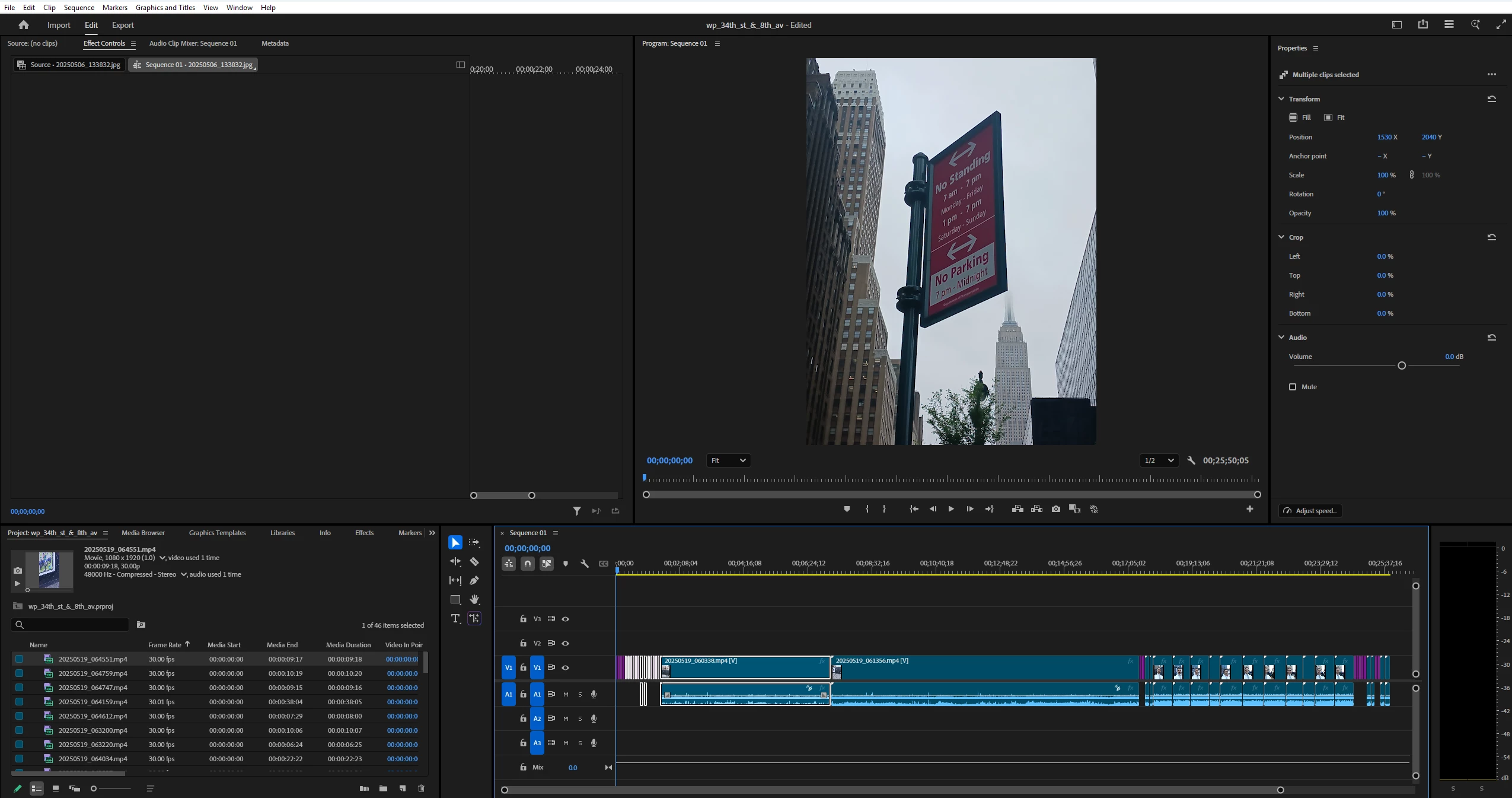
why does import put all clips into the timeline?

  • May 19, 2025
  • 2 replies
  • 379 views

I just created a Project and imported all the clips from a folder on my hard drive into it - but the clips were also inserted into my timeline.  I don't remember this happening previously nor does it seem particularly helpful - having 30-odd clips randomly inserted as opposed to being organized in an intentional fashion.


Also, when I try to lasso all these clips to remove them from my timeline, the lasso does not select them.  Why is that not working?


Many thanks.  
 

Correct answer R Neil Haugen

Did you use the Import Page?


If so, in the upper right are a number of options, including make sequence from imported clips. That was probably in the 'selected' state for some reason.

2 replies

MyerPj
Community Expert
Community Expert
May 20, 2025

<<having 30-odd clips randomly inserted as opposed to being organized in an intentional fashion.>>

Indeed, that's why we are 'editors' - good comment. 🙂

With the timeline panel selected, Ctrl-A will select all clips, then you can remove them.


R Neil Haugen
R Neil HaugenCorrect answer
Legend
May 20, 2025

Did you use the Import Page?


If so, in the upper right are a number of options, including make sequence from imported clips. That was probably in the 'selected' state for some reason.

Everyone's mileage always varies ...
Inspiring
May 20, 2025

Thanks, I must have.  I exited the Project without saving, reopened, and used File>Import instead.  That brought in the files without inserting them into the Timeline.  

R Neil Haugen
Legend
May 20, 2025

Those upper right options of the Import Page can fe useful, like the checksum verification option. But they are "sticky", so we all need to check them and make sure normally that they're not active.


Which is easy to miss.

Everyone's mileage always varies ...