
Why does Windows Media Player show better blacks in my footage than Premiere Pro?
This is a complex question to pose so it is possible my title is not detailed enough to convey my specific concern.
I have 2 Canon XF 305's connected over SDI to my PC via a Matrox card.
I changed the Camera Picture profile to set my black pedestal and black gamma to -10 as lumetri has been showing me that my black backgrounds have been sitting between 0 and 10 IRE or between 0 and 26 in the RGB 0-255 when viewed through the Waveform (RGB) monitor. It is crucial that I have a pure black background, and crushing the blacks in Premiere introduces grain and colour blocking - hence attempting this solution.
I have confirmed the pedestal in camera using the Waveform display that is available on the XF 305s.
When I look at the footage in Windows Media Player the blacks look right - as in pitch black, however once I import this footage, my blacks look grey and flat.
Images for explanation (obviously screen grabs are a poor demonstration, but might help):
Premiere:

Windows Media Player:

What lumetri sees in the Premiere image:
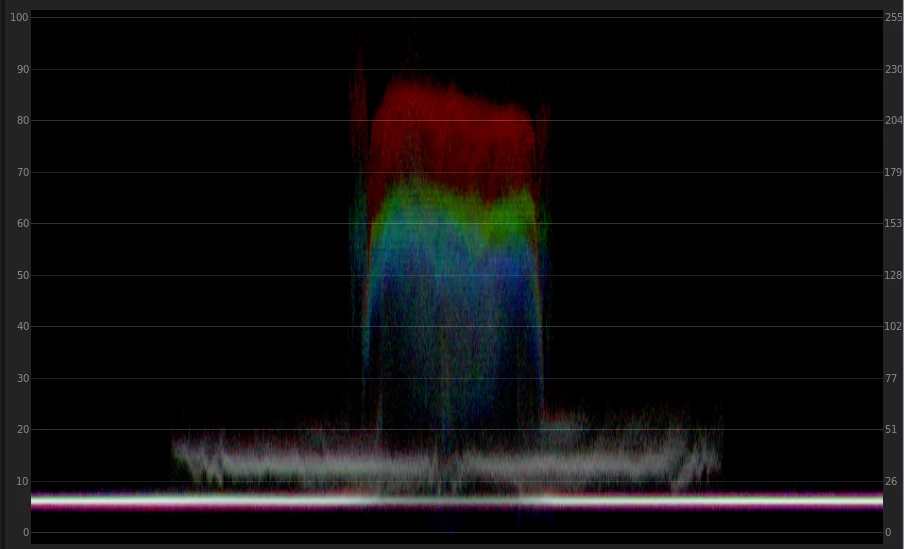
Now my guess is that Premiere is reading the footage as RGB 16-255 however when I manually configure NVIDIA to display RGB 0-255 there is no change (and I also lose CUDA)
I have confirmed my Matrox codec settings are locked to RGB 0-255.
I know that Premiere doesn't actually have a colour space, so I am assuming forcing it to read footage in a different way is not possible.
Clip specs:
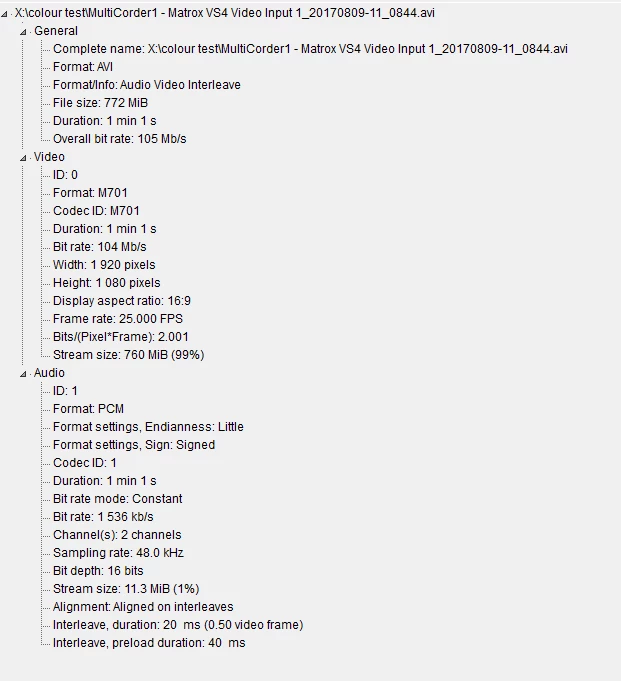
Machine specs:
CPU
Intel Core i7 4790 @ 3.60GHz 43 °C
Haswell 22nm Technology
RAM
32.0GB Dual-Channel DDR3 @ 664MHz (9-9-9-24)
Motherboard
ASRock Z97 Extreme9 (CPUSocket) 48 °C
Graphics
VW24A (1920x1080@60Hz)
VW24A (1920x1080@60Hz)
E2340 (1920x1080@60Hz)
VW24A (1920x1080@60Hz)
4095MB NVIDIA Quadro K5000 (HP) 59 °C
Storage
238GB Samsung SSD 850 PRO 256GB (SSD) 29 °C
11178GB Intel Raid 5 Volume (SSD) 29 °C
238GB Samsung SSD 850 PRO 256GB (SSD) 24 °C
Optical Drives
TSSTcorp BDDVDW SE-506CB USB Device
Audio
AudioBox 44VSL Audio
 AdChoices