
Participant
June 24, 2021
Question

Why is R3D footage importing as LOG?

  • June 24, 2021
  • 3 replies
  • 2790 views

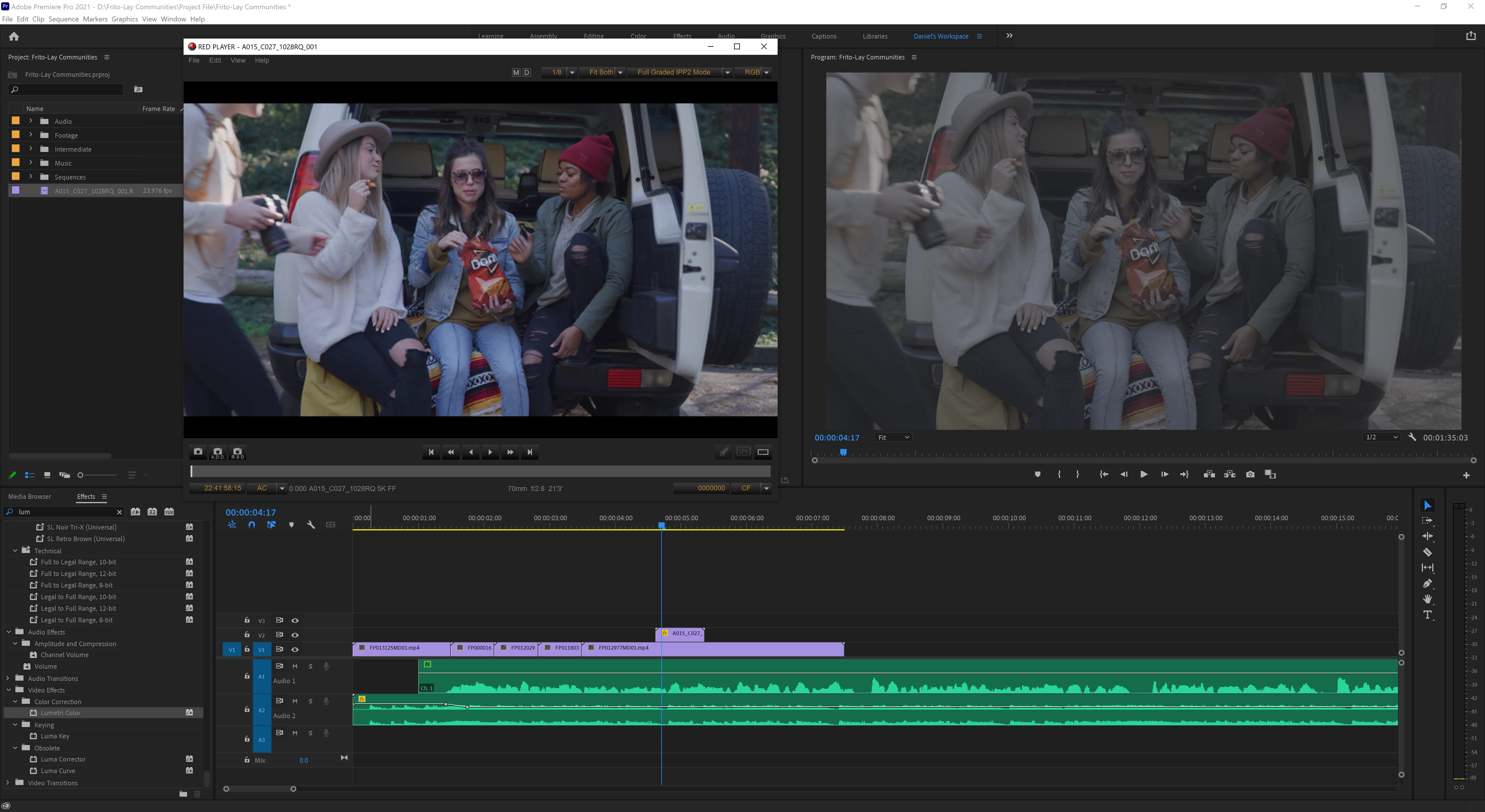
Our team just moved over to a Windows workstation. We're having some crazy issues with Red footage importing to Premiere Pro with a very LOG/grey look. Any ideas?


Our experince on OSX was pretty straightforward. Red footage would import with its native color and we would just do light edits. Normally, we try to handle edits pretty quickly without grading from LOG and really just adding minor color correction here and there. Does anyone have any tips for how to get R3D files to import with their native Red color?


Specs: Premiere Pro 2021, Windows 10, Ryzen Threadripper 3960x, RTX 3080ti.


Thanks,

- Daniel

This topic has been closed for replies.

3 replies

Andy Gwynn
Participant
August 6, 2021

I have had this same issue on a MAC. Only thing that changed was updating Premiere pro from 2020 to 2021. Since then, all .r3d footage imports with the wrong Output Transform settings and so I have to manually change each clip by selecting it while in the project bins, going to its Effect Controls, scrolling down through the .r3d settings all the way to the bottom and changing the Color Space and Gamma Curve dropdown menus within the Output Transform Settings section. It's very annoying.

richardb76196651
Participating Frequently
March 2, 2022

I've been having this problem for more than a year now and it's the most frustrating part of RED post production work in Premiere Pro. The other annoyance is I know every client I have is probably having the same issue, and therefore may be less inclined to use me and my RED again.

Community Manager
June 25, 2021

Hi Daniel,


We're sorry about the poor experience. We can get this checked. Which RED camera was used to capture these files? Also, if possible please share a download link for the sample R3D file with which you are experiencing this issue. It will help us to diagnose the issue at our end.


Thanks,

Sumeet

richardb76196651
Participating Frequently
March 1, 2022

Im also having this problem, my image pipeline is set to legacy gamma 4, yet when i import to PP it comes out as Log and takes forever to individually change it to the correct gamma settings

R Neil Haugen
Legend
March 1, 2022

I think Ann's direction is correct, and that your issue is not the same as the original post from a couple years back.


Premiere 2022 went from being a Rec.709 app to being totally color space agnostic, a HUGE change in the underlying color and many color default behaviors.


Something that seems an issue currently for Premiere ... is that ALL HDR is log-encoded. But some SDR is also log-encoded. And at this time, it's having troubles at times discerning if log-encoded media is HDR or SDR.


Hence needing to do the Override to Rec.709 process to the clips in the bin ... right-click/Modify/Interpret Footage, set the Override to Rec.709.


Neil

Everyone's mileage always varies ...