Known Participant
June 21, 2020
Answered

Why is there a black border?

  • June 21, 2020
  • 3 replies
  • 852 views

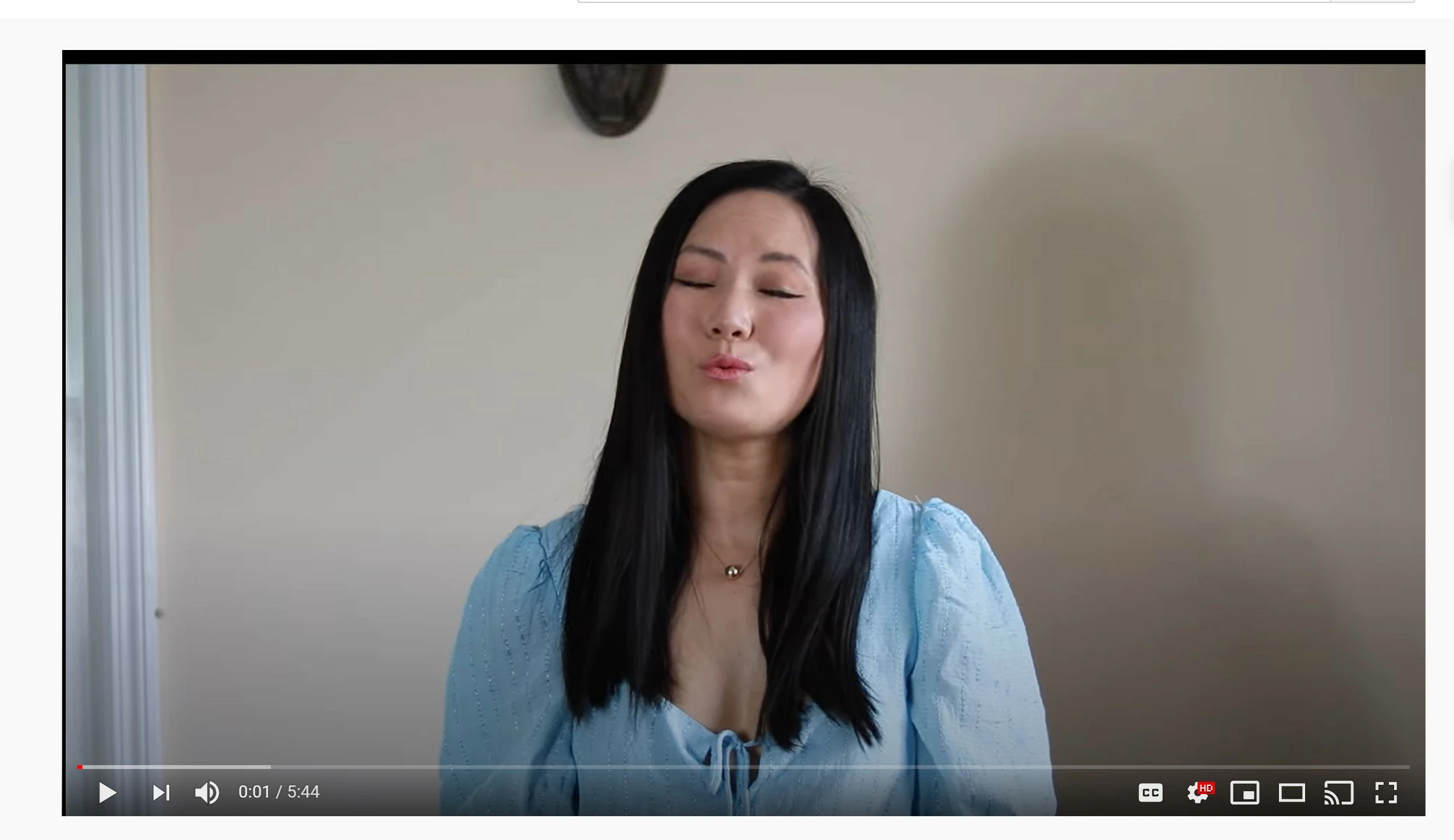
Hi, can someone please tell me why my video shows a black border on the very top? Is there some setting I need to change to make the footage aligned or something?

This topic has been closed for replies.
Correct answer RobShultz

Is the problem video 1920 x 1080? 

Is it possible that you moved it? You can select the clip and go into the effect controls panel and click on the reset button (curved arrow) to the right of the position.

3 replies

Graeme Bull
Community Expert
Community Expert
June 22, 2020

As Rob says, you have likely moved it by accident. You can delete it and add it again, or reset position as Rob has noted. If that isn't the issue (which logic says it is) then double check the video itself to see if it has that already. If the frame size was smaller, Premiere would center it, so it's likely either the footage itself or you moved it down and to the right a bit.

RobShultzCommunity ExpertCorrect answer
Community Expert
June 22, 2020

Is the problem video 1920 x 1080? 

Is it possible that you moved it? You can select the clip and go into the effect controls panel and click on the reset button (curved arrow) to the right of the position.

Known Participant
June 23, 2020

I clicked the reset in effect controls- that fixed it! Thank you so much Rob!

Ann Bens
Community Expert
Community Expert
June 21, 2020

Post screenshot of export settings with the left tab to output with the image.


Is this just this image or the entire movie?

Known Participant
June 22, 2020

Here is a screenshot. This entire clip has this black border, but the other stock videos I inserted do not have black border. I use the same setting to export the video (obviously), so I'm not sure what I did incorrectly with this clip.