
Exit
  • Global community
    • Language:
      • Deutsch
      • English
      • Español
      • Français
      • Português
  • 日本語コミュニティ
  • 한국 커뮤니티
0

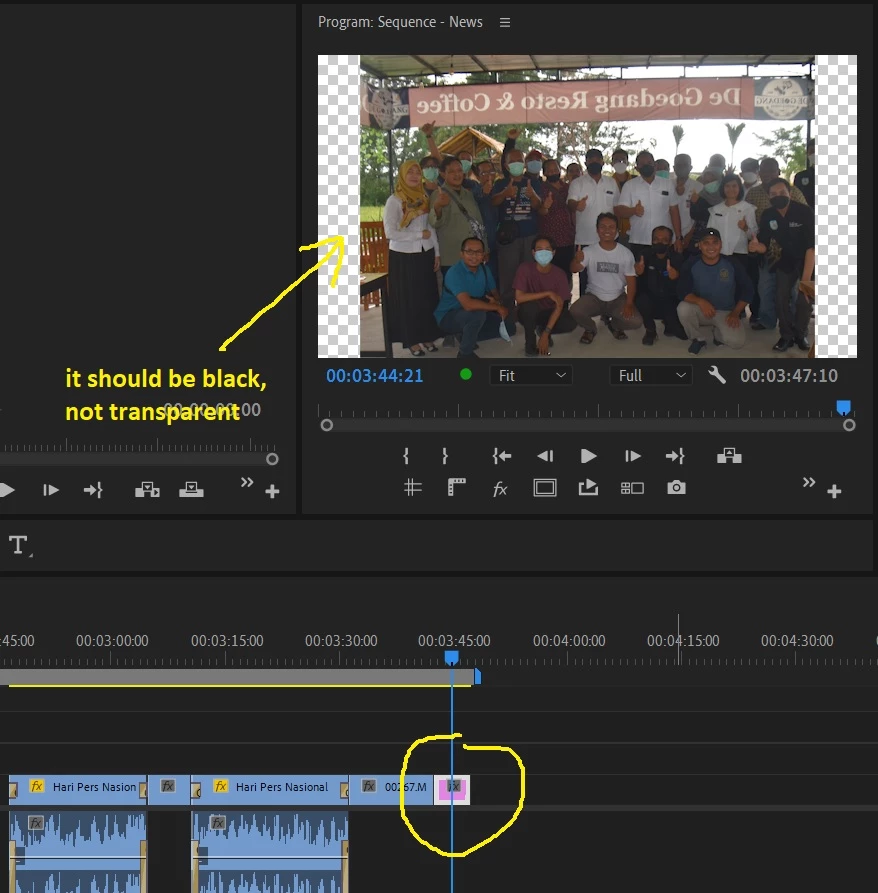
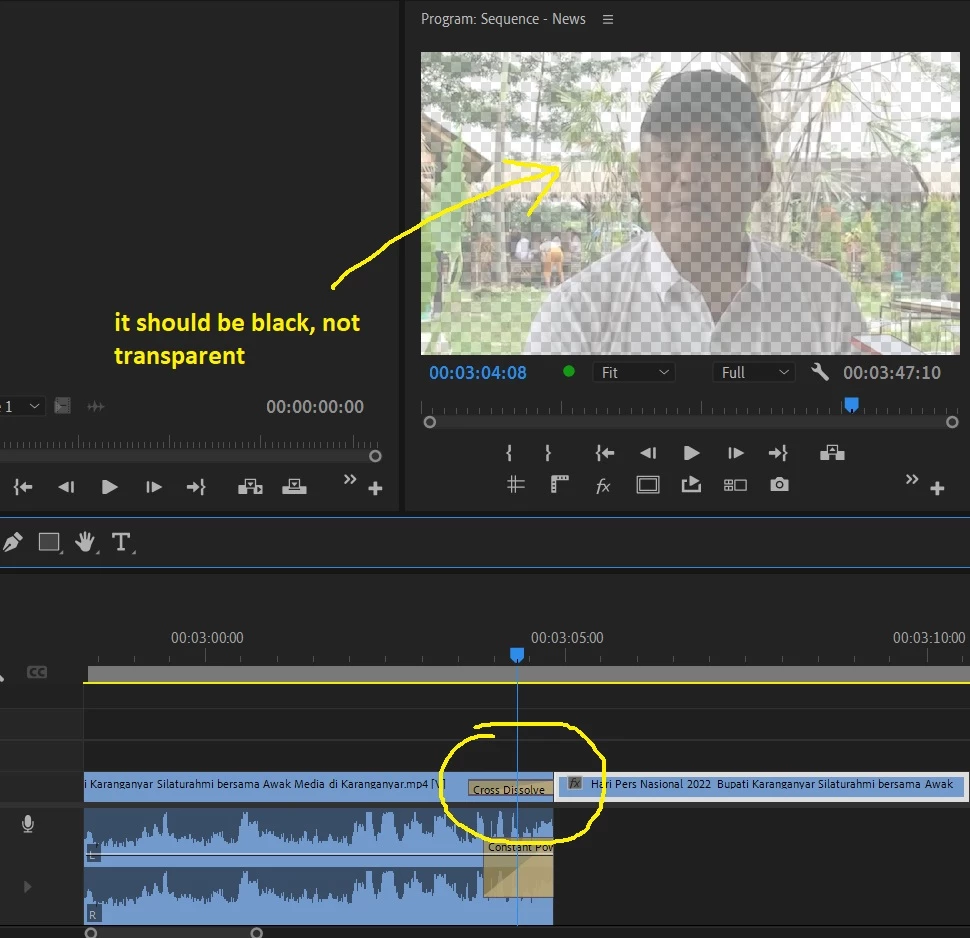
Why my program monitor become transparent? it should be black, not transparent

Enthusiast ,
Feb 11, 2022 Feb 11, 2022

Hi all, i don't know what my false, but today my program monitor become transparent. Please the picture below :
Untitled2.jpg

Untitled.jpg

As far as i know, it should be black. Not transparent, thanks.
######
Raizen 7, 40Gb Ram, RTX 3060, Win 11 -- All of Software in the world are just tools. Buy it if it works for you 🙂
TOPICS
Editing , Error or problem , Import , Performance , User interface or workspaces
311
Translate
Report
Community guidelines
Be kind and respectful, give credit to the original source of content, and search for duplicates before posting. Learn more
community guidelines

correct answers 1 Correct answer

Community Expert , Feb 11, 2022 Feb 11, 2022

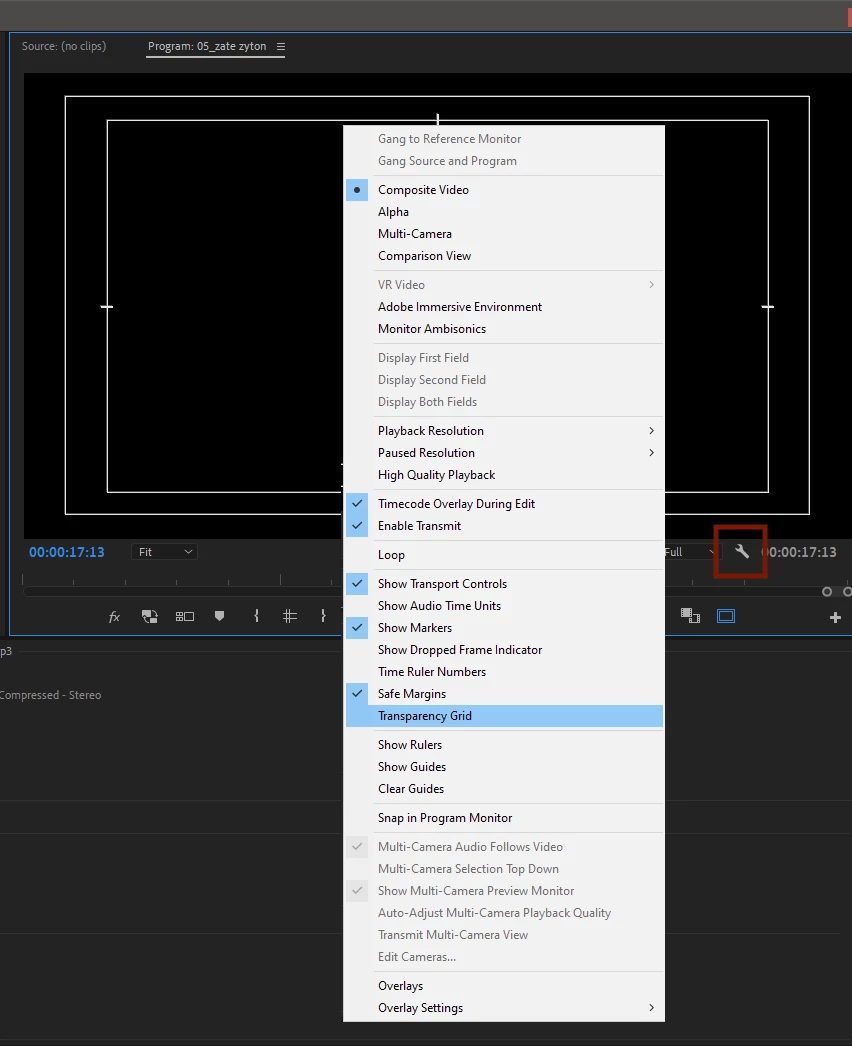
In the program monitor, click on the wrench and uncheck "Transparency Grid":

transparency grid.png

Translate
Community Expert ,
Feb 11, 2022 Feb 11, 2022

In the program monitor, click on the wrench and uncheck "Transparency Grid":

transparency grid.png

Translate
Report
Community guidelines
Be kind and respectful, give credit to the original source of content, and search for duplicates before posting. Learn more
community guidelines
Enthusiast ,
Feb 12, 2022 Feb 12, 2022
LATEST

Thanks so much, @Ali Jaber 

######
Raizen 7, 40Gb Ram, RTX 3060, Win 11 -- All of Software in the world are just tools. Buy it if it works for you 🙂
Translate
Report
Community guidelines
Be kind and respectful, give credit to the original source of content, and search for duplicates before posting. Learn more
community guidelines